Delivery with your own couriers
Delivery with your own couriers, from map zone to doorstep
Guests order delivery on your storefront, the address is checked against your zones, and once the kitchen is done the order joins the courier queue. A dispatcher assigns a courier or lets auto-assignment do it, the courier runs the order from a phone, and the guest sees the status.
No card required. Paid plans are chosen in the admin — signing up does not start one.
- Map zones with their own fee, minimum order and time
- Manual or automatic courier assignment
- A courier screen in the phone browser — no app required

Who it is for
The module is the same — wording and defaults follow your business type.
Restaurant
Your own couriers, delivery zones and handover from the pass.
Café and coffee shop
Neighbourhood delivery with a minimum order and scheduled slots.
Online store
Couriers across town, plus a shipments queue with tracking numbers for parcels.
Retail shop
Deliver purchases yourself and take payment on delivery.
What delivery does
Dispatch and couriers
- Queue and fleet
Orders by stage — preparing, ready for pickup, on the way; who is on shift and how many runs they have done.
- Courier assignment
The dispatcher hands an order to a courier or turns on auto-assignment by zone and workload.
- Courier route beta
All orders a courier has taken are combined into one run with the stops put in order.
- Delivery history
Who took, picked up and delivered the order — with names and times on the order card.
Zones and fees
- Zones on a map
Polygons or a radius, each zone with its own fee, minimum order and expected time.
- Location terms
Delivery fee, free delivery over an amount, minimum order and a note for guests.
- Pre-order slots
Guests pick a delivery window, and the server enforces each slot’s capacity.
- Phone orders
Staff enter a delivery with an address in Orders — it follows the same route as a guest order.
Guests
- Delivery on the storefront
Guests choose delivery, enter an address and see their zone’s terms right away.
- Order status
An order page with stages and the expected time, plus an e-mail confirmation linking to the status.
- Courier on the map beta
Guests follow the courier on the order page while the order is on its way.
- Payment on delivery beta
Cash or card to the courier, who sees the amount to collect on the order card.
Handover and on the road
- Handover from the pass
The expo screen shows ready bags, the assigned courier and how long each order has been waiting.
- Courier screen in the browser
Queue, map with the route, a call to the guest and one-tap status changes.
- Android courier app beta
Step-by-step delivery, proof-of-delivery photo, cash on delivery and an SOS button.
- Parcel shipments beta
For online stores: a shipments queue, tracking numbers, a handover register and carrier rates using your own contract keys.
Step-by-step guides — Help article →
What it looks like in the product
Venue storefront
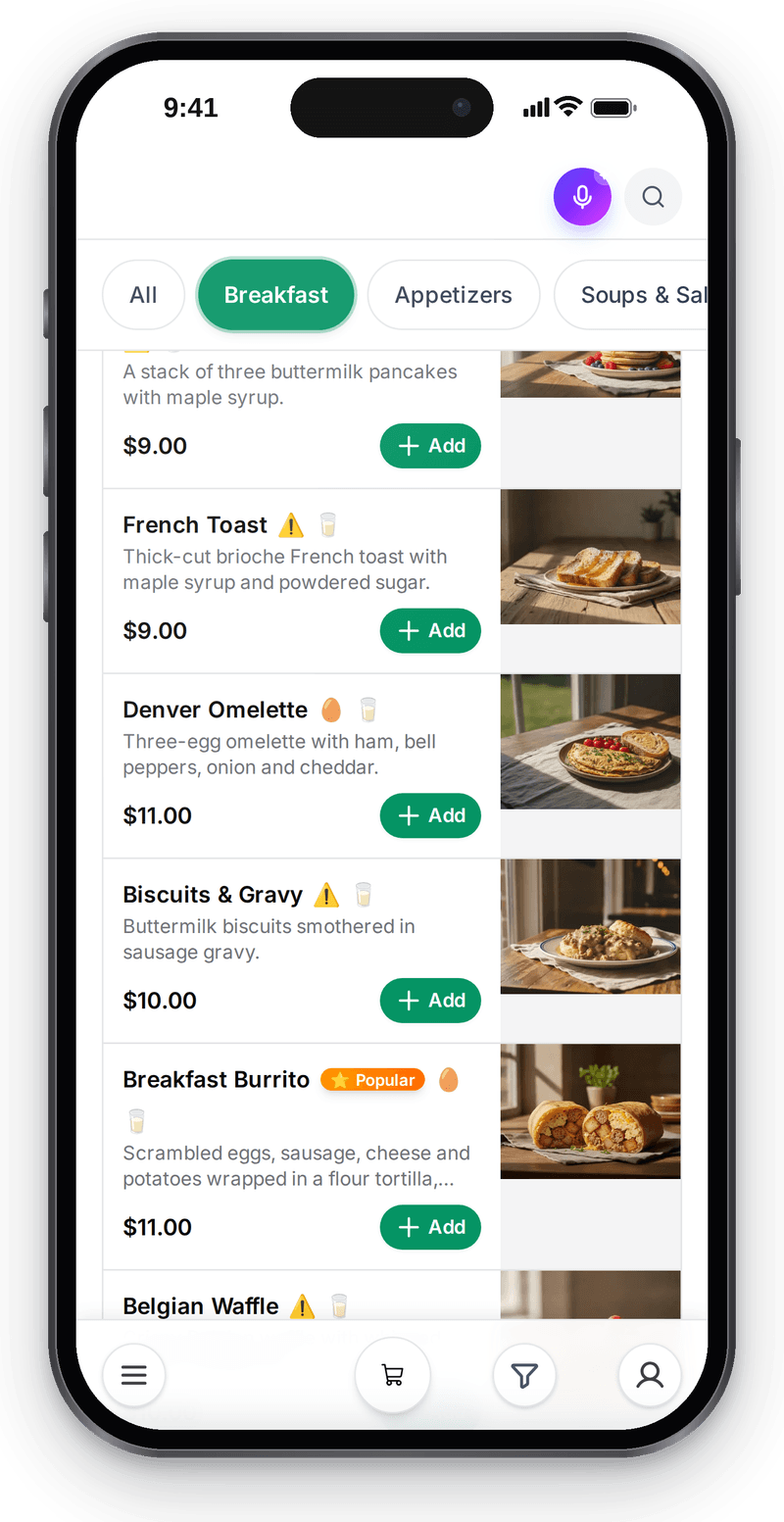
Real screen, demo data, 3 October 2026. The guest builds the order on the venue storefront and picks how to receive it at checkout

Orders feed
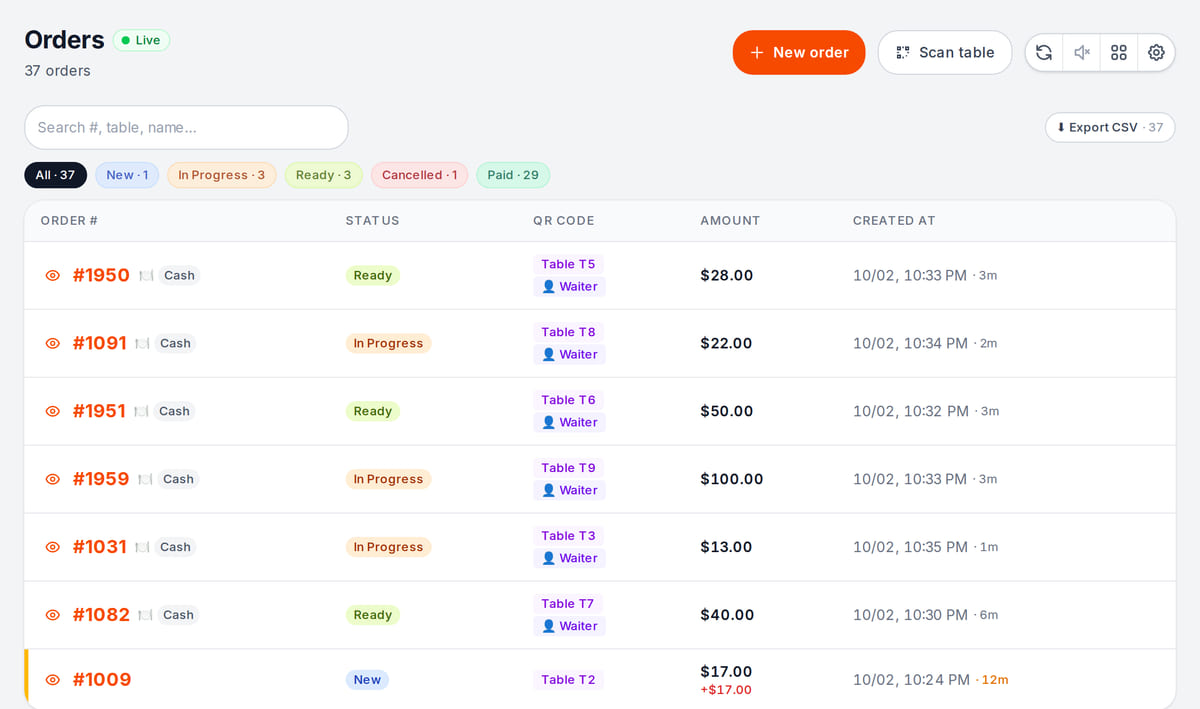
Real screen, demo data, 3 October 2026. All orders, from the floor, the storefront and for delivery, meet in one feed

How it works in practice
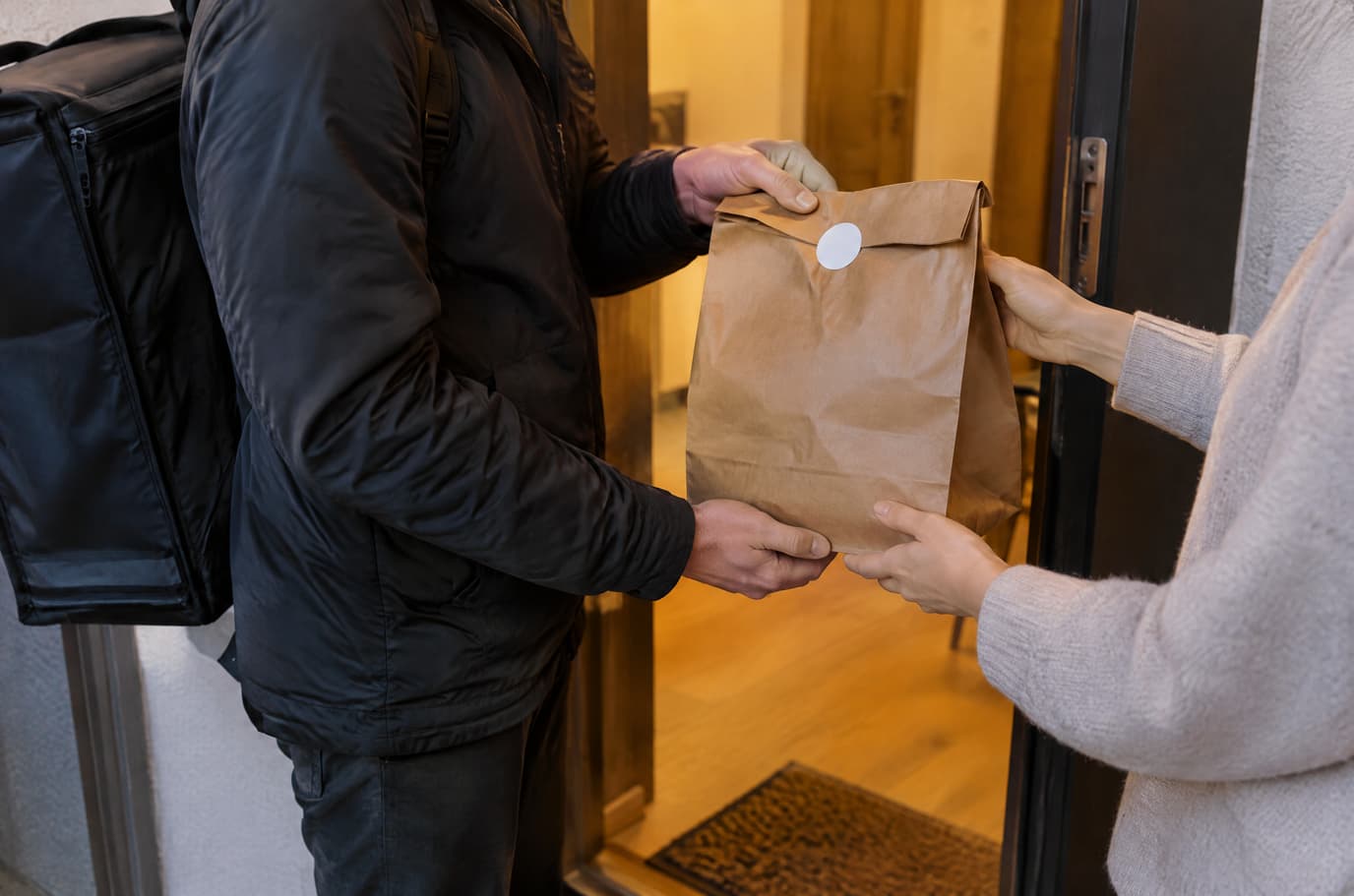
Illustration. The venue's own courier hands over the order at the door

Built as one system
Modules share one menu, one order flow and one shift — no exports between programs.
QR menu and guest ordering
A menu in 45 languages behind a table QR code: guests order themselves and the order arrives with the table number.
Kitchen display (KDS)
Tickets by station on a tablet or monitor: statuses, timers, an expo screen and kitchen printing.
POS
A web POS on a tablet or computer: table, bar and counter modes, shifts with X/Z reports, refunds and PIN control.
Parcel pickup point
Intake, storage, recipient checks and handover, with carrier funds separate from revenue.
Pricing
Available from the plan
Premium
$49 / month
$490 / year when paid annually
Priced per account; the plan sets location, device and order limits.
Good to know
- Own delivery is part of a plan together with couriers and zones — which one is shown below
- No aggregator commission on orders from your own storefront; monthly orders follow the plan limit
- Parcel carriers and online payments work under your own contracts with them
Start for free
A free account with one location: build your menu and test the workflow before choosing a plan.
Start for freeHonest limits
- Couriers do not choose whether to accept an offered order: assignment is one-way. They can hand back an order already assigned to them.
- The web courier screen has no PIN confirmation of handover.
- Courier cash accountability reconciled against the cash shift is not finished yet: payment on delivery is accepted, but handing the cash in is tracked outside the system.
- Routes are built on a public service with no availability guarantee.
- Courier-stage statuses and the pause banner are not shown to guests on every screen.
- Delivery aggregators (Wolt, Glovo, Yandex Eats) are not connected yet: there are no live orders from them, so virtual brands and channel commissions do not work in practice, and aggregator payout reconciliation does not exist.
- On-demand courier services run in demo mode only — no live dispatches go through them.
- There is no iPhone courier app; the Android app is in beta and installs from a file, not from an app store.
Test your workflow on a free account before buying hardware.
FAQ
Does a courier need an app?
No. Couriers sign in from the phone browser with their own account and see only the delivery screen: queue, map and status buttons. There is an Android app with step-by-step delivery and delivery photos, currently in beta.
How is the delivery fee calculated?
By the zones you draw on the map, each with its own fee, minimum order and expected time. You can offer free delivery over an amount. An address outside every zone cannot be ordered to — the guest sees a refusal at checkout.
How do guests know where their order is?
The order page shows the stages and the expected time, and an e-mail confirmation links to the status. While the courier is on the way, guests can see them on the map — this is in beta and not on every screen.
Can couriers take cash?
Yes: cash or card on delivery, with the amount shown on the order card. The system does not yet reconcile the courier’s cash against the cash shift — track that separately.
Can I connect delivery aggregators?
Not yet: Wolt, Glovo and Yandex Eats are not connected for live use. Your own delivery does not depend on aggregators and works fully.
Does it work for an online store shipping parcels?
For local delivery, yes — with the same couriers and zones. For parcels there is a shipments queue: tracking numbers, a handover register and carrier rates using your own contract keys. That part is in beta — check your carrier in the help center.
How much does it cost?
Own delivery is part of a plan — which one and at what price is shown below and on the pricing page. There is no per-order commission like an aggregator’s.
Step-by-step guides — Help article →
Start delivering with your own couriers
Draw a zone on the map, add a courier as a staff member and place a test delivery order on your storefront.
Talk to us →No card required. Paid plans are chosen in the admin — signing up does not start one.