For owners and customer contact managers
Business phone: who answers the call
Set business hours, the order in which employees ring and what happens if nobody picks up. Then verify the rule with a real test call.
Basic plan: $19 per month. This is the platform plan per location. The number and carrier minutes are paid to the provider; dedicated PBX terms are confirmed during setup.
A provider number, configured PBX and employee device are required.
Discuss connecting your number →
External calling needs a provider and configured PBX. A rule test does not prove your provider or device audio quality.
- Business lines and staff extensions
- Number and time-based rules
- Fallback and call-path logs
- number reached
- Line
- when to answer
- Hours
- who rings
- People
- if unanswered
- Outcome
Who answers and what happens otherwise
What you need to start
Provider and number
Check trunk compatibility. Arbitrary number portability is not guaranteed.
A ready PBX
New connections use a dedicated PBX; the shared .ru server is closed to new tenants.
Device and internet
Prefer a desk phone or PC softphone for reliable reception; Android background reception is not guaranteed.
Fallback
Prepare a greeting. External forwarding requires outbound setup and operator minutes.
Your first workflow
- 1
Prepare connectivity
Enable Telephony and configure SIP for the location. Connect a provider number and trunk to a ready PBX.
- 2
Assign people
Create extensions, connect a phone or softphone and configure hours, ringing order and fallback.
- 3
Test three cases
An answered call, no answer and after-hours. Check the PBX log before moving working traffic.
Try your own example
Product steps, not testimonials or promised results.
Who answers
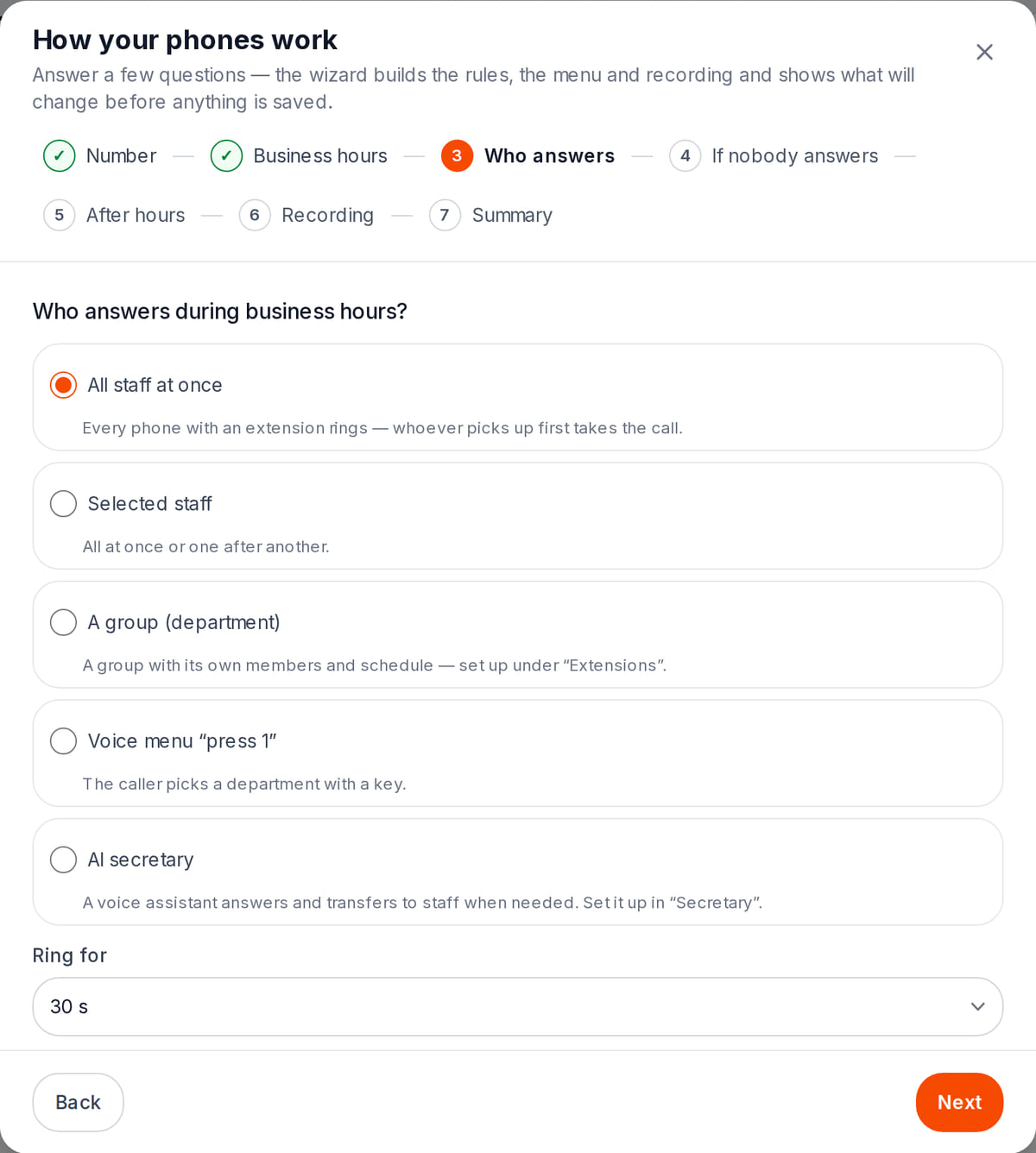
Real screen, test data, 3 October 2026. The business-hours rule is built from plain answers Summary before applying
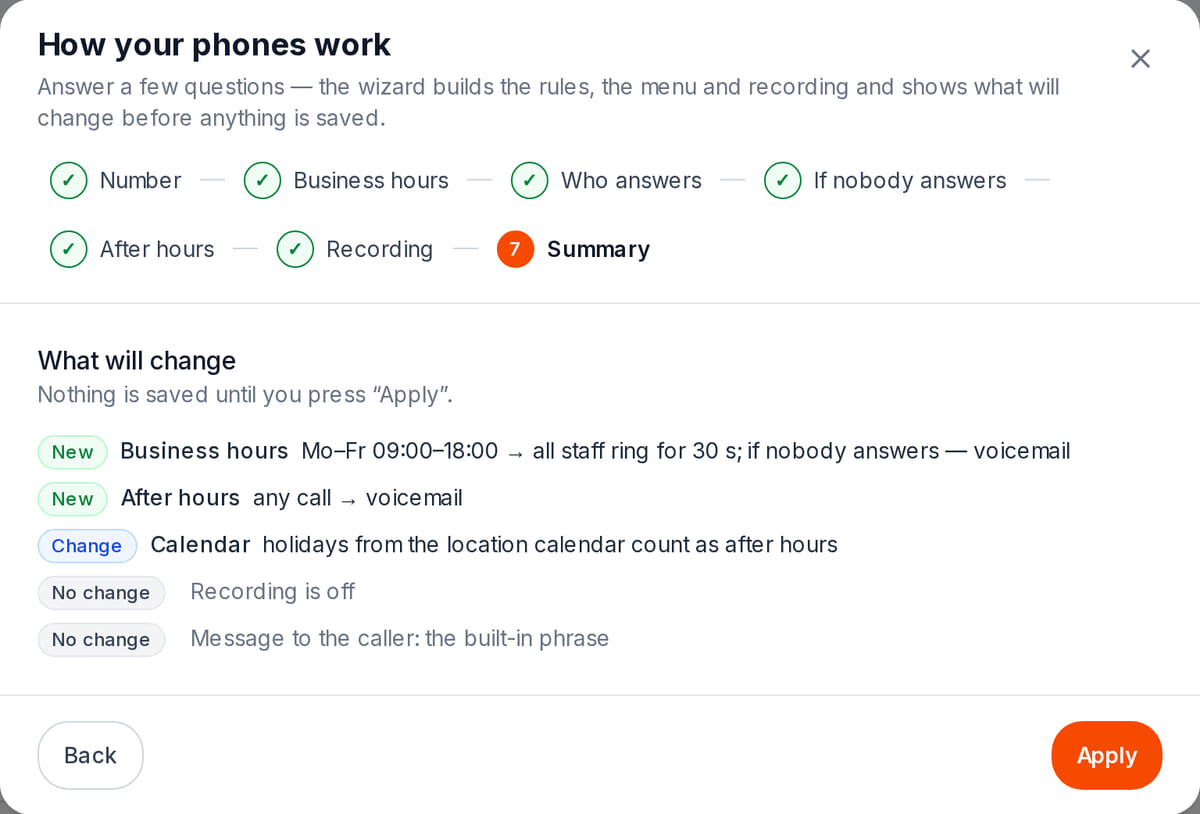
Real screen, test data, 3 October 2026. You see what will change before anything is saved


Verify route logic before working traffic
Real local tests generate PBX rules; this is not a recorded demonstration call.
- 1
Line and hours
The rule checks the line and 09:00–18:00 window before later rules.
Routing conditions → - 2
Group 101 and 103
Both people ring together, or in order under the sequential strategy.
Staff ringing → - 3
No answer: greeting
The timeout leads to the configured fallback. Verify your line with a real test call afterwards.
Connection checks →
How it works in practice
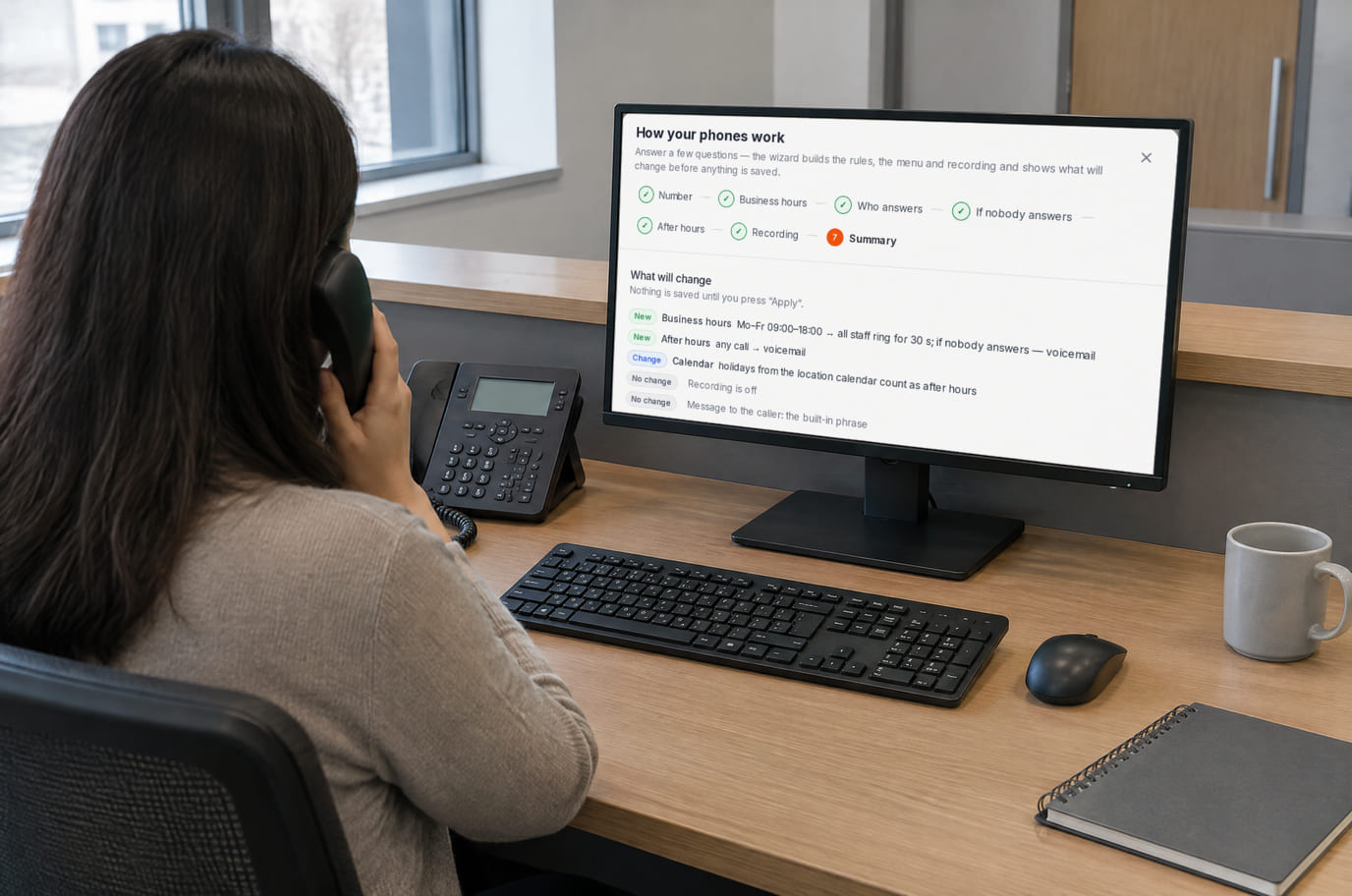
Illustration; the screen shows the real interface, test data, 3 October 2026. The call follows the rule you can see on screen

Where it helps the owner
A busy administrator
Example: ring the team, then play a prepared greeting if nobody answers.
After hours
Example: a separate rule explains the next step.
Adding an AI secretary
Example: configure and test the secretary, knowledge and AI budget separately after the ordinary line works.
Example situations. Measure time and costs with your own operations.
Platform, number and minutes are separate costs
Plan for the basic workflow described here
Basic
$19 per month
$190 per year when billed annually
SIP connectivity starts with Basic where that plan is sold, per location. Provider numbers, minutes, forwarding and AI services cost extra.
Check before connecting
- Provider numbers and minutes are billed separately
- Showing the section does not connect SIP service
- Dedicated PBX has no automatic daily charge currently; check provisioning terms during setup
- Transcription, analysis, AI secretary, devices and internet are additional costs
Before moving your working number
List business hours, people who answer and the no-answer action. Confirm number and trunk compatibility with your provider.
Prepare a business lineA provider number, configured PBX and employee device are required.
What to consider before you start
- Number and provider compatibility require verification.
- Outbound and external forwarding require setup; outbound is initially disabled.
- Android sleep and network changes can interrupt background reception.
- A missed call has a log entry, not an audio recording.
Test your workflow and required connections before migrating data.
Frequently asked questions
Can I use an existing number?
Check compatible SIP connectivity and the provider’s conditions before configuring a test route.
Are minutes included?
No. Numbers, minutes and forwarding are provider costs; AI usage is separate.
Is an employee mobile enough?
Android background reception is not guaranteed. Test a desk phone or PC softphone and a fallback route.
Details for every screen are in the help centre. Where to start →
Start with one line and three test cases
Answered, unanswered and after hours. Add the rest of the team after all three outcomes are verified.
A provider number, configured PBX and employee device are required.