Promotions, emails and print without an agency
Promotions, emails and promo in the same admin as your menu and orders
Discounts and coupons apply on the storefront and at the POS by themselves, emails are built from blocks in minutes, popups and the prize wheel hand out real coupons, and the printed menu and flyers take items and prices from your catalog.
No card required. Paid plans are chosen in the admin — signing up does not start one.
- Coupons, automatic discounts and happy hours
- Email newsletters with segments and open stats
- Popups, quizzes and a prize wheel on your storefront and website
Who it is for
The module is the same — wording and defaults follow your business type.
Restaurant
Happy hours, gift cards and a printed menu built from your catalog.
Café and coffee shop
A first-order coupon, a prize wheel on the storefront and a flyer for a new item.
Retail shop
Newsletters to your customer list, automatic discounts on collections and gift cards.
Online store
Exit popups, a “free shipping over X” nudge and affiliate links for bloggers.
What the module does
Discounts and promotions
- Coupons and automatic discounts
Percent, amount, free delivery or “buy X, get Y”; limits, dates and stacking rules.
- Customer conditions
New guests only, returning guests, by total spend or for guests who have not ordered in a while.
- Happy hours
A discount or a special price in a time window — on the storefront and at the POS.
- Gift cards
Issue, sell at the POS, check the balance by code and see every redemption.
Emails to guests
- Email newsletters
Block-based emails in several languages, an AI draft from one sentence, test sends.
- Audience and segments
Filters by purchases, language and tags, double opt-in; opens, clicks and unsubscribes.
- Automated emails beta
Win-back, second order and “How was it?” after an order — one guest at a time, subscribers only.
Engagement on your storefront and site
- Popups and offers
Show on exit intent, after a delay, on scroll or on cart changes; A/B variants and 30-day stats.
- Prize wheel and scratch card
Prizes are real coupons of your location; by default in exchange for an email with marketing consent.
- Forms and quizzes
Step-by-step questions with branching; answers land in the shared request inbox.
- Popups on your own website
The same campaigns on WordPress, Tilda or Shopify with one shared tag.
Print and partners
- Printed menu
PDF or print from your digital menu: style, languages, background, price-list mode.
- Item flyers
A leaflet, table tent, sticker or poster from an item card — print, PDF or image.
- Affiliate links
A ?ref= link for bloggers and partners: commission on completed orders, reversed on cancellation.
Step-by-step guides — Help article →
What it looks like in the product
Coupons and discounts
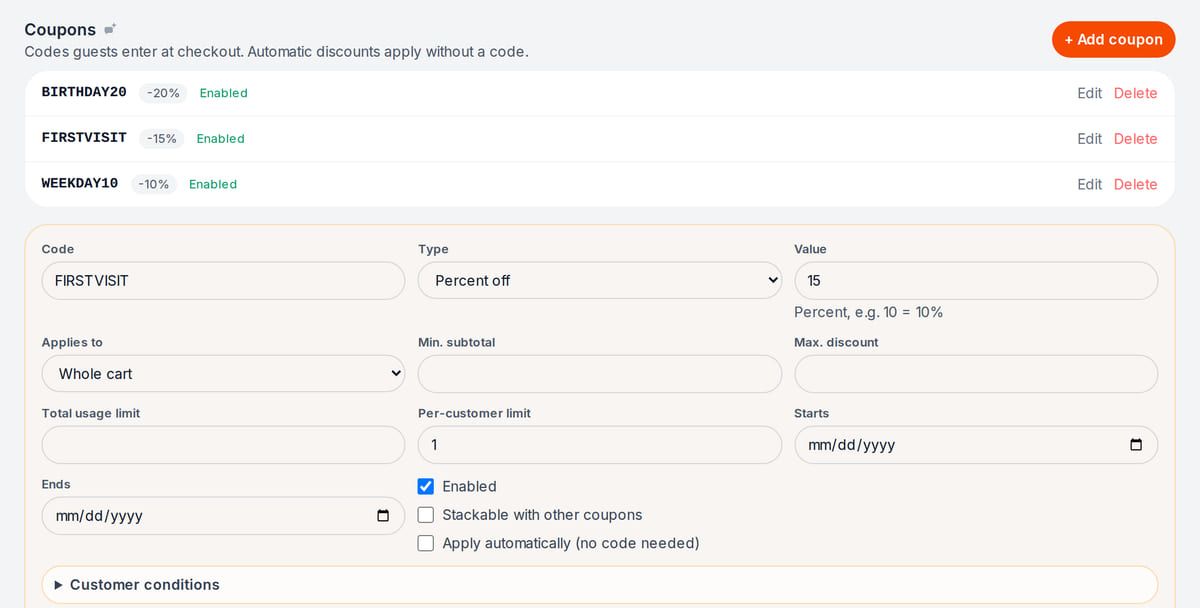
Real screen, demo data, 3 October 2026. Coupons for a first visit, birthdays and weekdays Email campaign
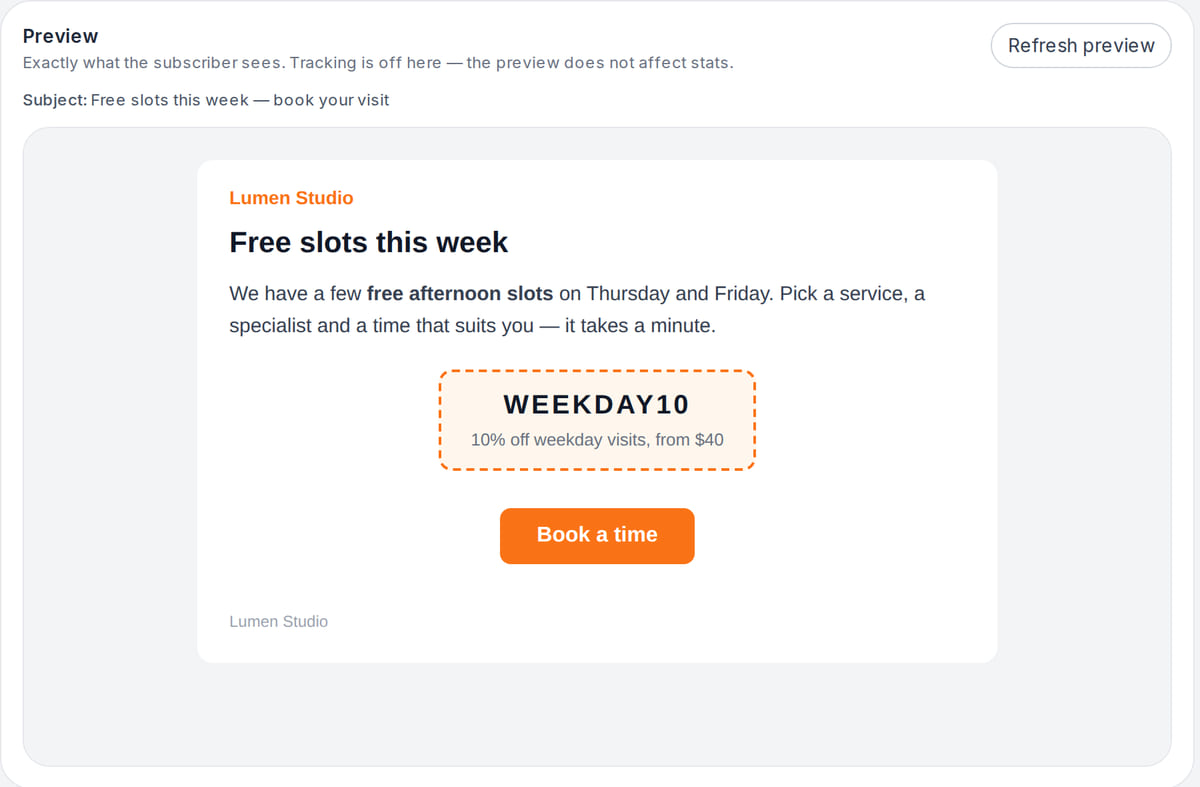
Real screen, demo data, 3 October 2026. A letter built from blocks: text, promo code, button


How it works in practice
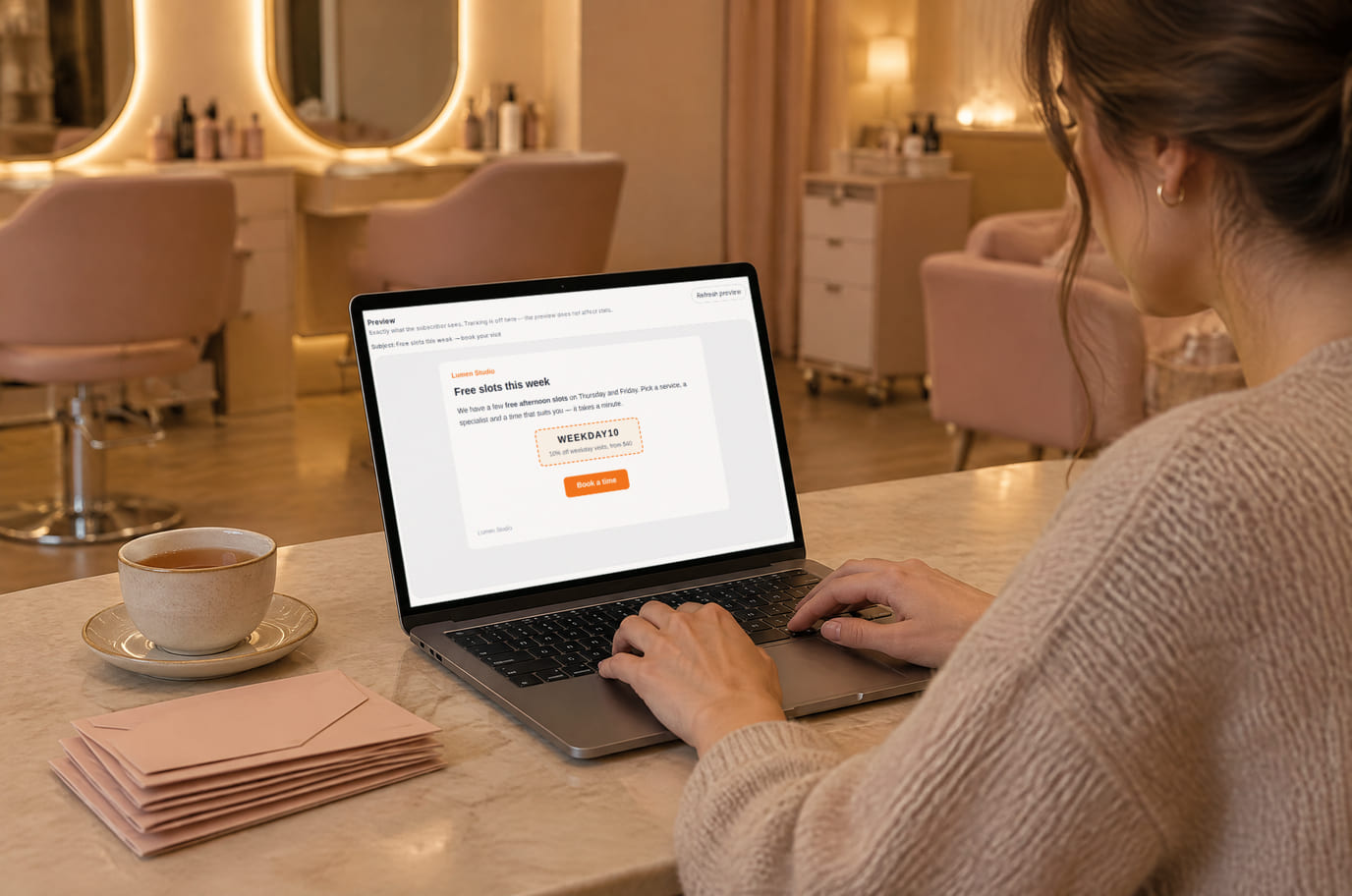
Illustration; the screen shows the real interface, demo data, 3 October 2026. A free-slots email in a few minutes 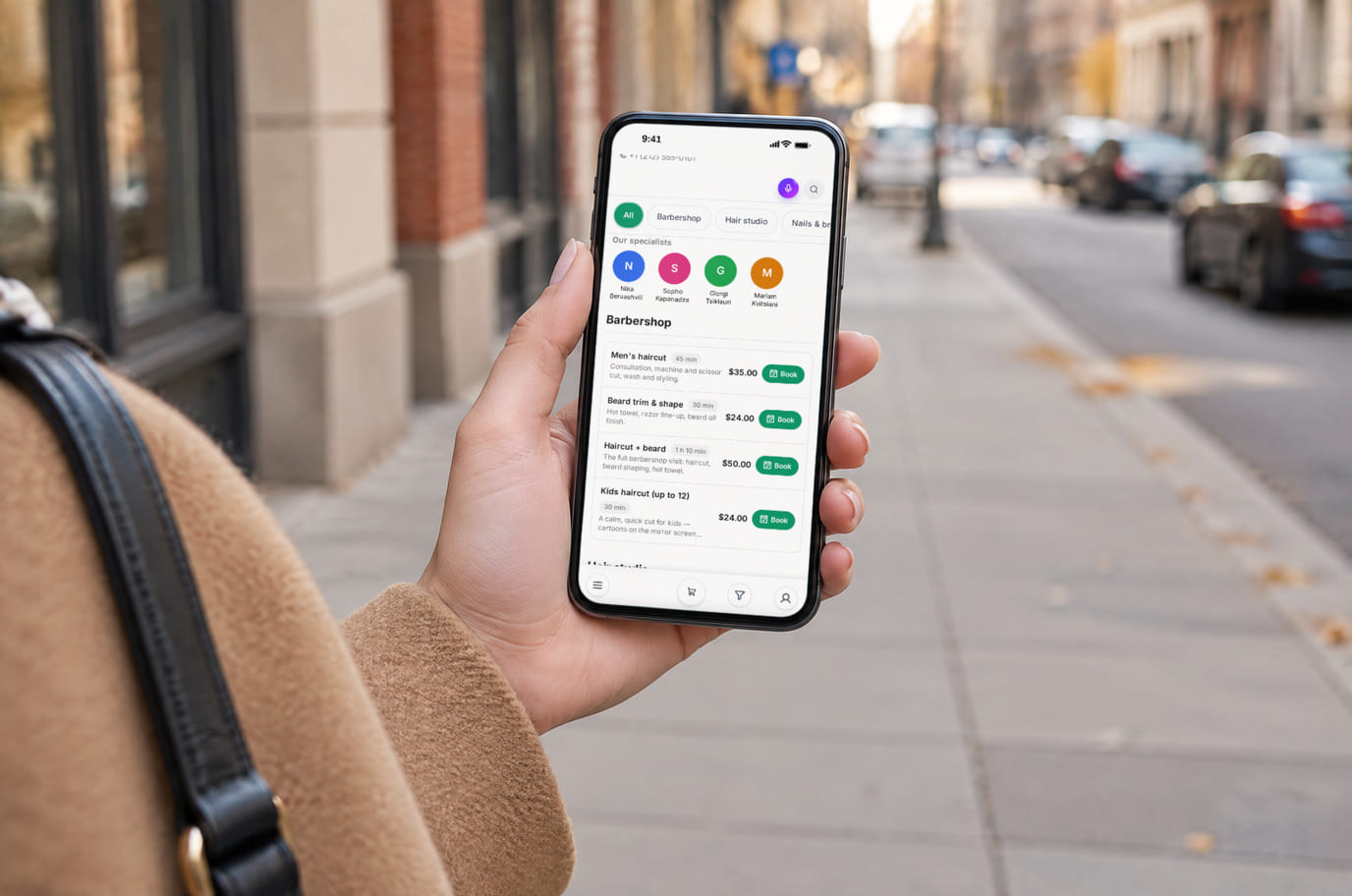
Illustration; the screen shows the real interface, demo data, 3 October 2026. From the email straight to picking a time


Built as one system
Modules share one menu, one order flow and one shift — no exports between programs.
Customers, loyalty and reviews
A guest base with order history, stamps and points, a tab for guest debts, your own post-order reviews, external reviews and one inbox for requests.
QR menu and guest ordering
A menu in 45 languages behind a table QR code: guests order themselves and the order arrives with the table number.
Popups and forms
Modals, slide-ins, bars, embedded forms, coupons and quizzes with display rules and A/B testing
Company website and blog
Services, terms and articles at one address, with a clear next step for visitors.
Pricing
Available from the plan
Free
$0
Priced per account; the plan sets location, device and order limits.
Good to know
- Coupons, gift cards, newsletters, popups on your storefront and print promo are on every plan, including Free
- Happy hours are on the higher plan; popups on your own website are a separate paid extension
- AI drafts and AI design use your account’s AI balance
Start for free
A free account with one location: build your menu and test the workflow before choosing a plan.
Start for freeHonest limits
- Launching ads on Google, Facebook and Instagram, Yandex Direct and Telegram from the admin is being moved to a new backend — for now campaigns are launched in the platforms’ own ad managers.
- The one-off newsletter composer opens for locations of the “store” type; restaurants, cafés and salons get automated emails and emails to a customer segment.
- One newsletter goes to up to 2,000 recipients, and a send cannot be cancelled once started.
- SMS campaigns are not sent yet: settings and consents are saved, but the channel is not connected.
- There is no birthday campaign or birthday capture yet.
- A gift card cannot be shown as an item in the menu, and there are no physical barcode cards.
Test your workflow on a free account before buying hardware.
FAQ
Can I give a discount without a promo code?
Yes: tick “Apply automatically” on the coupon and the discount is calculated by itself. Coupons work at storefront checkout, while happy hours and rewards also work at the POS.
Do I need my own mail server for newsletters?
No, emails go out through our infrastructure. Subscribers come from the storefront form, popups and guests who opted in when ordering; unsubscribed contacts are excluded automatically.
Is the prize wheel fair?
Prizes are real coupons of your location with a weight each, and the outcome is chosen before the first touch. The platform will not show a wheel that cannot be won.
Can popups run on my website instead of the storefront?
Yes: add the shared tag from “My website” and campaigns start showing on WordPress, Tilda, Shopify or a custom site. This is a paid extension; on your venue’s storefront campaigns work without it.
Can I launch Google or Instagram ads from here?
Not yet: the ad sections are being moved to a new backend, and until that is finished campaigns are launched in the platforms’ ad managers. In-venue ad screens are a separate module, the Ad Monitor.
Where are the loyalty program and reviews?
Stamps, points, your own post-order reviews and the external review feed are on the “Customers, loyalty and reviews” page.
How much does it cost?
Coupons, gift cards, newsletters, storefront popups and print promo are on every plan. Happy hours are on the higher plan, popups on your website are a paid extension, and AI features use your AI balance. Prices are below and on the pricing page.
Step-by-step guides — Help article →
Launch your first promotion today
Create an account, set up a first-order coupon, show it in a storefront popup and print a flyer for a new item.
Talk to us →No card required. Paid plans are chosen in the admin — signing up does not start one.