Hardware for the register, kitchen and counter
Printers, scales and fiscal printers on a cloud POS, through one bridge
A browser cannot talk to retail hardware on its own. The bridge sits in between — a free program on the POS computer that finds printers on the network, reads scales and passes receipts to the fiscal printer. You can start without buying anything and add hardware when you need it.
No card required. Paid plans are chosen in the admin — signing up does not start one.
- One bridge on Windows or Linux for printers, scales and fiscal devices
- Scanners and the customer display work without the bridge
- The print queue survives restarts and never prints a receipt twice
Who it is for
The module is the same — wording and defaults follow your business type.
Restaurant
Printers per kitchen station, a kitchen display on a tablet and a cash drawer at the register.
Café and coffee shop
A POS on a tablet, a receipt printer and a customer display on the counter.
Retail shop
Barcode scanners, scales for loose goods and price labels.
Single-operator food hall
A register and printer for each kitchen, plus a kiosk for ordering without a queue.
What connects
Bridge and printing
- Hardware bridge
A Windows and Linux program on the POS computer: finds devices on its own and updates from the admin panel.
- Receipt and kitchen printers
Network ESC/POS printers, 80 and 58 mm; text the printer cannot render is printed as an image.
- Print queue
A job waits until the printer is back and never prints twice; you can print to another computer’s printer through the cloud.
- Stickers and price labels beta
Bag and item stickers, price labels with barcodes — on a narrow receipt print head.
Scales, scanners and screens
- Barcode scanner
Works as a keyboard, no bridge needed; use a 2D scanner for product-marking codes.
- Scales
COM scales from CAS, Mettler Toledo, DIGI and others: the weight fills in the item by itself.
- Cash drawer
Connects to the receipt printer or fiscal printer and opens on a cash sale.
- Customer display
A second monitor on the POS or a tablet on the same network: order items and the amount due.
Receipts and payments
- Fiscal printers beta
Daisy for Georgia and Bulgaria, POSNET Thermal for Poland — through the bridge. Check your country in the article.
- Card terminal beta
The amount goes to the terminal and the result to the receipt; cloud and network protocols vary by country.
- When the connection drops beta
The POS keeps ringing up and printing through the bridge on its computer, and operations sync without duplicates.
Devices and support
- Android apps beta
POS, kitchen display, courier, waiter and admin apps on Android — the same account as on the web.
- Self-service kiosk beta
A tablet or terminal in the venue: guests order on their own and pay at the counter or online.
- Device sign-in codes
A tablet, kitchen monitor or signage screen joins a location with a code — no login or password.
- Remote POS screen
Support sees the POS computer’s screen only with the owner’s consent for each session.
Step-by-step guides — Help article →
What it looks like in the product
Connecting through the bridge
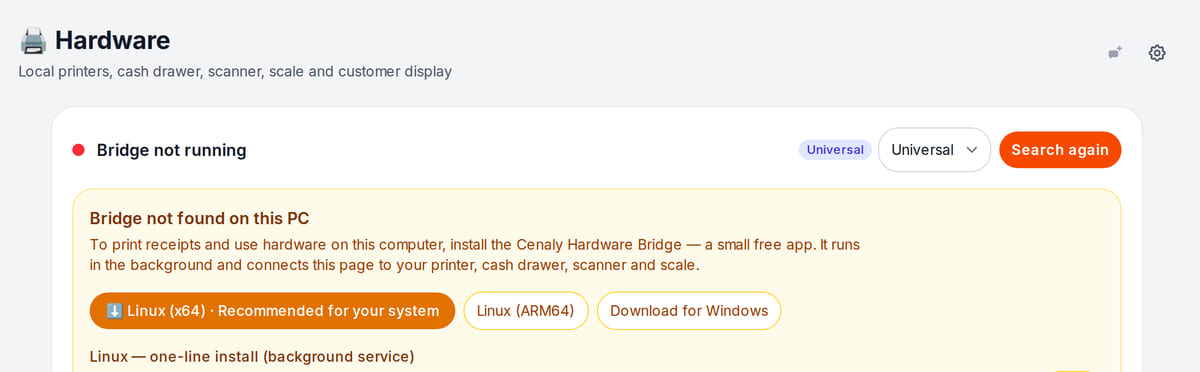
Real screen, demo data, 3 October 2026. The bridge installs on the POS computer and is found automatically Station printers
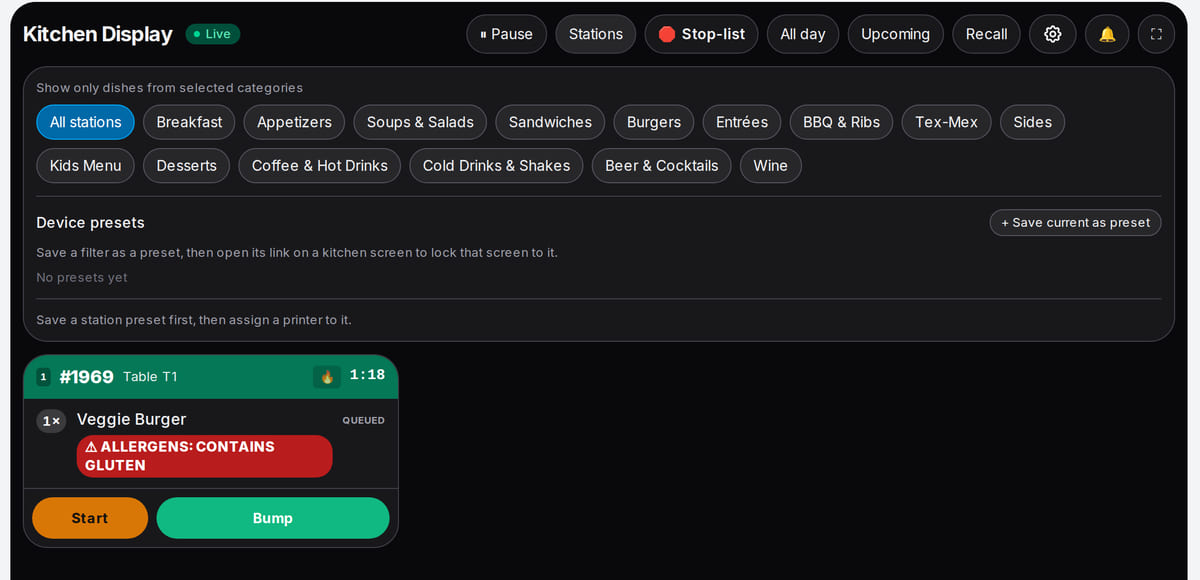
Real screen, demo data, 3 October 2026. Station tickets can print on that station's printer


How it works in practice
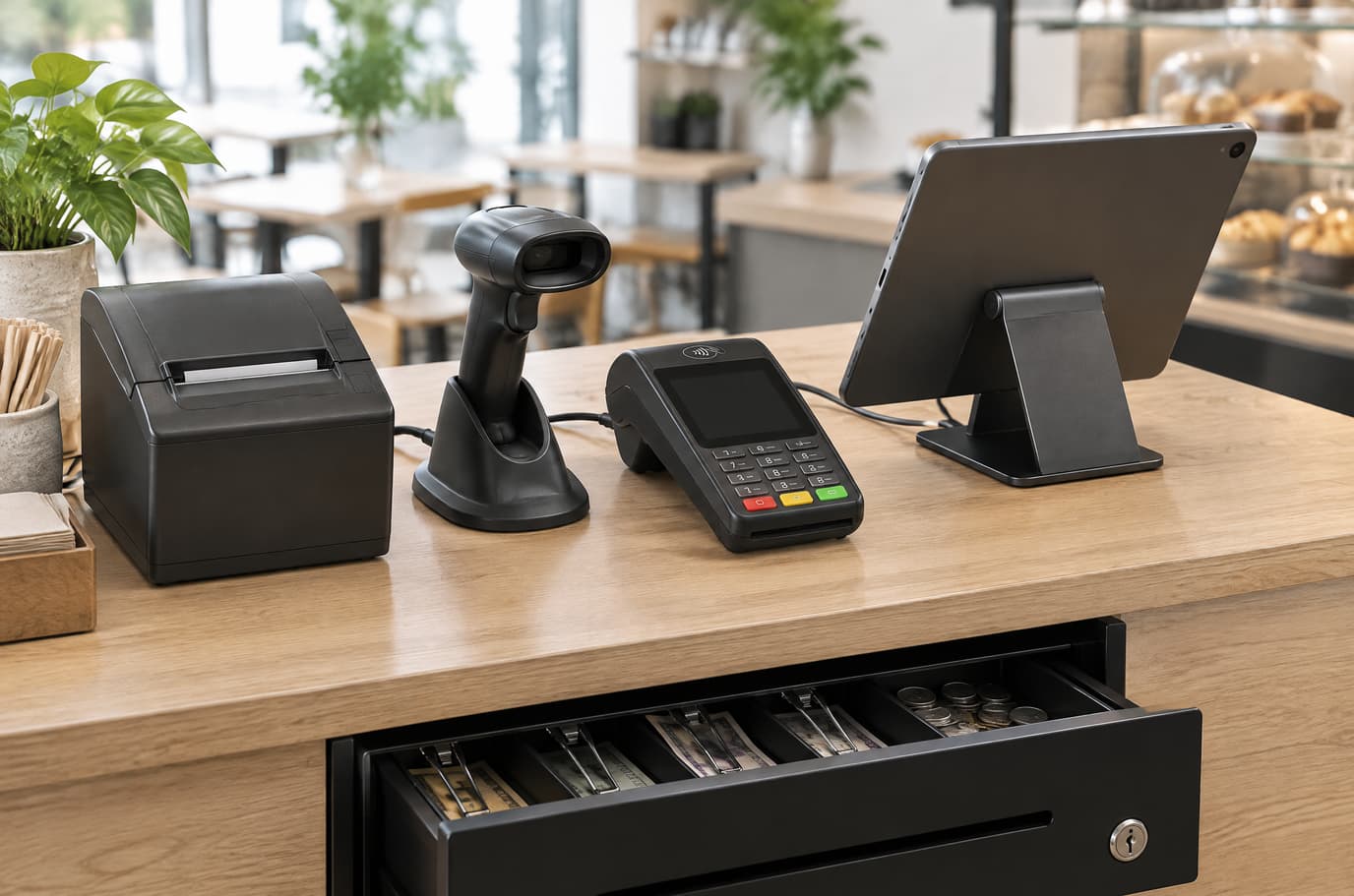
Illustration. Printer, scanner, terminal and cash drawer on one counter 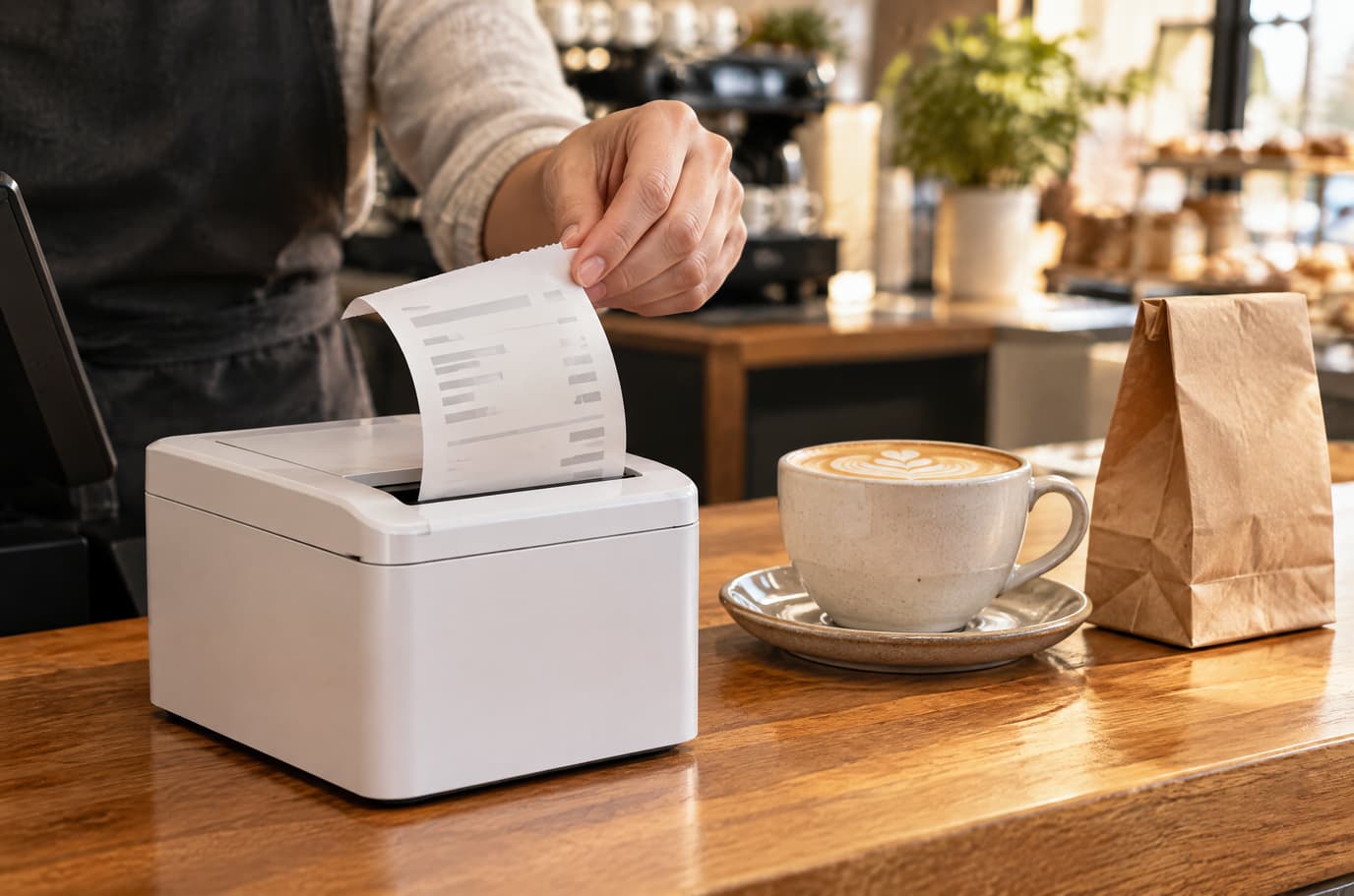
Illustration. The receipt printer prints through the bridge


Built as one system
Modules share one menu, one order flow and one shift — no exports between programs.
POS
A web POS on a tablet or computer: table, bar and counter modes, shifts with X/Z reports, refunds and PIN control.
Kitchen display (KDS)
Tickets by station on a tablet or monitor: statuses, timers, an expo screen and kitchen printing.
QR menu and guest ordering
A menu in 45 languages behind a table QR code: guests order themselves and the order arrives with the table number.
Own delivery and couriers
Dispatch, your own couriers, delivery zones and fees, order status for guests and payment on delivery.
Hardware
Any computer or tablet with a browser is enough to start. The bridge goes on the computer the hardware is connected to; check model compatibility in the help center before buying.
How to connect hardware →- Network ESC/POS receipt and kitchen printers (Ethernet or Wi-Fi)
- Barcode scanners in keyboard mode
- COM scales
- Cash drawer through the receipt printer
- Customer display — a second screen or a tablet
- Card terminal — beta, protocols vary by country
- Daisy and POSNET Thermal fiscal printers — beta
Pricing
Available from the plan
Basic
$19 / month
$190 / year when paid annually
Priced per account; the plan sets location, device and order limits.
Good to know
- The bridge is a free program; connecting hardware costs nothing extra
- Devices follow the plan limit; the kiosk comes with the higher plans
- Hardware, card acquiring and fiscal operators are paid under your own contracts
Start for free
A free account with one location: build your menu and test the workflow before choosing a plan.
Start for freeHonest limits
- The bridge runs on Windows and Linux; there is no macOS version.
- A bridge serves only its own computer: printing from another register needs a bridge there too, or cloud printing.
- Printers work over the network only (Ethernet or Wi-Fi, port 9100): USB and Bluetooth are not supported yet.
- ZPL and TSPL label-printer languages are not supported; stickers have not been tested on real label printers.
- Scanners work in keyboard mode only, scales only over a COM port, and two-line pole displays are not supported.
- Card terminals and kiosk payment through the bridge have not been tested on a live terminal yet.
- Offline, only the POS and printing on the same computer keep working: the kitchen display, card terminal and X report wait for the connection, and devices at a location do not exchange orders over the local network.
- There are no iPhone or iPad apps; Android apps are in beta and install from a file, and the Android admin app covers only a small part of the sections.
- There are no fiscal modules for Germany, Austria, Italy, Spain, Greece and a number of other countries.
Test your workflow on a free account before buying hardware.
FAQ
What hardware do I need to start?
None: the POS is a page in the browser on any computer or tablet, and a scanner works as a keyboard. Printers, scales, a cash drawer and a fiscal printer come later, when you need paper, weight or a fiscal receipt.
What is the bridge and where does it run?
A free program for Windows or Linux on the computer the hardware is connected to. The POS on the same computer finds it automatically, with no code. From a tablet or phone you can print through the cloud to the printer on the bridge computer.
Will my printer work?
If it is an ESC/POS receipt printer with Ethernet or Wi-Fi, most likely yes: Epson TM, Star, Bixolon, Xprinter, Rongta and compatibles. Printers with only USB or Bluetooth do not print yet — choose a network model.
Do you support fiscal receipts in my country?
Through the bridge we support Daisy in Georgia and Bulgaria and POSNET Thermal in Poland — this area is in beta. Many European countries have no fiscal module yet; the exact list is in the Fiscalization article.
Does the hardware work offline?
The POS keeps ringing up sales and the bridge prints on its own computer; operations sync without duplicates once the connection is back. The kitchen display, card terminal and exchange between devices wait for the connection.
Are there iPhone or iPad apps?
There are no native iOS apps. The POS, kitchen display and kiosk run in the iPad browser. Android apps for the POS, kitchen, courier and waiter are available in beta.
How much does the bridge cost?
The bridge is free. Hardware, card acquiring and fiscal operator services are paid separately under your own contracts; the plan limits the number of devices.
Step-by-step guides — Help article →
Connect the hardware you already have
Create an account, install the bridge on the POS computer and print a test receipt — before buying anything new.
Talk to us →No card required. Paid plans are chosen in the admin — signing up does not start one.