Menu and ordering from the guest’s phone
Guests order from their own phone — you get the order with the table number
A QR code on the table opens your menu: photos, allergens, the guest’s language. Guests build the order themselves, can pay online, and the order lands in Orders and on the POS.
No card required. Paid plans are chosen in the admin — signing up does not start one.
Online payments run through a provider available in your country.
- Menu in 45 languages with auto-translation
- Dine-in, pickup and delivery in one checkout
- Pay at the table: the whole bill, own items or split evenly

Who it is for
The module is the same — wording and defaults follow your business type.
What guests and the venue get
A menu that sells
- Photos, allergens and diets
Dish photos, allergens and nutrition; guests save a “gluten-free” profile.
- 45 languages
Items are translated when created; edit any translation by hand.
- Schedules and stop list
Breakfast, happy hour and “sold out” — one truth for storefront, POS and kiosk.
- AI menu concierge
A guest types “something light, no onion” and gets 2–3 dishes from your menu.
Ordering
- The QR code knows the table
Orders arrive with the table number; a single QR code can have its own menu.
- Modifiers and combos
Sizes, add-ons and combos with choices inside a slot — same as on the POS.
- Order ahead
Pickup and delivery windows with quotas: full slots are not offered.
- Table cards and printed menus
Table cards and a PDF menu from the same catalog.
Payment and service
- Online payment
Stripe, BOG, TBC, PayPal, Square and more — by the venue’s country.
- Pay at the table
Whole bill, own items, split evenly or a custom amount — the POS sees paid parts.
- Call the waiter
Guests tap “call” with a reason — the waiter sees the table and why.
- Tips
Country presets, with the payment or after it.
After the order
- Order status
Sent → accepted → preparing → ready; any cancellation is explained in words.
- Post-order review
Happy guests go to Google and other sites, unhappy ones to a private form for the owner.
- Chat with the venue
Guests write from the menu; AI answers from your knowledge base, staff take over.
Step-by-step guides — Help article →
What it looks like in the product
Menu and cart
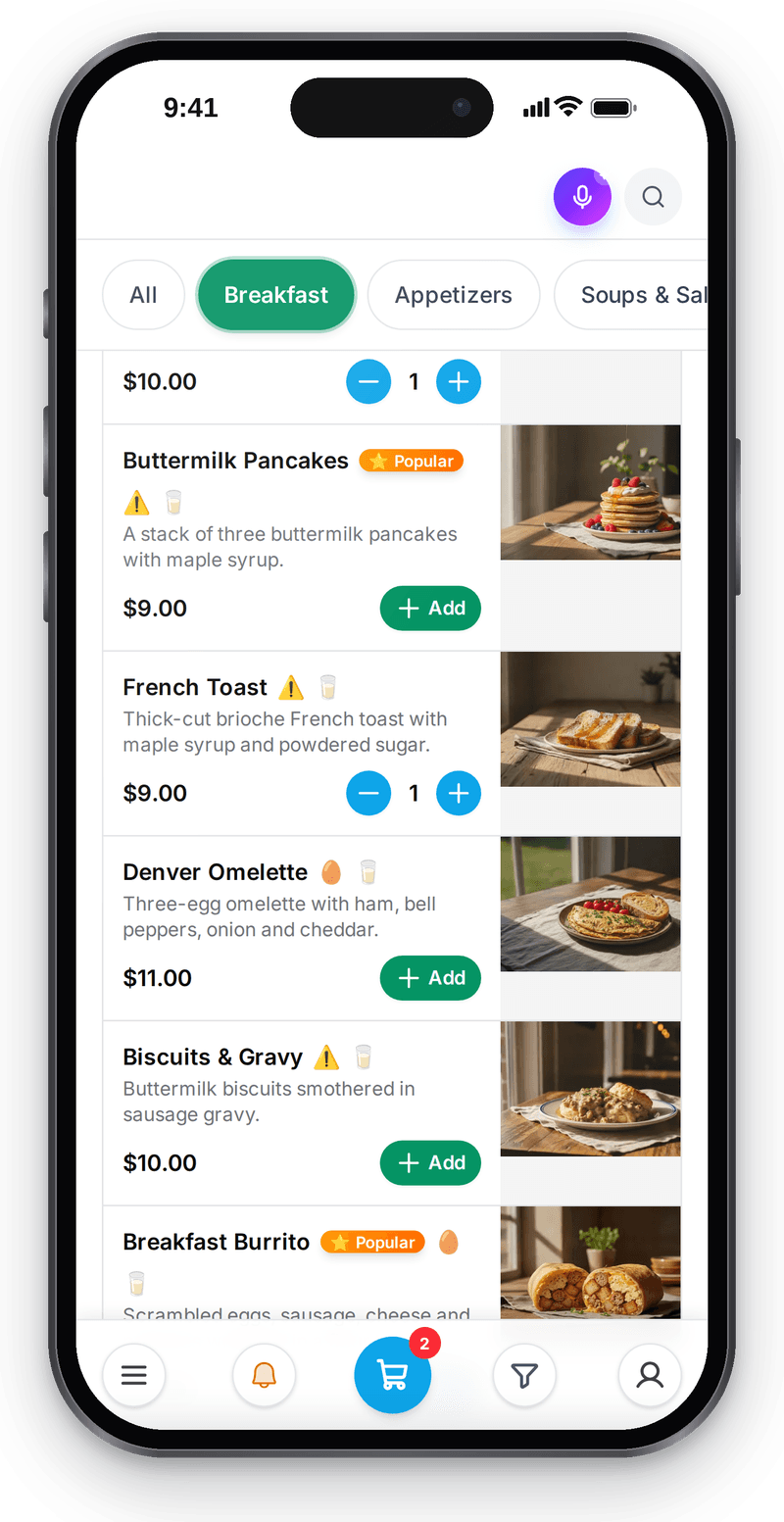
Real screen, demo data, 3 October 2026. The guest adds dishes to the cart right in the menu Call the waiter
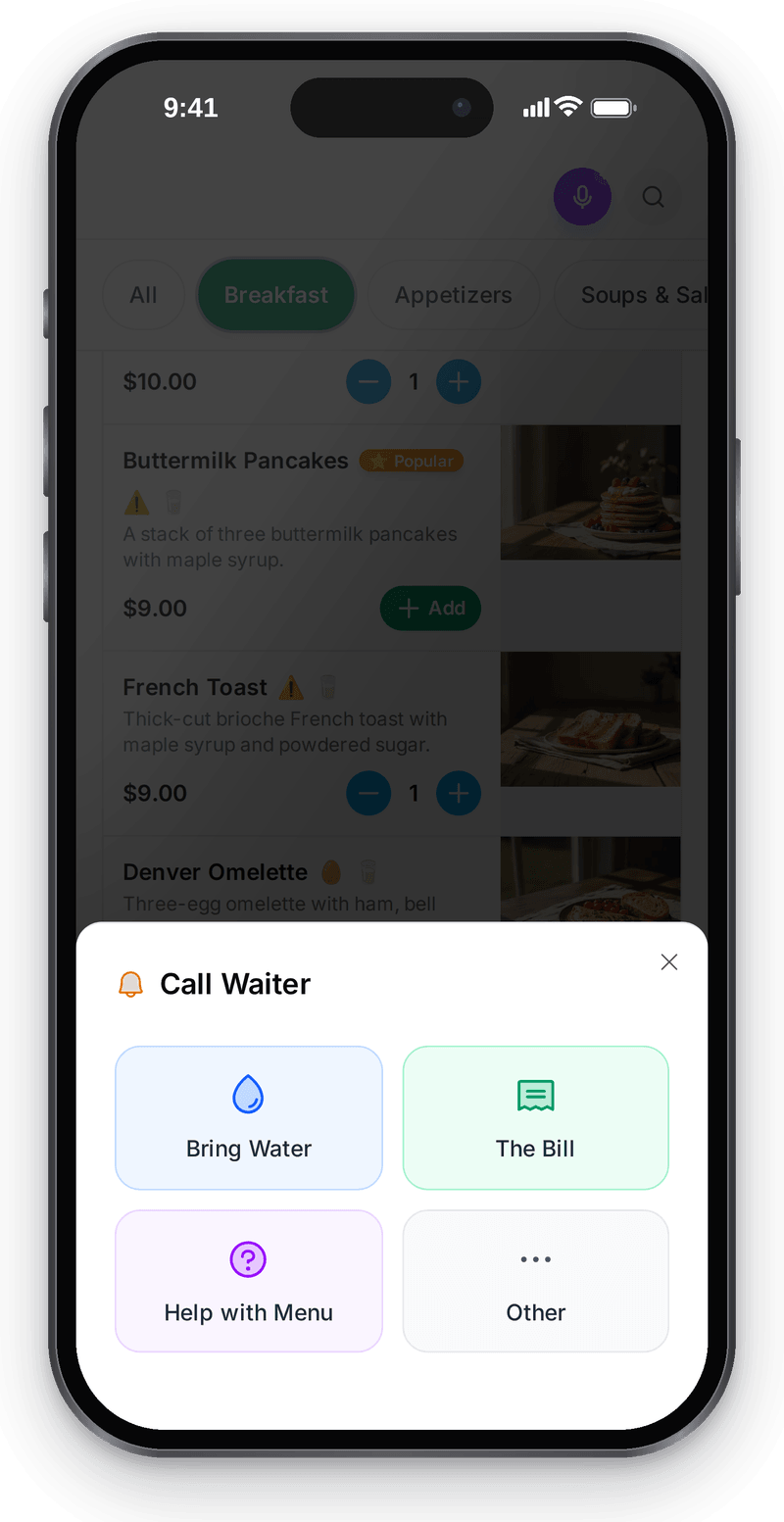
Real screen, demo data, 3 October 2026


A QR on every table
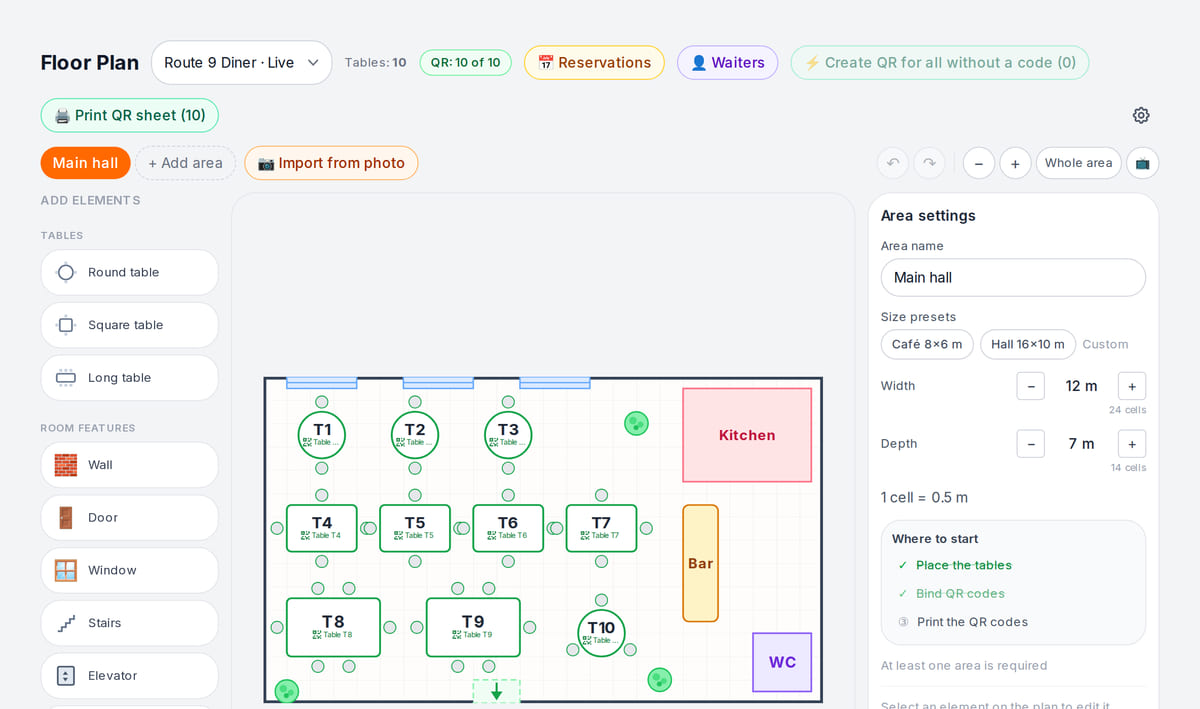
Real screen, demo data, 3 October 2026. QR codes are bound to tables on the floor plan and printed as a sheet Orders land in the feed
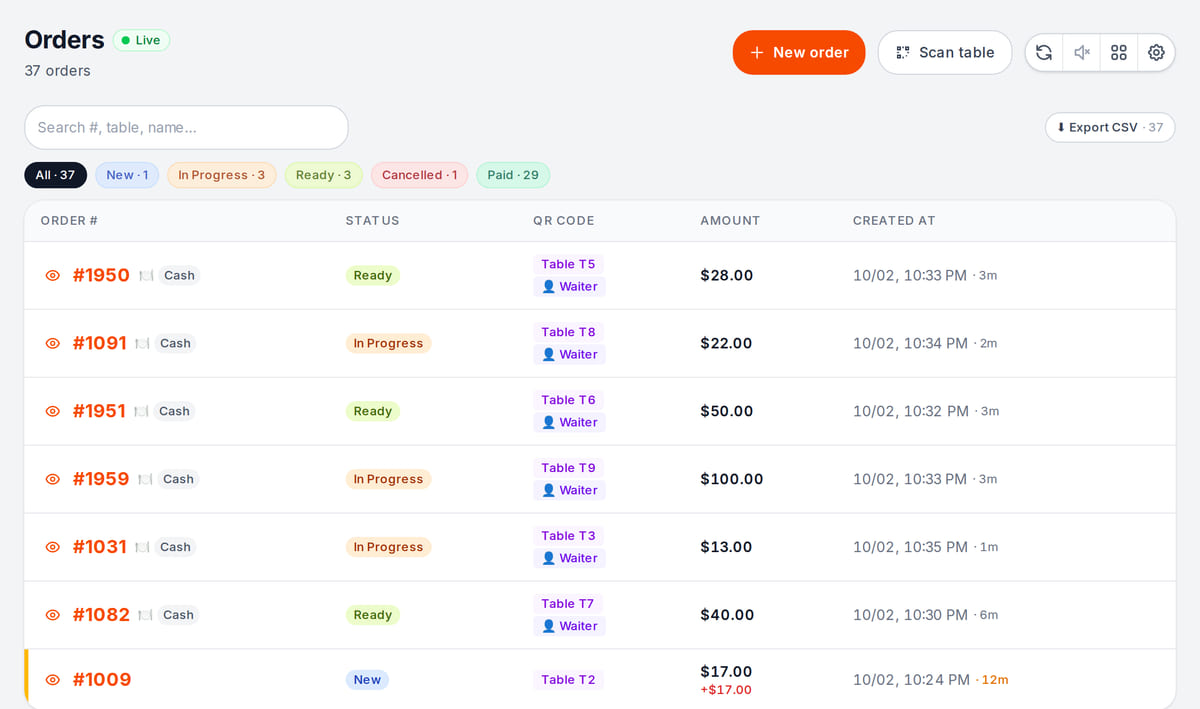
Real screen, demo data, 3 October 2026


How it works in practice
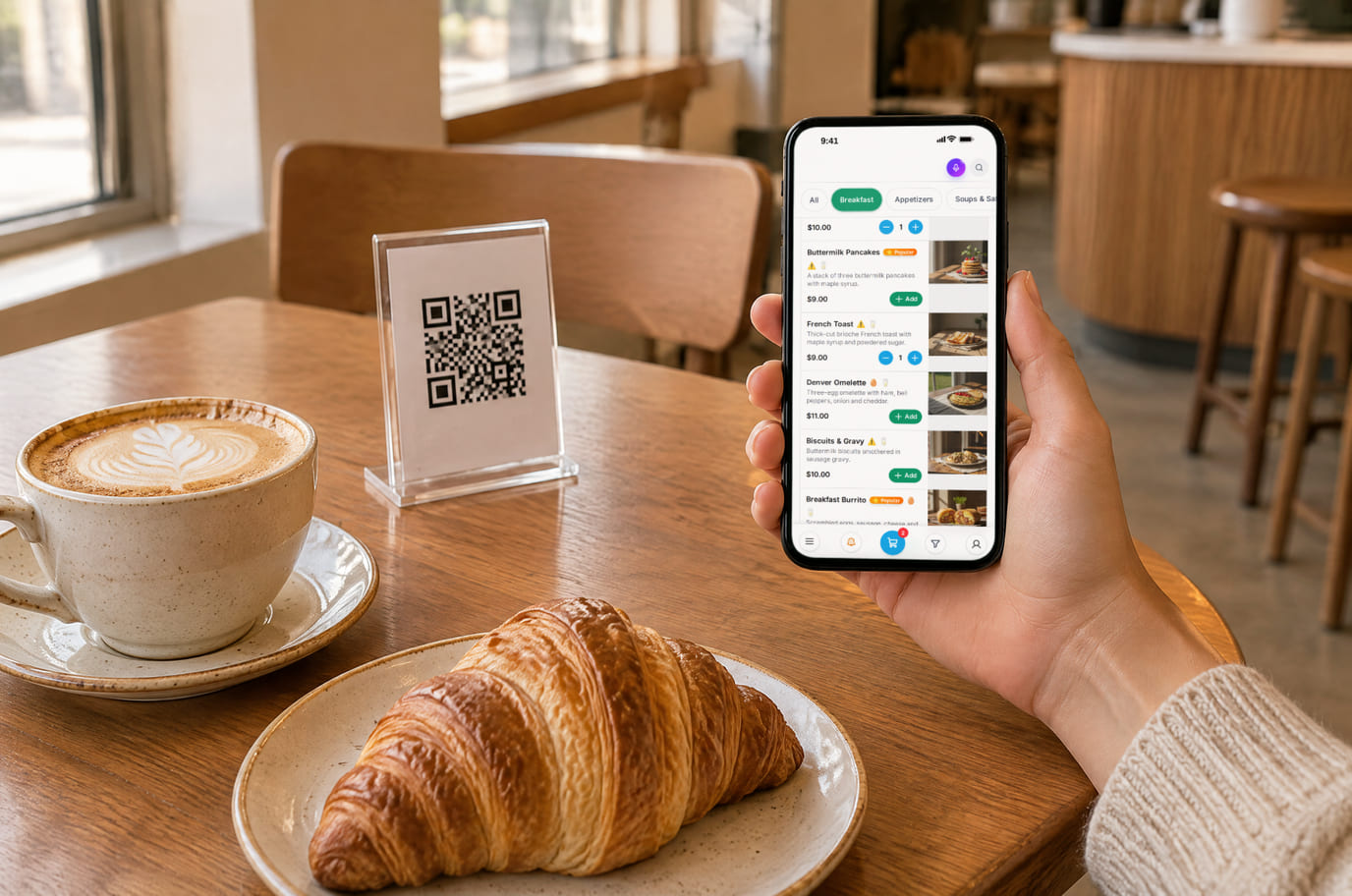
Illustration; the screen shows the real interface, demo data, 3 October 2026. In a coffee shop, the table QR replaces the queue at the counter 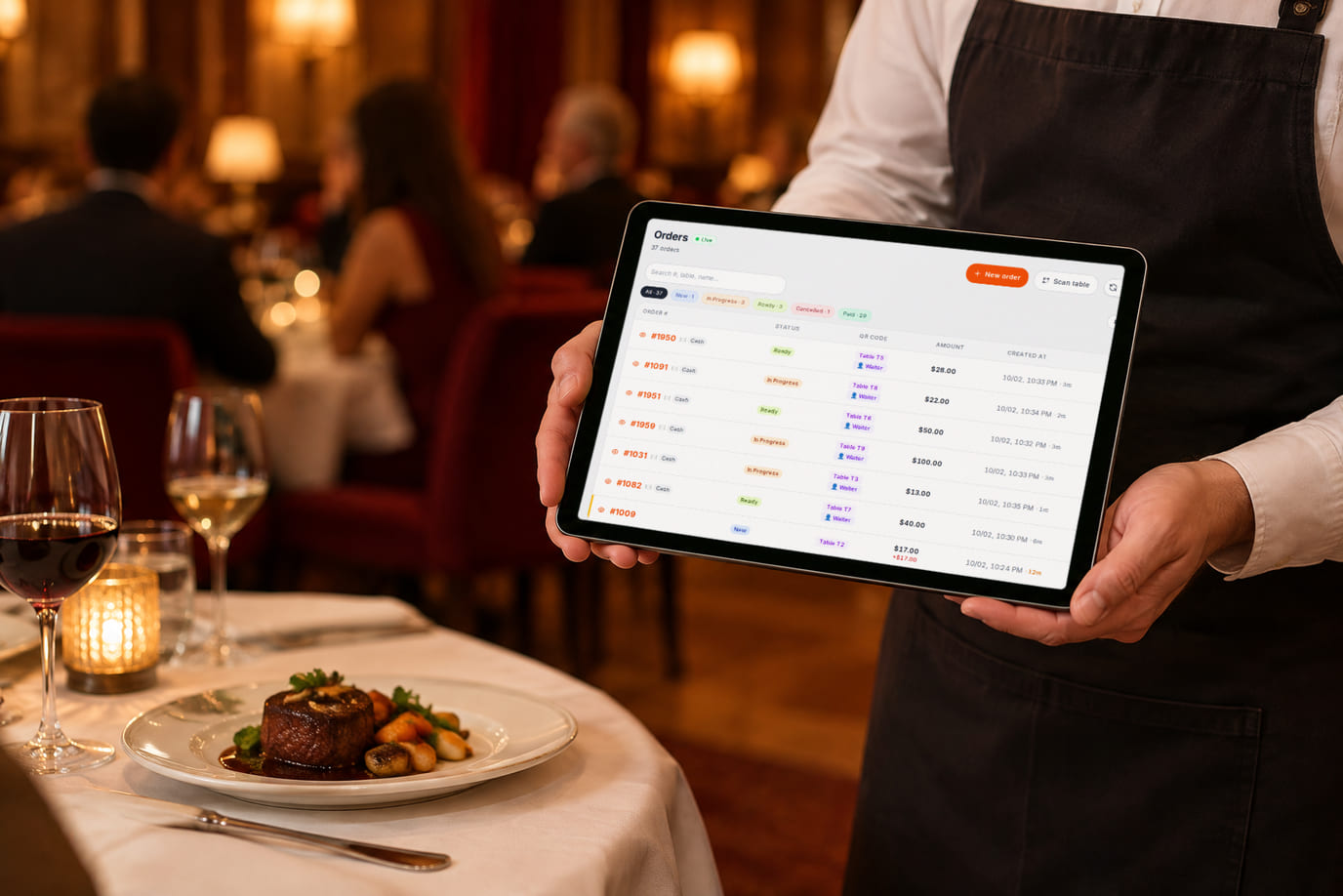
Illustration; the screen shows the real interface, demo data, 3 October 2026. A table's order is visible to the waiter right away


Built as one system
Modules share one menu, one order flow and one shift — no exports between programs.
POS
A web POS on a tablet or computer: table, bar and counter modes, shifts with X/Z reports, refunds and PIN control.
Kitchen display (KDS)
Tickets by station on a tablet or monitor: statuses, timers, an expo screen and kitchen printing.
Reservations and floor
Floor plan, bookings from your storefront and website, deposits, a waitlist and waiter calls — in the floor panel of the POS.
Ordering on your site
An order button opens your storefront over your existing site
Pricing
Available from the plan
Free
$0
Priced per account; the plan sets location, device and order limits.
Good to know
- The QR menu and order taking are on the free plan
- Item, order and auto-translation limits depend on the plan
- Online payments come with paid plans; the payment provider charges its own fee
Start for free
A free account with one location: build your menu and test the workflow before choosing a plan.
Start for freeHonest limits
- Guests need internet on their phone: the menu loads fast, but it is not an offline mode.
- By default a guest order reaches the kitchen after staff accept it; “straight to the kitchen” is a location setting.
- Online payment depends on a provider available in the venue’s country.
- Delivery aggregators (Wolt, Glovo, Yandex Eats) are not connected directly — orders come through your own storefront.
Test your workflow on a free account before buying hardware.
FAQ
Do guests need to download an app?
No. The menu opens in the phone’s browser from the QR code — no app and no sign-up for the guest.
Does the menu work offline?
Guests need internet on their phone to open the menu. It is served from a CDN and loads fast, but it is not an offline mode.
How much does the QR menu cost?
The QR menu and order taking are on the free plan, within its limits. Online guest payments come with paid plans; the payment provider charges its own fee.
How do I move my menu?
Import it from a CSV or XLSX sheet, a website link, a photo or PDF, or from Poster and GloriaFood. An empty catalog can be filled with your country’s demo menu to see how it looks.
Which languages are supported?
45 languages. Items are translated automatically, translations can be edited by hand, and guests see the menu in their language.
How does an order reach the kitchen?
The order lands in Orders and on the POS with the table number. Once staff accept it, it goes to the kitchen display or station printer; skipping acceptance is a location setting.
Step-by-step guides — Help article →
Build your menu and scan your first QR code
Import the menu, print a table card and place a test order from your own phone.
Talk to us →No card required. Paid plans are chosen in the admin — signing up does not start one.