A team without spreadsheets or paper timesheets
Schedule, timesheet and payroll from the same shifts
Add your staff with access by job role and publish the schedule — people clock in and out on site, and closed shifts flow into the timesheet and into payroll together with tips.
No card required. Paid plans are chosen in the admin — signing up does not start one.
- Job roles with per-section access: view, edit, configure
- Shift schedule, swaps and time off, on-site clock-in
- Planned-vs-actual timesheet and payroll with tips
Who it is for
The module is the same — wording and defaults follow your business type.
Restaurant
Floor and kitchen shifts, tips pooled by hours, clearance to work after training.
Café and coffee shop
A small team: a weekly schedule, clock-in from a phone, payroll without spreadsheets.
Retail shop
Sales staff and storekeepers with per-section access, shifts by store, labor cost against sales.
Salon and barbershop
Stylists in the schedule and timesheet even without a login; salary, hours or commission in one payroll.
What the Staff section does
Team and access
- Staff with or without a login
Whoever needs to sign in gets their own login; frontline staff can be added without one and still appear in the schedule, timesheet and payroll.
- Job roles and permissions
Ready presets for each business type plus your own roles; each section has three levels — view, edit, configure.
- Cashier PIN and code sign-in
Quick cashier switching on a shared terminal, approvals for restricted actions and tablet sign-in with a device code.
Scheduling and time tracking
- Shift schedule
A weekly grid, templates and copying last week; staff are notified when it is published, and rest-rule violations show right in the grid.
- Swaps and time off
An employee offers a shift to a colleague or requests time off, a manager approves — the schedule updates itself.
- On-site clock-in
From a phone within the location or only from a venue terminal: a PIN on a tablet or a QR code on a monitor. The server sets the time.
- Planned-vs-actual timesheet
Late arrivals, no-shows and unscheduled shifts; with auto-close on, a forgotten shift closes at the scheduled end and stays flagged until confirmed.
Payroll and labor cost
- Monthly payroll
Hours × rate, salary, commission and overtime; draft → approved → paid, with a PDF payslip.
- Tips in payroll
Straight to the employee, pooled by hours worked or weighted by job role.
- Taxes by country rules
Ready packs for Georgia, Albania, Russia, Türkiye and Kazakhstan; elsewhere you set taxes with your own rules.
- Labor cost
Payroll as a share of the location’s sales and sales per labor hour — planned against actual.
HR records and training
- Personnel file
Documents, health certificate with the next check-up date, contract and scans in the employee’s card, plus issued equipment.
- Required documents by country
A registry by the rules of post-Soviet countries: valid, expiring, overdue — with a link to the law.
- Training and clearance
Short lessons built from your own procedures and an exam per process; the owner sees who is ready for a shift.
- First-day checklist
When someone is hired, an onboarding checklist for their role appears on the task board — from your template.
Step-by-step guides — Help article →
What it looks like in the product
Clock-in
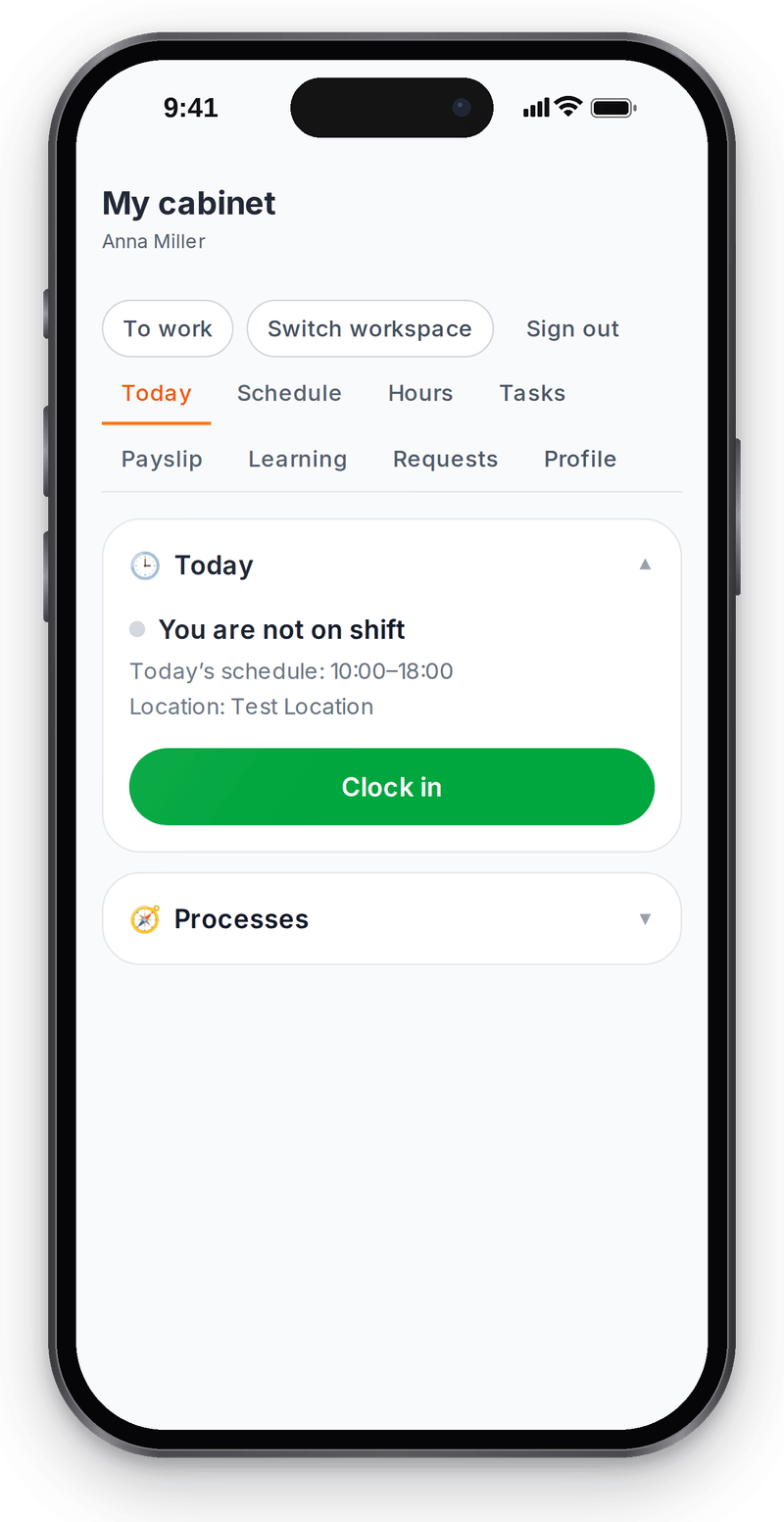
Real screen, test data, 3 October 2026. Staff clock in themselves; the server sets the time My schedule
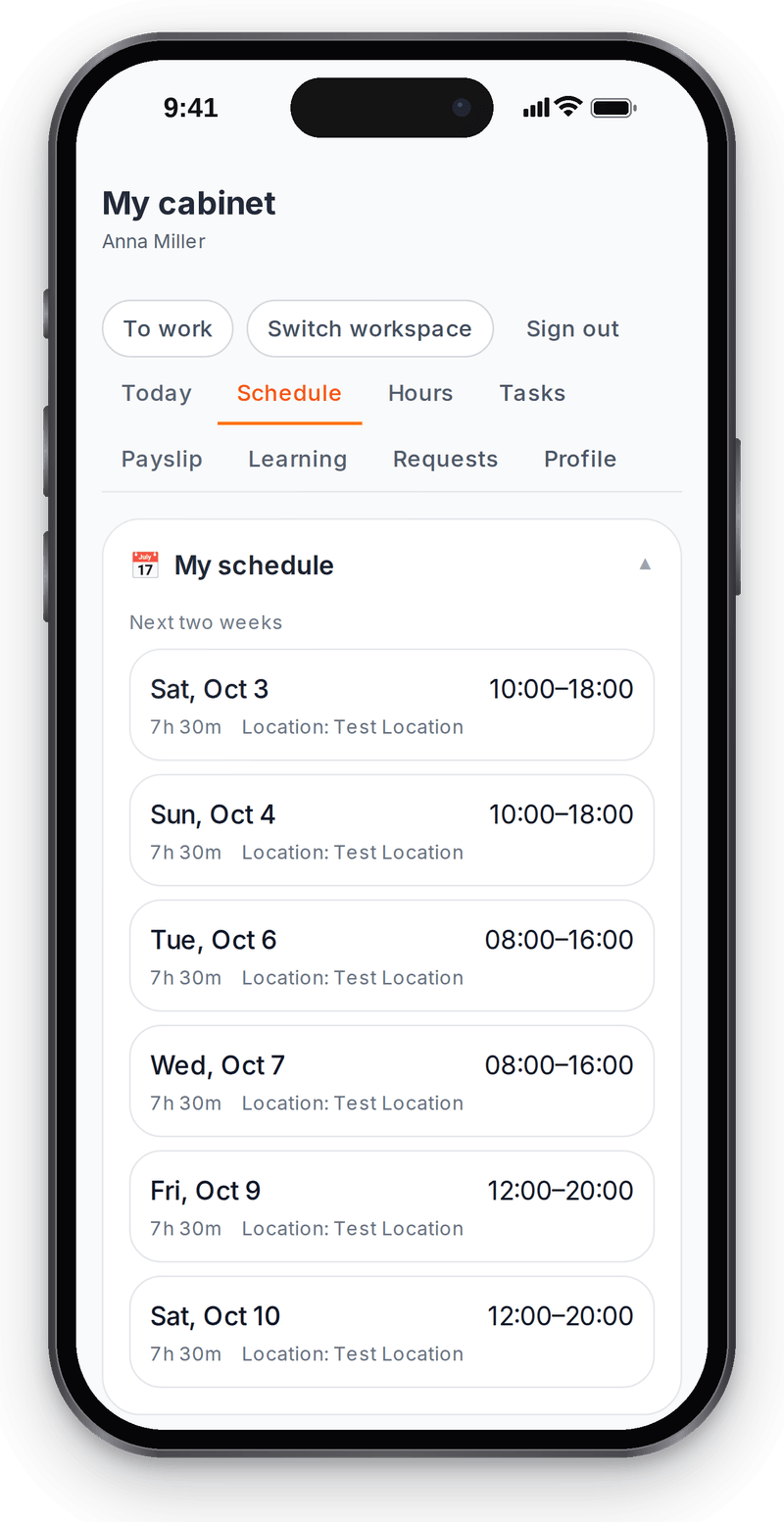
Real screen, test data, 3 October 2026. A published schedule shows up for staff right away


Roles and access
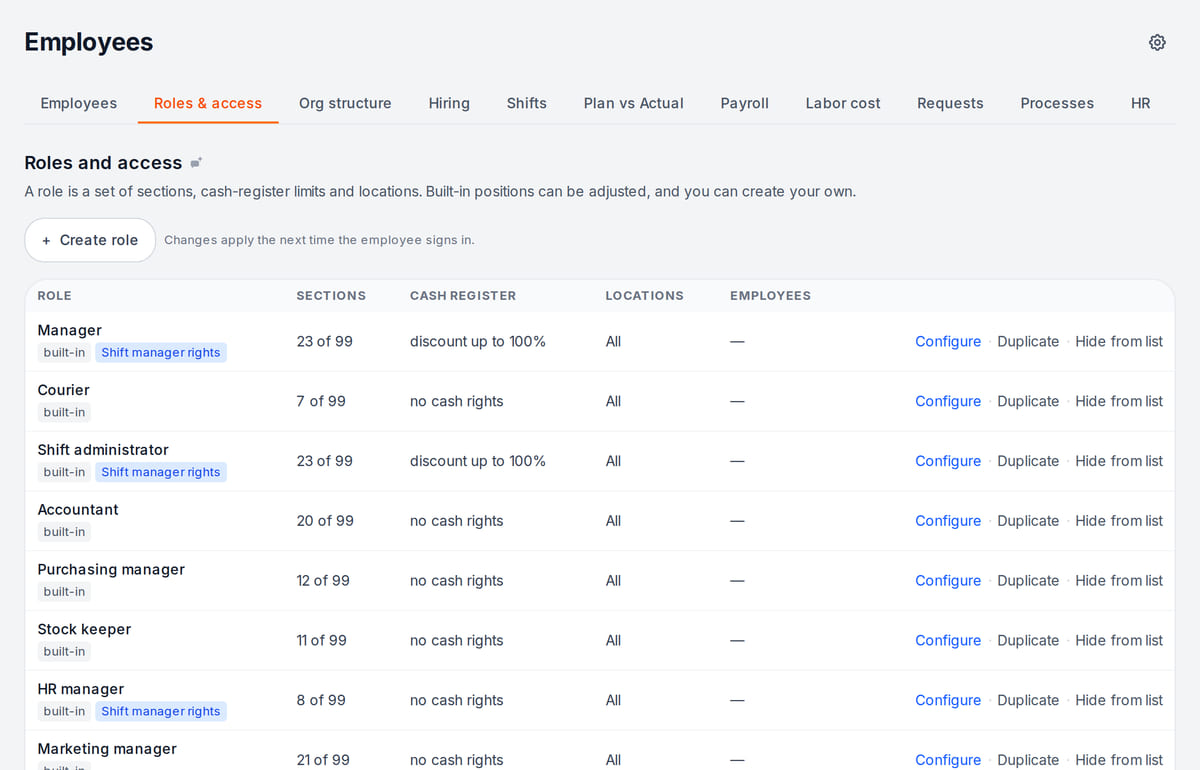
Real screen, demo data, 3 October 2026. Access by job role, not person by person

How it works in practice
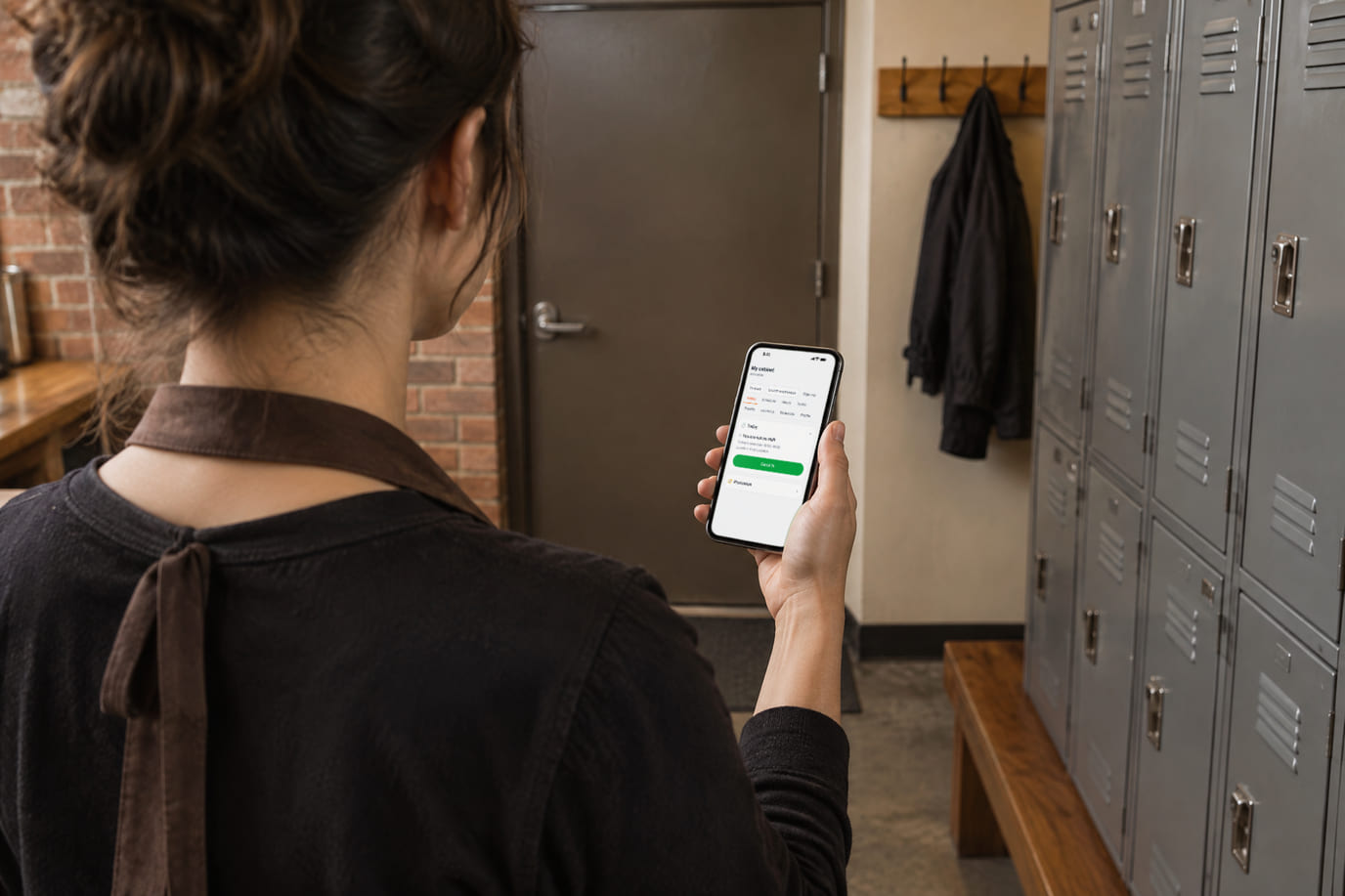
Illustration; the screen shows the real interface, test data, 3 October 2026. Clock-in from the phone at the staff entrance 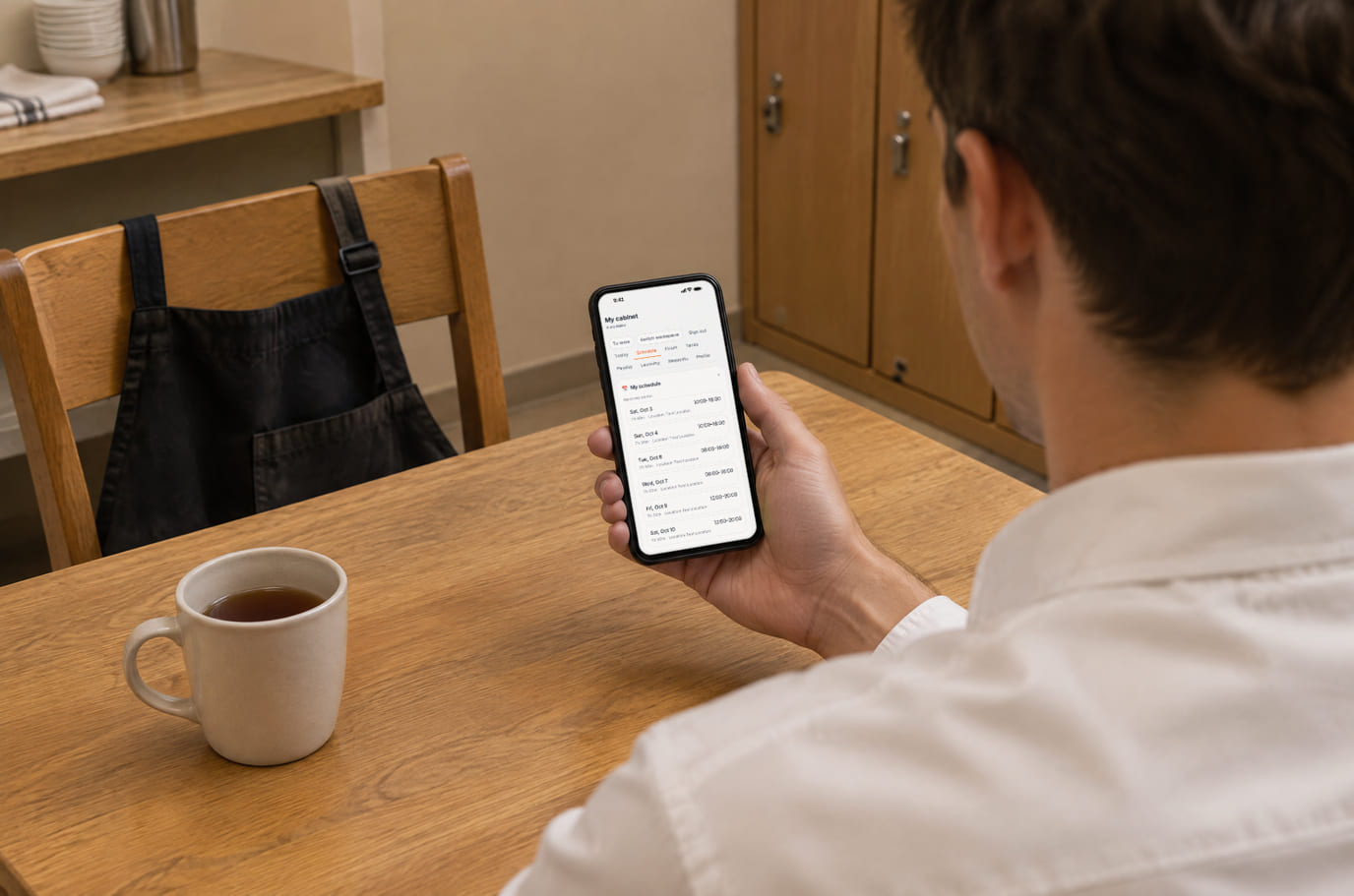
Illustration; the screen shows the real interface, test data, 3 October 2026. The two-week schedule is on the phone, not on a board by the kitchen


Built as one system
Modules share one menu, one order flow and one shift — no exports between programs.
Team chat and tasks
Assignee, deadline and completion evidence remain on the board after the conversation moves on.
Team knowledge and training
Procedures, document-based answers and training with separate theory and practice checks.
POS
A web POS on a tablet or computer: table, bar and counter modes, shifts with X/Z reports, refunds and PIN control.
Business finances
Sales, purchases and manual expenses — a simplified P&L with source reconciliation.
Pricing
Available from the plan
Basic
$19 / month
$190 / year when paid annually
Priced per account; the plan sets location, device and order limits.
Good to know
- The Staff section is part of the paid plans; the free plan does not include it
- You pay wages and taxes yourself through your bank — Cenaly.com only calculates them
- Bookkeeping and filing returns are not included in the price
Start for free
A free account with one location: build your menu and test the workflow before choosing a plan.
Start for freeHonest limits
- Payroll is management-level: postings and report forms are prepared as data for your accountant; you cannot file them with the authorities directly from Cenaly.com.
- Ready tax packs exist for five countries — Georgia, Albania, Russia, Türkiye and Kazakhstan; elsewhere taxes and contributions are set up manually.
- The view / edit / configure levels cover the ten main sections so far; restricting an employee to specific locations does not take effect yet.
- HR records of employees in Russia are kept only on the Russian cloud (cenaly.ru); the HR records module is not available for Kazakhstan.
- There is no hiring module (job posts, applicants) and no biometric sign-in.
- The payroll, roles and HR records screens are still complex — they are built for an HR specialist rather than an owner.
Test your workflow on a free account before buying hardware.
FAQ
Does every employee need a login?
No. A login is for people who work in the admin panel or on the POS under their own name. Stylists and frontline staff can be added without one — they still appear in the schedule, timesheet and payroll.
How do employees clock in and out?
With a button in their personal cabinet on a phone, or at a venue terminal — a PIN on a tablet or a QR code on a monitor. You can require clocking in on site only: by geolocation or from the terminal only. The server sets the time, so it cannot be faked from a device.
Does Cenaly.com calculate payroll taxes?
Yes — Georgia, Albania, Russia, Türkiye and Kazakhstan have ready packs with the country’s rates and thresholds. For other countries you define taxes with your own rules: a percentage, a fixed amount or a progressive scale. Reports are prepared as data for your accountant, not as a ready filing.
Can a waiter see finances and payroll?
No. The job role sets the sections: a waiter sees orders and the POS, while payroll and labor cost are owner-only. Employees see their own payslips in their personal cabinet once payroll is approved.
How are tips split?
You set the policy in payroll settings: straight to the employee, pooled by hours worked, or pooled with job-role weights. The split goes into the monthly payroll.
Do I need an app?
No, everything works in a browser on a phone, tablet or computer. There are also Android apps for staff — some of them are in beta.
How much does it cost?
Staff, scheduling and payroll come with a paid plan — which one and at what price is shown below and on the pricing page.
Step-by-step guides — Help article →
Build next week’s schedule
Create an account, add two or three people with their job roles and publish your first week of shifts.
Talk to us →No card required. Paid plans are chosen in the admin — signing up does not start one.