餐厅 · 酒吧 · 美食酒吧
餐厅软件:前厅、厨房和仓库
Guests choose dishes by QR, the team accepts the order, each station sees its own items, and recipes drive stock deductions. This workflow with your own delivery is available on Premium.
「Premium」计划:$49 每月. 另计:硬件、按国家要求的税控、收单和付费AI操作。
Free: QR menu with up to 50 items and 100 orders a month. POS starts on Basic; basic inventory operations are included. No card for sign-up.
- 前厅布局、收银和来自桌子的 QR 订单
- 每个车间只看到总队列中属于自己的部分
- 工艺卡、食材成本和库存

- Premium 上的门店数
- 10
- Premium 上的设备数
- 20
- Premium 上的自动翻译语言数
- 25
- 平台按订单收取的佣金;收单服务另计
- 0 %
各区域能带来什么
厨房
- 每个车间在屏幕上看到自己的菜品、计时器和延迟标记;误标为已完成的订单可通过“退回”按钮恢复
- 通过网桥按车间打印订单——用厨师看得懂的语言
- 牛排售罄——从收银或厨房加入停售清单,它会从菜单和收银中消失
开始需要什么
服务员平板和收银
在桌边接单,并在浏览器或 Android 应用中使用收银;顾客显示屏为可选。
厨房的屏幕或平板
在平板或带显示器的电脑浏览器中打开厨房屏幕;为它的订单选择车间。
已有的打印机
通过 Cenaly.com 网桥连接兼容的小票打印机和厨房打印机。
菜单和技术卡
通过照片、Excel、网站或 Poster 导入菜单。核对价格并填写菜品技术卡。
从菜单到工作场景验证
- 1
创建账户和门店
选择门店类型。手动添加几个项目,检查价格和菜单语言——注册无需银行卡。
- 2
准备菜单和连接
导入和 AI 工具取决于计划和付款条件。检查识别出的项目。对于收银、打印机和支付,请核对硬件及您所在国家/地区的可用性。
- 3
上线前检查订单
Follow the guest journey by QR. On an eligible paid plan, test POS, kitchen, printing and shift closure separately.
了解您将使用的功能
说明文字描述的是工作界面和所需计划。链接中的演示仅展示顾客菜单,不包含收银或库存。
2. Guest order from the table
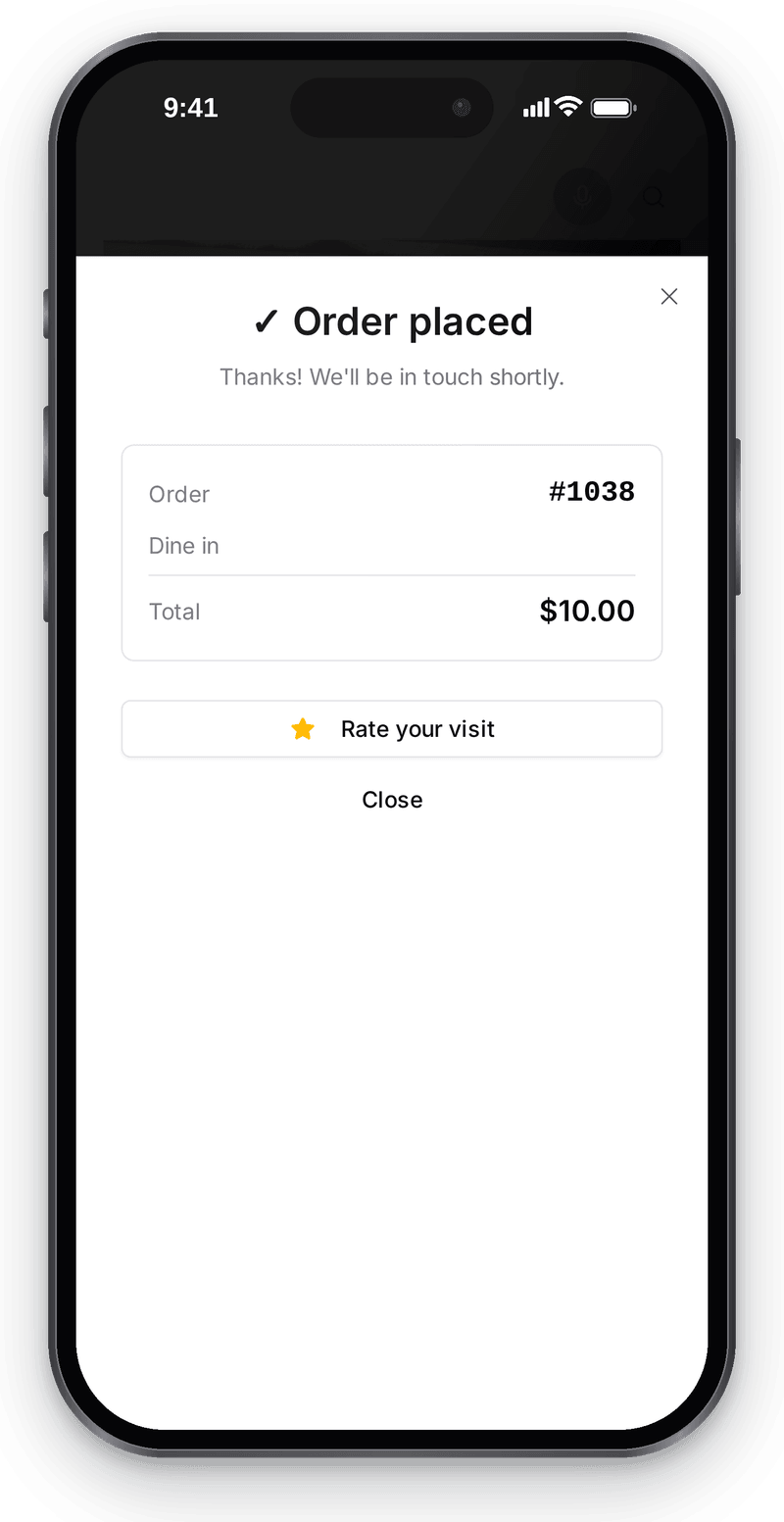
An order from the table is recorded at once with a number and total for the team What happens in the recording
Call the waiter
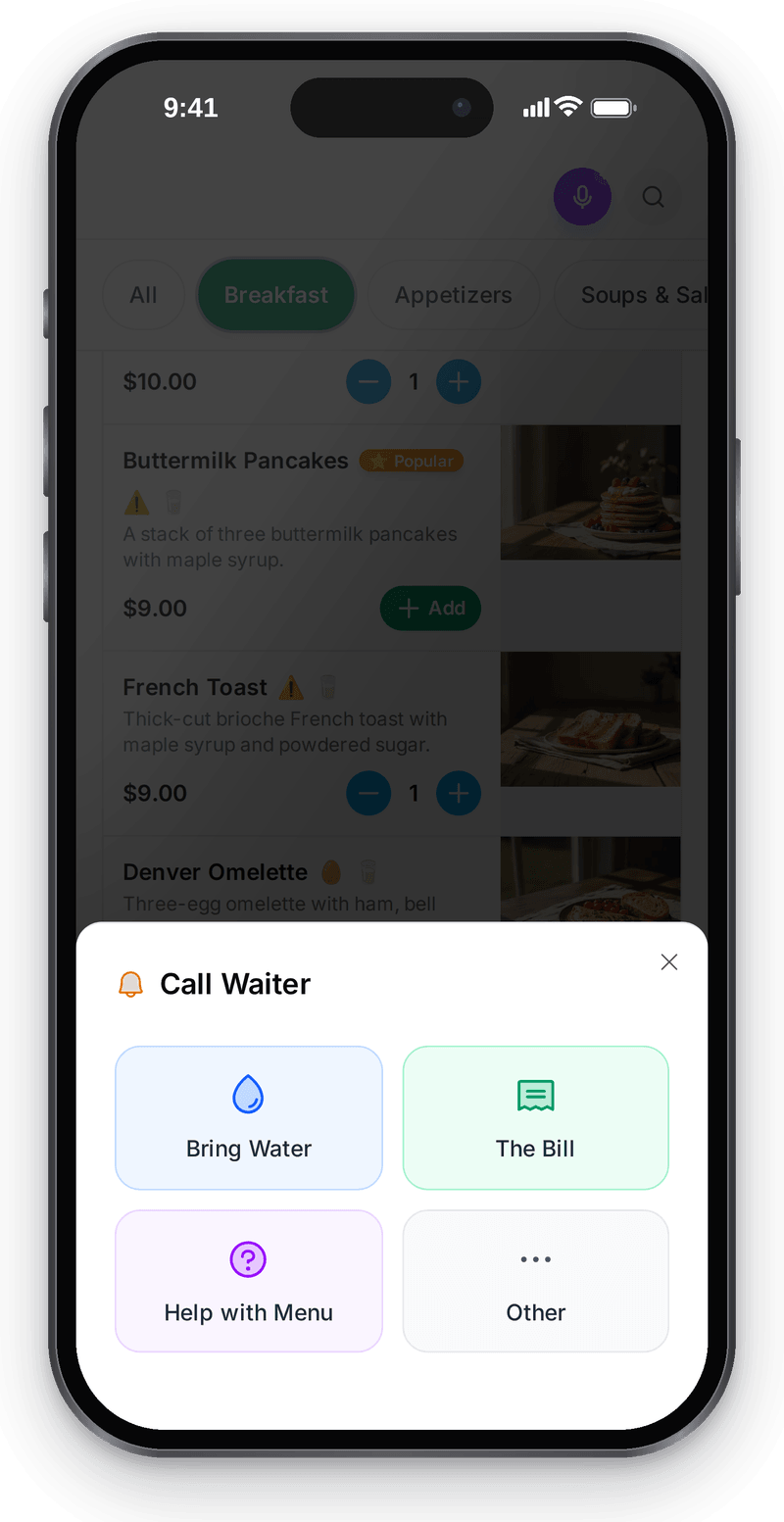
In the menu, the guest chooses why they call the waiter: help or the bill


1. Table: floor plan with QR codes
View full size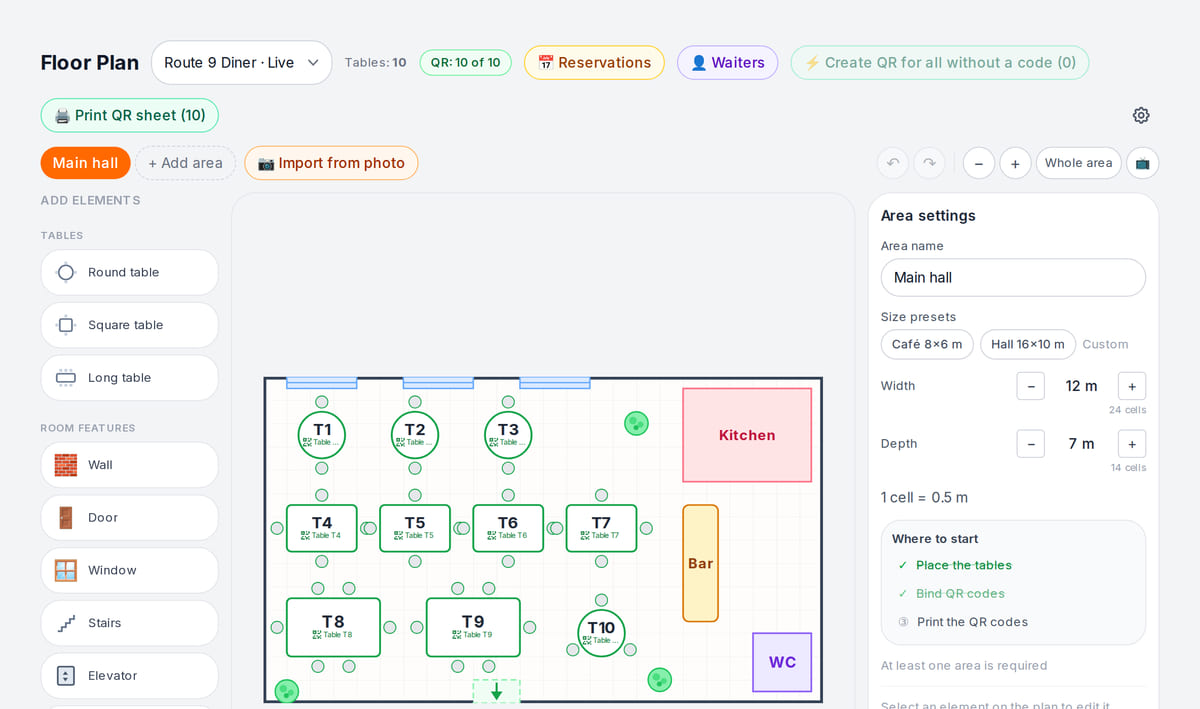
3. POS: from order to payment
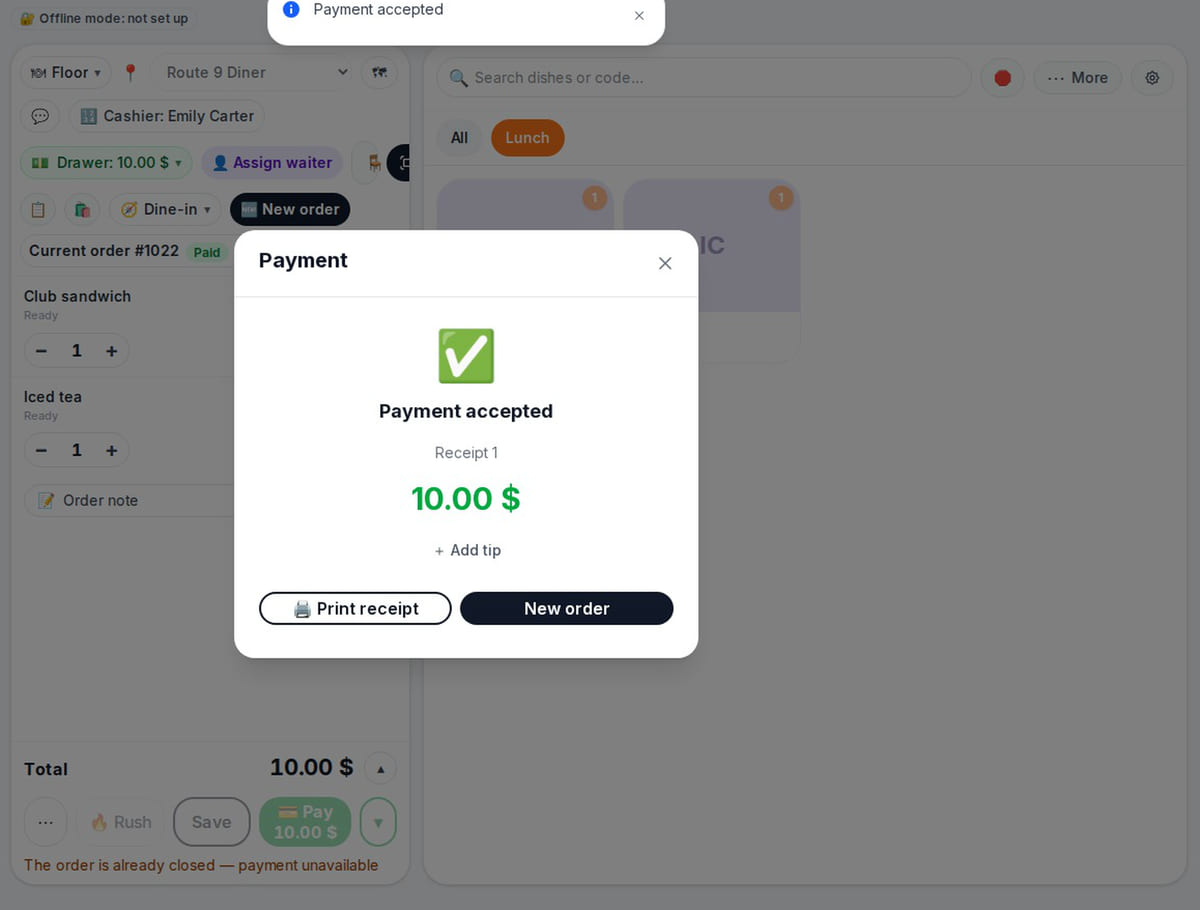
Kitchen readiness shows on the POS, and payment closes the order What happens in the recording
4. Kitchen: station screen
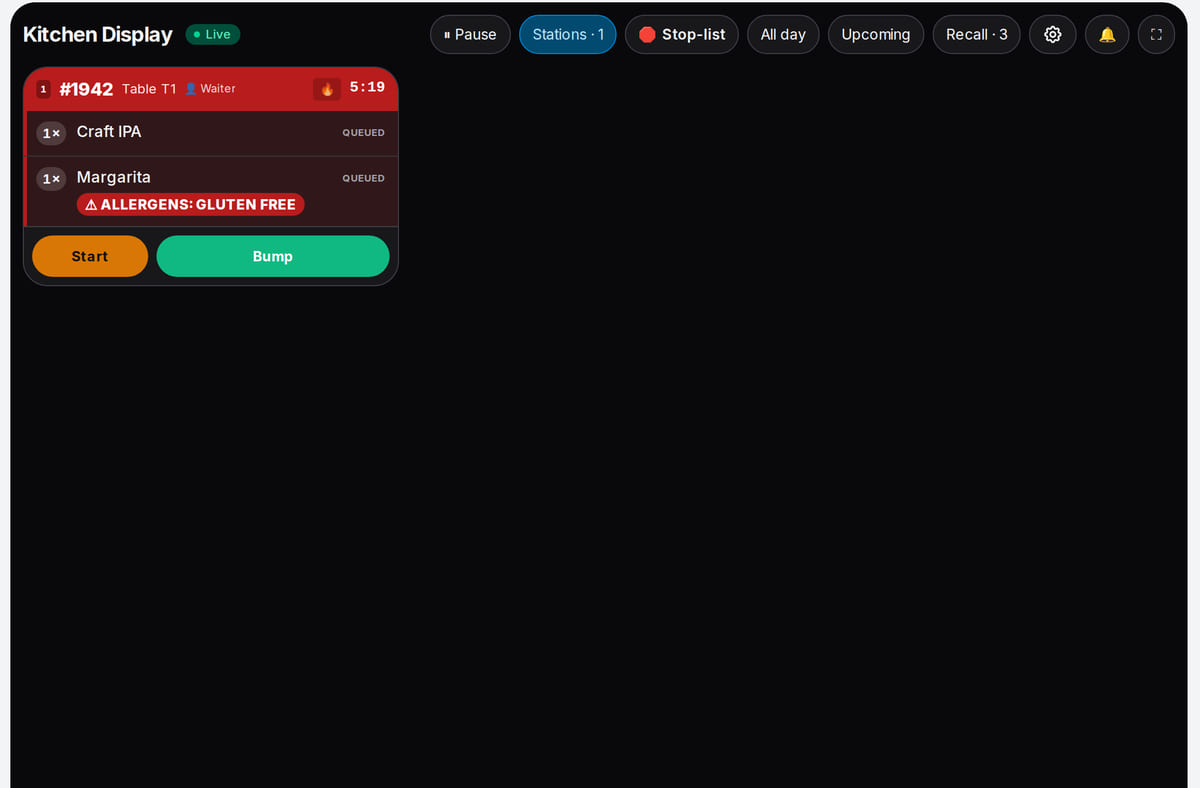
A cook selects their station and the shared order queue shows that station's items


How it works in practice
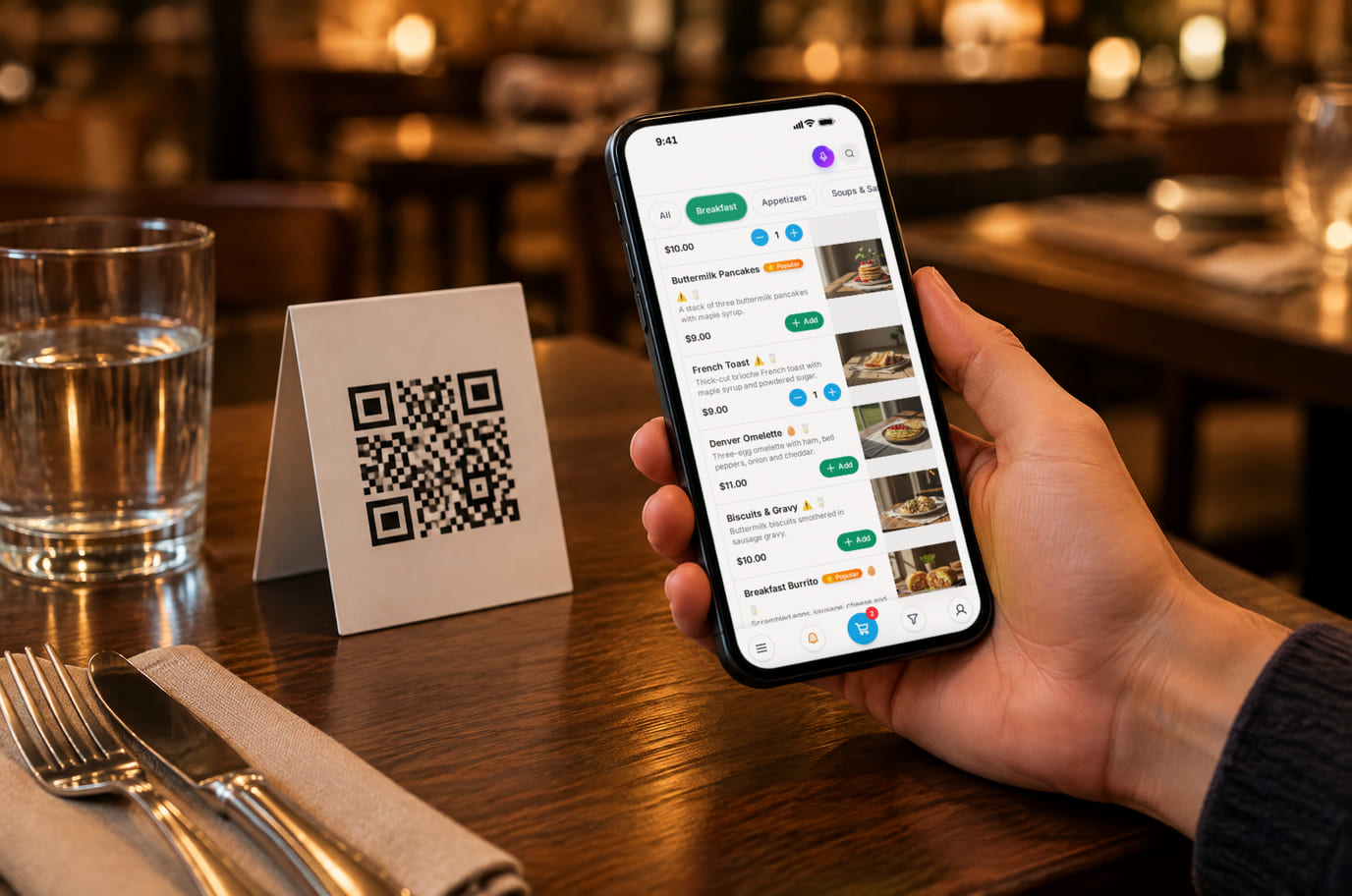
Illustration. The menu opens right from the table, and the guest can call the waiter from it 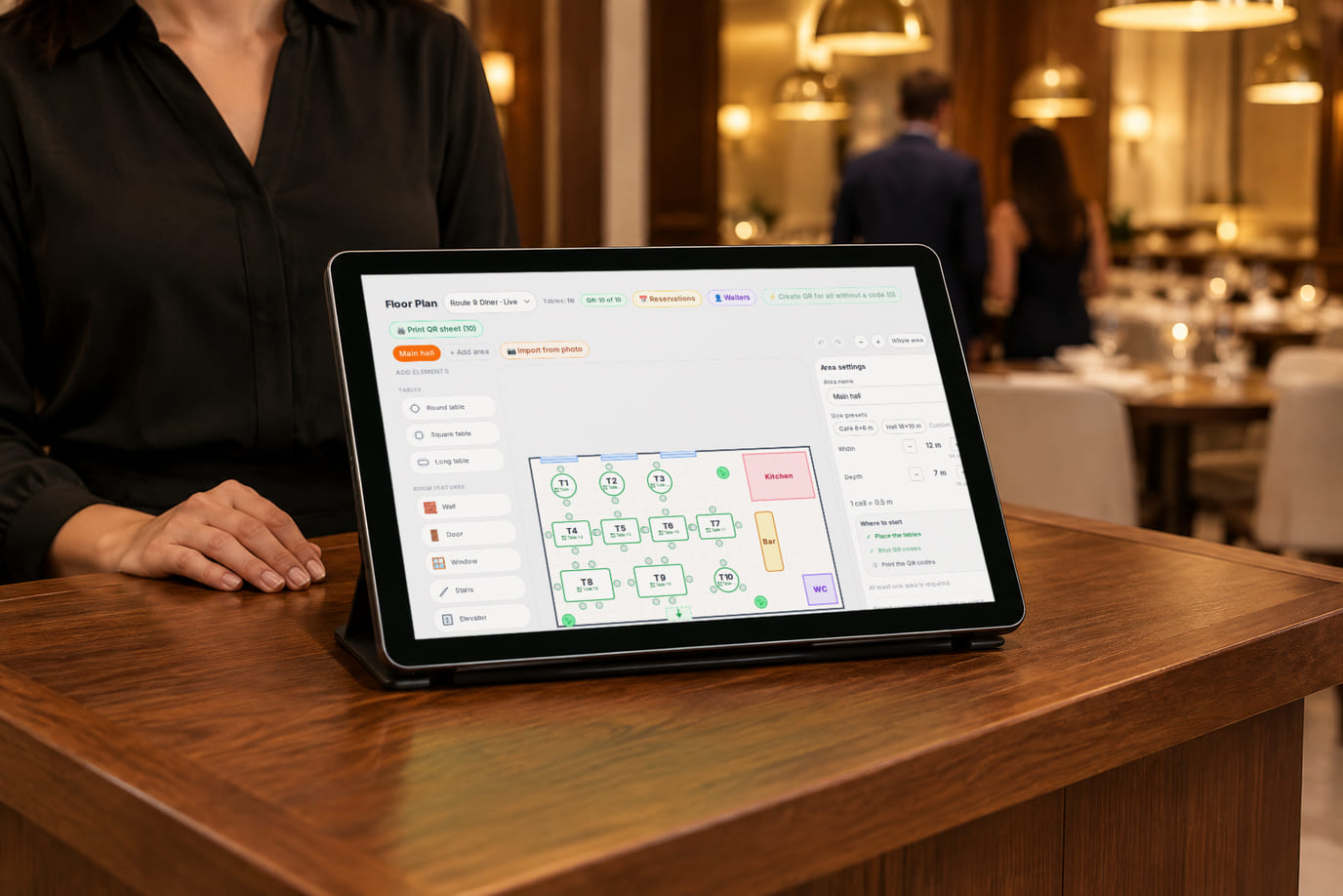
Illustration. The host sees the floor plan and seats guests at the right table


从开业到打烊
周五晚上
餐厅逐渐坐满。领位员维护等位名单,服务员在桌边接单。烧烤、冷菜和后厨各工位看到自己的菜品和计时器。客人要求分开结账——服务员在收银按项目分单。
管理者的早晨
营业前查看昨天的收入和平均客单价。供应商到货——拍下送货单并核对识别出的价格。盘点后按金额处理短缺。
不会当地语言的游客
客人不会说您的语言。他们通过QR用自己语言查看带照片和过敏原的菜品。您接单——后厨按厨师的语言打印。
自营配送替代聚合平台
客人通过您的链接订晚餐。您指派自己的配送员,客人在地图上跟踪。订单直接送达——没有平台佣金。
场景来自产品的设置和功能,而非用户评价:在未对您的业务进行实测之前,我们不承诺“客单价提升30%”这类数字。
费用是多少
适用于所述基础场景的计划
Premium
$49 每月
按年付费时每年 $490
账户订阅包含门店、设备、项目、订单和语言的数量限制。硬件、收单和付费 AI 操作可能需另行付费。
功能与条件
- 高级版:最多10个门店和20台设备
- 项目和订单不限量;最多25种语言的自动翻译
- 收银、餐厅布局、后厨、库存和工艺卡
- 各门店的财务报表和简化P&L
- 预订和等位名单;押金取决于提供商是否支持
- 自配送:区域、派单给配送员、客人追踪
从免费菜单开始
One location, up to 50 items, 100 orders a month and 3 auto-translation languages. POS and kitchen start on Basic; basic inventory operations are included, extra features have their own terms. Some features depend on country and cloud.
创建账户Free: QR menu with up to 50 items and 100 orders a month. POS starts on Basic; basic inventory operations are included. No card for sign-up.
启动前需考虑的事项
- 来自 Wolt、Glovo 和 Yandex Eats 的订单目前还不会自动进入收银和后厨——集成正在接入中;自配送和 QR 订单可正常使用。
- 支持可取消和改期的预订;押金取决于支付服务商。目前没有“桌子 × 时间”时间轴和自动匹配空闲桌子。
- 银行终端:目前金额仍在终端上输入,收银记录刷卡支付;与终端的对接正在真实硬件上验证。
- 客人通过 QR 在线支付取决于门店所在国家——请确认您所在国家是否可用。
- 高级餐厅常用的上菜方式(按服务员信号上菜)——尚未实现。
从其他系统切换前,请检查所需的连接和试用订单。
常见问题
我们餐厅提供堂食服务。QR 会冲突吗?
服务员仍会在桌边为客人点单并协助选择。客人可通过 QR 自行下单、呼叫服务员或请求结账。客人订单被接受后,收银和后厨都能看到——团队能看到该桌子点了什么。
一道菜的成本是多少?
在技术卡中填写配料、用量和损耗——系统会计算成本和加价。销售时,食材会从库存中扣减。盘点会显示与账面在金额上的差异,便于您排查原因。
如果开第二家餐厅,需要分开管理吗?
将餐厅添加到同一账户,并按门店设置价格和角色。基础版——最多 3 家门店,高级版——最多 10 家;高级版的设备上限为 20 台。
页面上的视频展示了什么?
以门店为例的已完成步骤:QR 客人订单会登记号码和金额;收银订单会立即出现在后厨屏幕上,厨师标记“开始制作”和“已完成”,收银看到“已完成”状态;现金支付会关闭订单并保存收据。这些是独立的测试订单,而不是从桌边到支付的同一个订单。分单结账、刷卡支付和按档口打印请在您的门店验证。
我们的硬件是否适用?
菜单在顾客的手机上打开。收银需要兼容的浏览器或应用;打印、秤和扫描仪取决于型号和网桥驱动。请在接入前检查自己的设备。
断网时会发生什么?
首次打开菜单需要网络:CDN 并非离线模式。已加载的收银和本地网桥的运行存在限制。未经检查,不能把完全离线现金班次视为成熟方案。
切换时如何保留数据?
在系统变动前,请保存原始数据。在带导出的板块中,检查所需字段和导出格式。不承诺通过一次操作通用迁移全部数据。
可以迁移菜单吗?
可以手动添加项目,或使用你的计划中可用的从文件、照片或受支持来源导入。结果需要核对;耗时取决于原始数据的质量。
可以管理多少家门店?
免费计划 — 1,基础版 — 最多 3,高级版 — 最多 10。设备、项目、订单和自动翻译各有自己的限额。确切条件见计划页面。
每个界面的详细信息请参阅帮助。 从哪里开始 →
餐厅的秩序从菜单开始
Upload the menu, open it by QR and test an order. The menu and QR orders are free; switch on the POS, kitchen and delivery on a paid plan. Basic inventory operations are included.
Free: 1 location, 50 items, 100 orders a month and 3 auto-translation languages. The full workflow described here needs Premium.