C cenaly.com
免费开始

餐桌预订与餐厅运营

预订、桌子和入口排队——尽在一个屏幕

客人在展示页、您的网站或 Telegram 留下预订申请;您在餐厅布局图上为其安排桌子。领位员管理等候名单,服务员能看到来自桌子的呼叫。

无需银行卡。付费计划在账户中选择——注册不会开通付费计划。

预订订金在已接入在线支付的地方可用。

  • 餐厅布局图:餐厅、桌子和 QR 码
  • 带订金的预订和客人的“我的预订”
  • 等候名单和从桌子呼叫服务员
A host at the restaurant entrance stand with a tablet showing the floor plan and tables
Illustration. At the door the floor plan shows where to seat guests with a reservation
网页端支持任何设备,Android 版为测试版菜单和展示页支持 45 种语言双云端:AWS 和 Yandex Cloud(cenaly.ru)每项功能均有帮助文档

模块功能

餐厅布局图

预订

  • 无需电话的预订

    来自展示页、网站组件、Telegram 或门店 AI 智能体的申请。

  • 定金

    按门店政策;未付款的预订会保留时段 30 分钟。

  • 客人的“我的预订”

    无需电话即可取消和改期,每一步都会给客人发送邮件。

  • 冲突

    同一时段对已占用桌子的预订,界面和服务器都不会放行。

餐厅现场班次

服务员

详细说明 — 在帮助中 →

What it looks like in the product

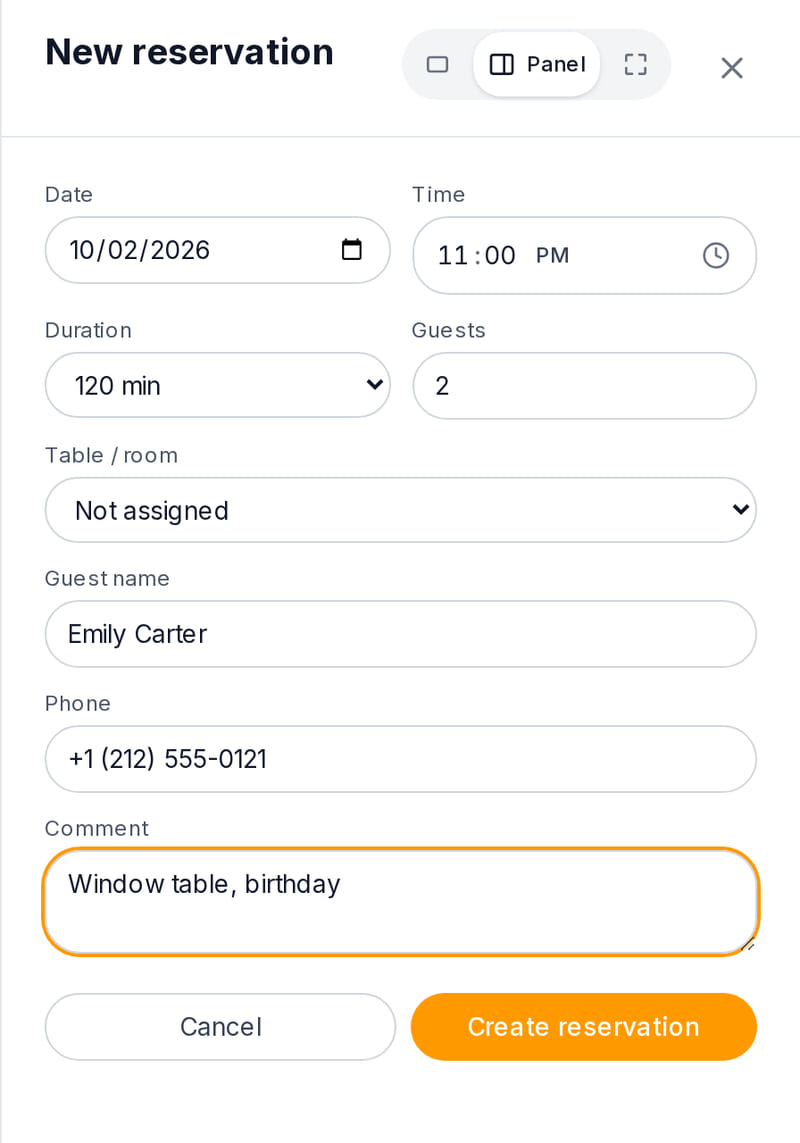
  • New reservation

    New reservation form in the dashboard: date, time, duration, party size, table, name, phone and comment
    View full size
    A phone booking takes a minute: time, party size, table and notes
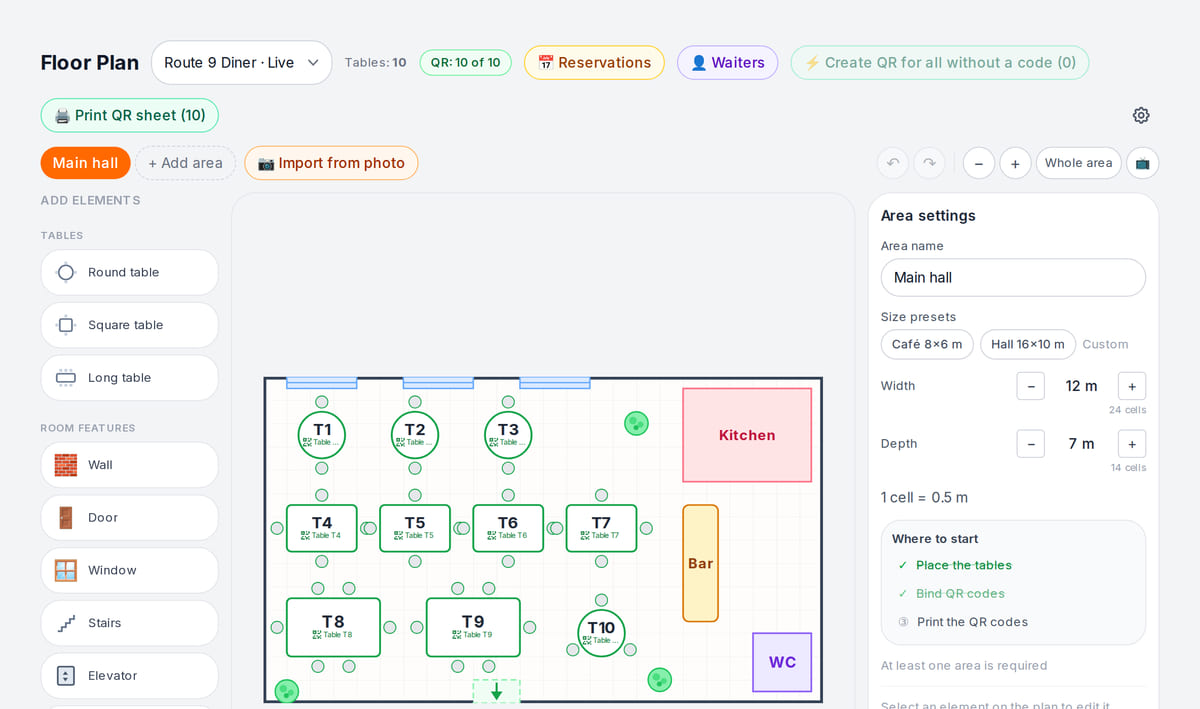
  • Floor plan

    Floor plan in the dashboard with tables of different sizes and a Reservations button in the header
    View full size
    Reservations are tied to tables on the floor plan

How it works in practice
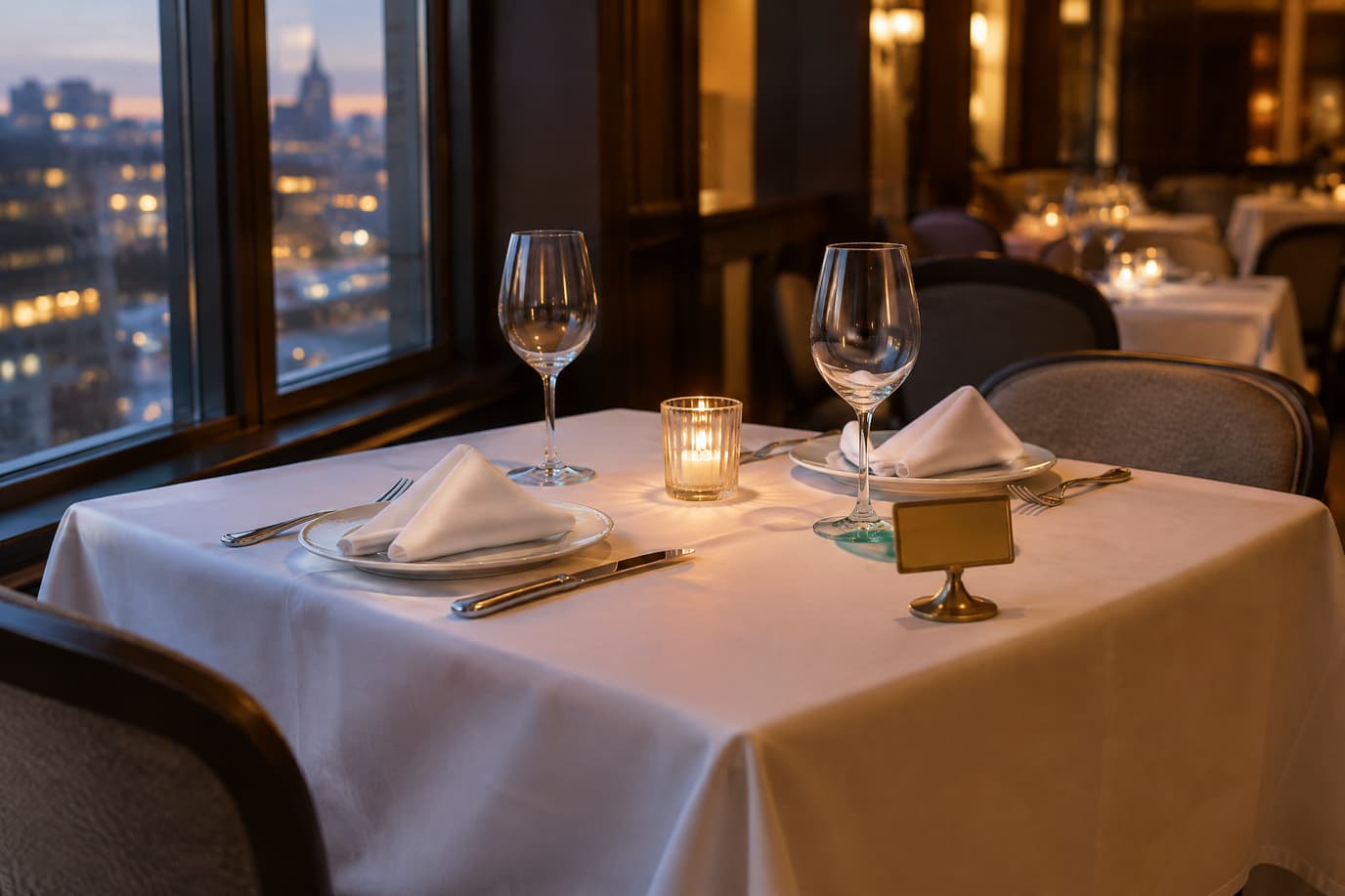
  • A table for two set by the window with a candle and a reserved sign, waiting for evening guests
    Illustration. The table is set before the guests arrive; the booking is visible to the floor in advance

价格是多少

计划起可用

Free

$0

价格按账户计;门店、设备和订单数量上限由计划决定。

重要须知

  • Table reservations and the floor plan are on the higher plan for venues with a dining room
  • 在自有网站上的预订组件——单独付费扩展
  • 定金需要已接入的在线支付;手续费由服务商收取
所有计划与对比 →

免费开始

免费账户含一个门店:在选择计划前先搭建菜单并验证业务流程。

免费开始

关于边界的坦诚说明

  • 客人不能自行选择桌子:客人提交申请,由您分配桌子。
  • 没有按桌子的预订时间线和自动排座。
  • 没有“客人已到店”状态;未到店时自动取消预订由门店开启。
  • 没有单独的“宴会”实体——这是绑定到厅面的多位客人预订。

购买硬件前,请先在免费账户上验证您的使用场景。

常见问题

客人可以不打电话就预订吗?

可以:在门店展示页、通过您网站上的组件、在 Telegram 或通过门店的 AI 代理。客人提交申请,您确认并分配桌子。

预订可以收取定金吗?

可以,前提是已接入在线支付。定金由门店政策设定;未支付的预订会保留时段 30 分钟,客人可以在“我的预订”中取消预订,并按政策规则退还定金。

如果两名员工把同一张桌子安排在同一时间怎么办?

第二笔预订会被界面拦截,如果同一秒点击——则由服务器拦截。未确认的申请不会占用桌子。

有等候名单吗?

有,在厅面面板的“等候”标签页:迎宾员把客人排入队列,桌子空出后一键致电客人。

适合宴会吗?

宴会通过普通预订办理,即客人数量较多并附带备注,关联到宴会厅或挪动后的桌子。没有单独的宴会模块。

多少钱?

Bookings and the floor plan are part of the higher plan for venues — the price is below and on the pricing page. The booking widget for your website is a separate paid extension.

详细说明 — 在帮助中 →

绘制厅面图并接收第一笔预订

创建账户,绘制厅面图,将 QR 码绑定到桌子,并从展示页留下一条测试申请。

无需银行卡。付费计划在账户中选择——注册不会开通付费计划。