13 widgets · basic features and extensions
Chat, enquiries and booking on your website
Let visitors ask a question, leave an enquiry or choose a service on the page. Start with one widget and receive enquiries in your Cenaly.com account.
Basic widgets are free · extensions, telephony and AI have separate terms

Започнете с проверка на своя сайт
Въведете адрес — ще отворим страницата, ще прочетем изходния ѝ код и ще покажем какво зарежда и дали пита за съгласие. Без регистрация и без инсталиране на таг.
- Броячи, пиксели, социални мрежи, карти, видео и чатове — поименно и по категории съгласие
- Банер за съгласие: наш, чужд или не е намерен нито един
- Нашият таг и включените уиджети, ако сайтът вече е свързан
Четем HTML на една страница, затова съдържание, заредено от скриптове в браузъра, проверката не вижда — и го казва директно в резултата. Вашият IP адрес не се запазва в открит вид.
Изберете по задача
Има много такива, но смисъл да включите има само онова, което решава най-близката ви задача.
- Резервации от съществуващ сайт →
- Свободни часове в графика →
- Връщане към изчерпан продукт →
- Обращения без подмяна на сайта →
Get in touch
Chat, messengers, callback requests or browser calls.
Receive an enquiry or order
Popups, real storefront events, the video bubble, table booking, appointments and orders.
Provide information and choices
Help articles, document preparation and consent settings.
Безплатно

Чат на сайта
Жив чат с посетителите — отговарят вашите служители от работния чат
A responding team is needed; AI is connected separately.
Данните попадат в: Канал за диалог в работния чат Cenaly.com, история на кореспонденцията и контакт — във вашия акаунт
Безплатно

Бутон за месинджъри
Един плаващ бутон: WhatsApp, Telegram, обаждане, чат — до 12 канала
Prepare links and enable the channels you need.
Данните попадат в: Кореспонденцията — във вашите WhatsApp и Telegram, кликовете по каналите — в панела на мултикнопката в акаунта
Безплатно

Обратно обаждане
Форма за заявка за обаждане; с подключена АТС — автоматично набиране
Without telephony it collects a request; live dialling needs setup.
Данните попадат в: Без телефония заявката се запазва в списъка с обратни обаждания на акаунта. На cenaly.ru имейл при приемане на заявката не се изпраща.
Безплатно

Обаждане от браузъра
Бутон „Обади се“ — разговор от сайта през вашата телефонна централа, без номер и приложения за госта
Requires telephony, an available line and the visitor’s microphone.
Данните попадат в: Обаждането — към вашата АТС Cenaly.com като входящо, записът на разговора — в раздел „Обаждания“, ако е включен
Безплатно · Requires connected telephony
Социално доказателство
Плашки с числа на поръчки, резервации, часове и оценки от вашия акаунт
Requires real storefront events; figures are not invented.
Данните попадат в: Към сайта се предават публични числови агрегати без имена и текстове на отзиви. Уиджетът също изпраща събития за зареждане, показване и затваряне за статистика.
Безплатно
Видеокръгче
Кръгче с клип от вашето меню в ъгъла на сайта: при клик — видео със звук и бутон „Поръчай“
Requires menu or catalogue items with video; the button under a clip needs its target widget enabled.
Данните попадат в: Поръчки, резервации и часове по бутона под видеоклипа пристигат в същите раздели, както и от самите уиджети. Кръгчето изпраща само обезличена статистика: показвания, разгъвания, гледания със звук и натискания на бутон.
Безплатно
Онлайн записване
Записване по вашето разписание: клиентът сам избира услуга, специалист и свободен час
Requires services, specialists and schedules; automation is separate.
Данните попадат в: Журнал на часа в акаунта (раздел „Записи“) — услуга, майстор, време и контакт на клиента
Безплатно

Поръчка от сайта
Бутонът за поръчка отваря вашата витрина върху готовия сайт
Requires a catalogue and fulfilment; payments and delivery have separate terms.
Данните попадат в: Монитор за поръчки Cenaly.com: позиции, контакти и адрес при доставка. Кухнята и куриерите се включват отделно според плана.
Безплатно

Банер за бисквитки
Съгласен за бисквитки с автоблокиране на тракери и Google Consent Mode v2
Basic CMP is free; Pro is separate. Blocking needs early code; .ru has no scanner or log.
Данните попадат в: Анонимен журнал на съгласията във вашия акаунт: категории и време на решението, без IP и точен User-Agent
Безплатно
Платно разширение

Изскачащи прозорци и форми
Изскачащи прозорци, вградени форми, купони и куизове с условия за показване и A/B
Configure a campaign and goal; the extension is separate.
Данните попадат в: Входяща кутия „Лидове“ в акаунта — с адрес на страницата и UTM; абонаментите — в списъка за кампанията, статистиката на показванията — в картата на кампанията
$9/мес

Резервация на маса
Бутон „Резервиране“ → един формуляр → заявка във вашия раздел „Маси“
Requires tables and booking rules.
Данните попадат в: Раздел „Маси“ в акаунта — до резервациите по телефона и от QR менюто
$9/мес
Помощ на сайта
Бутон „?“ → странична лента с вашите статии, търсене и оценка „беше полезно“
Prepare and publish help articles.
Данните попадат в: Статии — в раздел „Статии и страници“; прегледите, запитванията и оценките — „База от знания“ → „Анализ“
$19/мес

Правни документи
Политика, споразумение, връщане, cookies, доставка — събрани по вашите данни и вградени в сайта
Review documents for your business; no legal guarantee is provided.
Данните попадат в: Посетителят чете публикуваните документи. Уиджетът изпраща технически събития за зареждане, отваряне и затваряне за статистиката; отговорите от анкетата се редактират в акаунта.
$9/мес
Безплатно на сайтове от нашия конструктор
What it looks like in the product
Multibutton
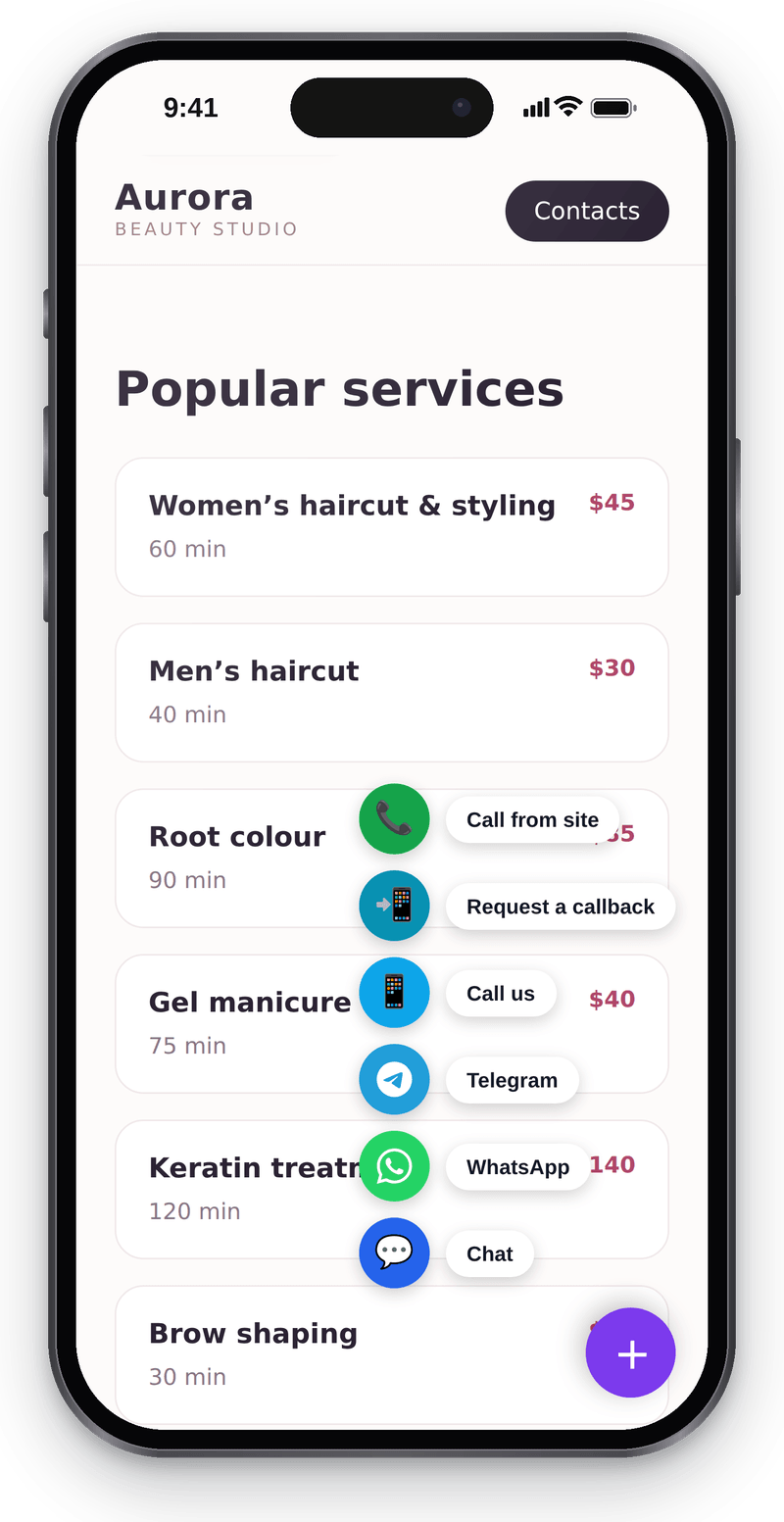
Every way to reach you in one corner button Website chat
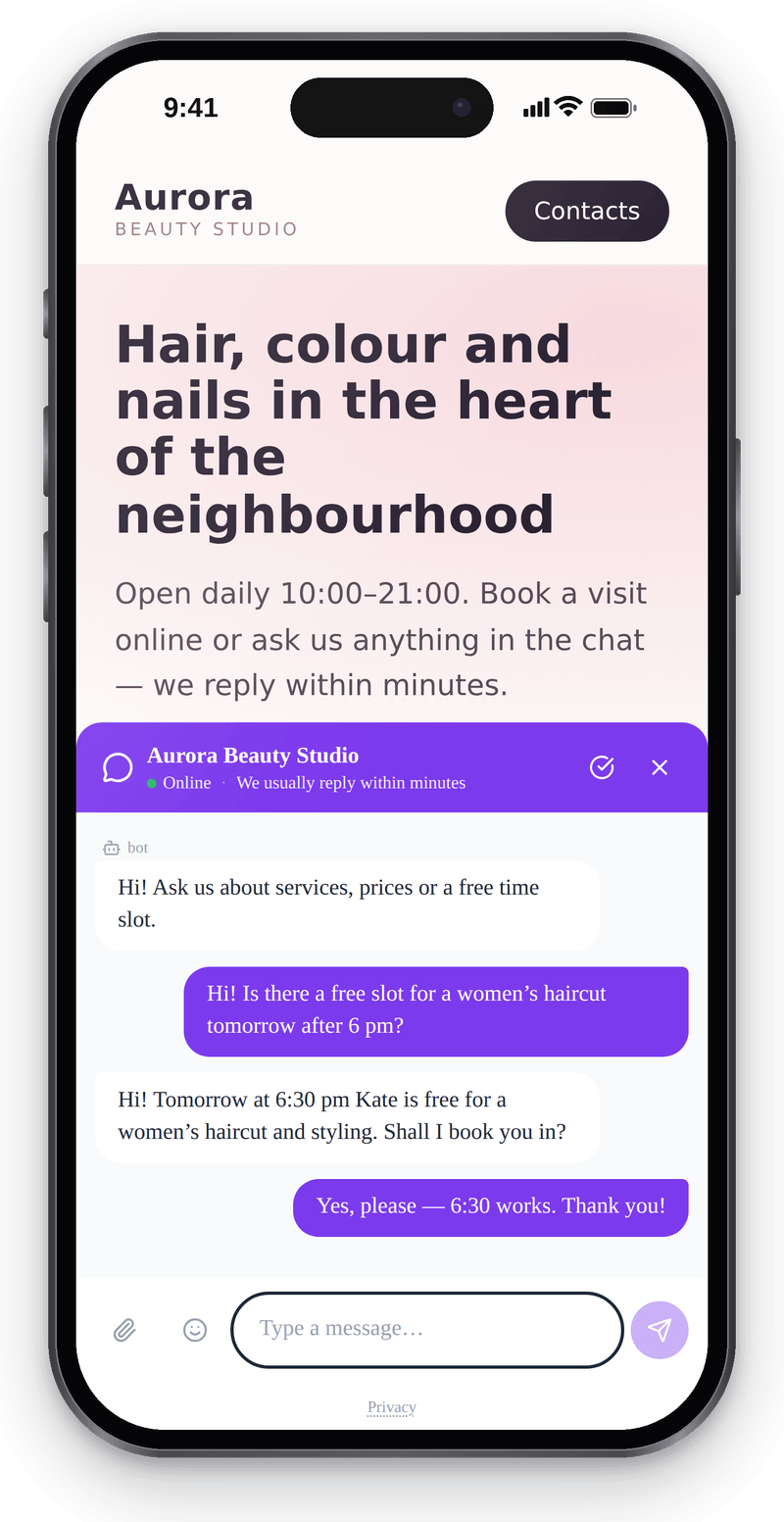
Visitors write from their phone without leaving the page Callback
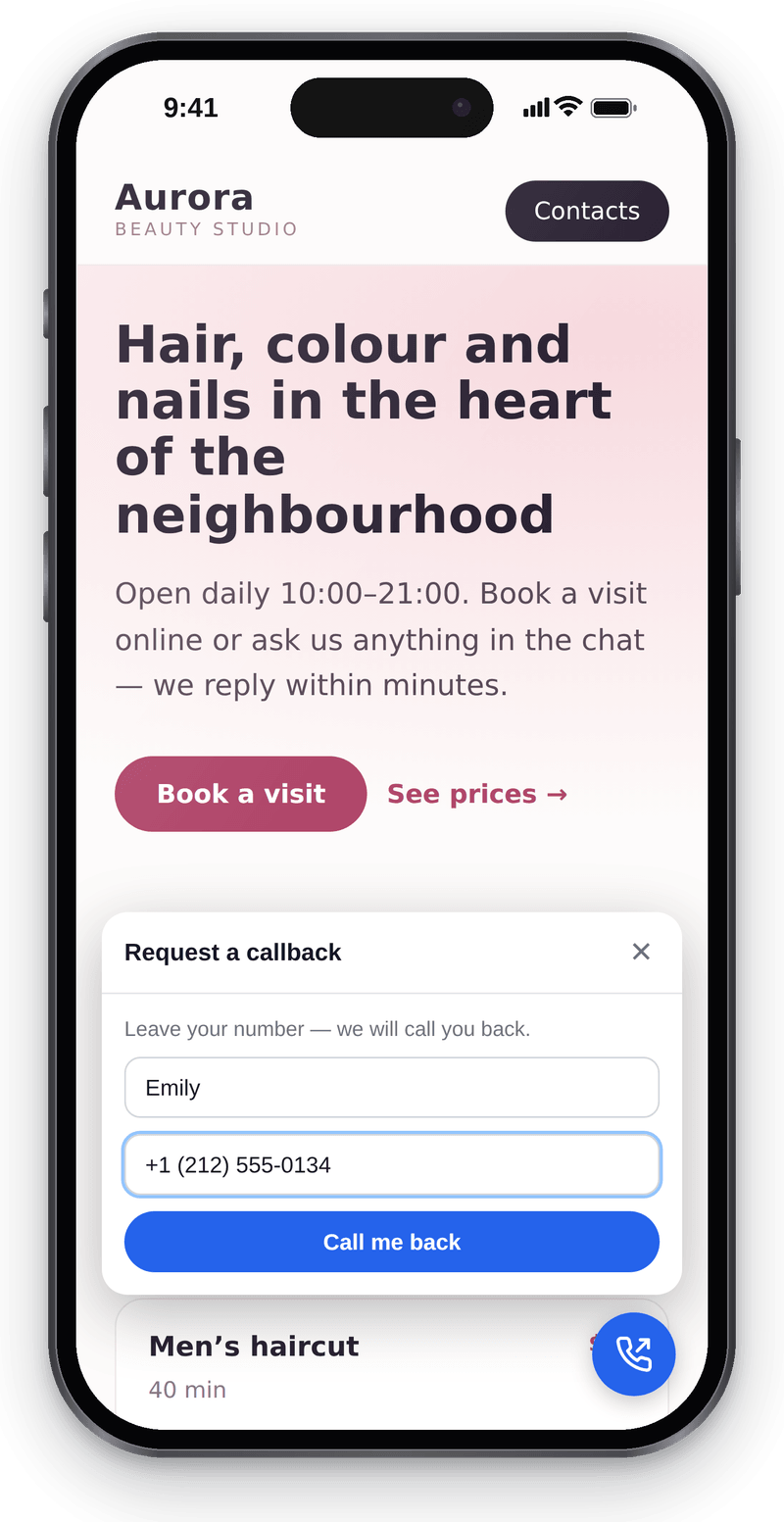
Visitors leave a number and you call them back


Conversations in the workspace
View full size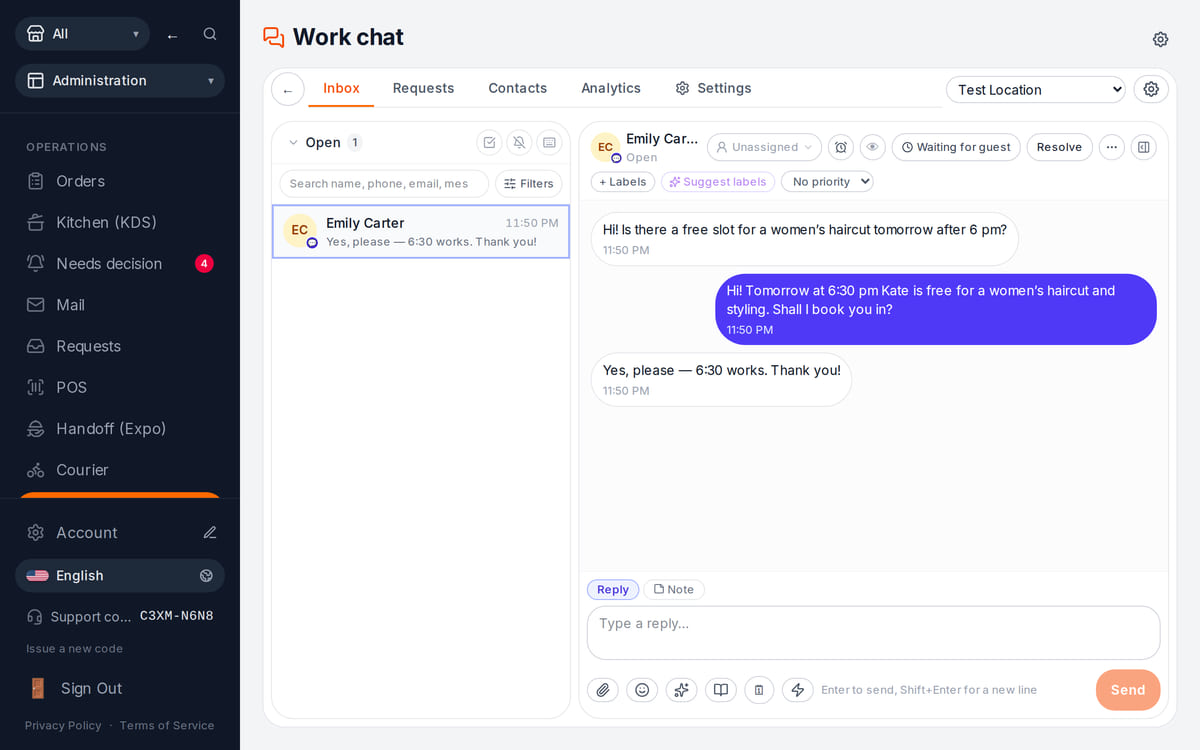
Website messages land in the team’s shared work chat

How it works in practice
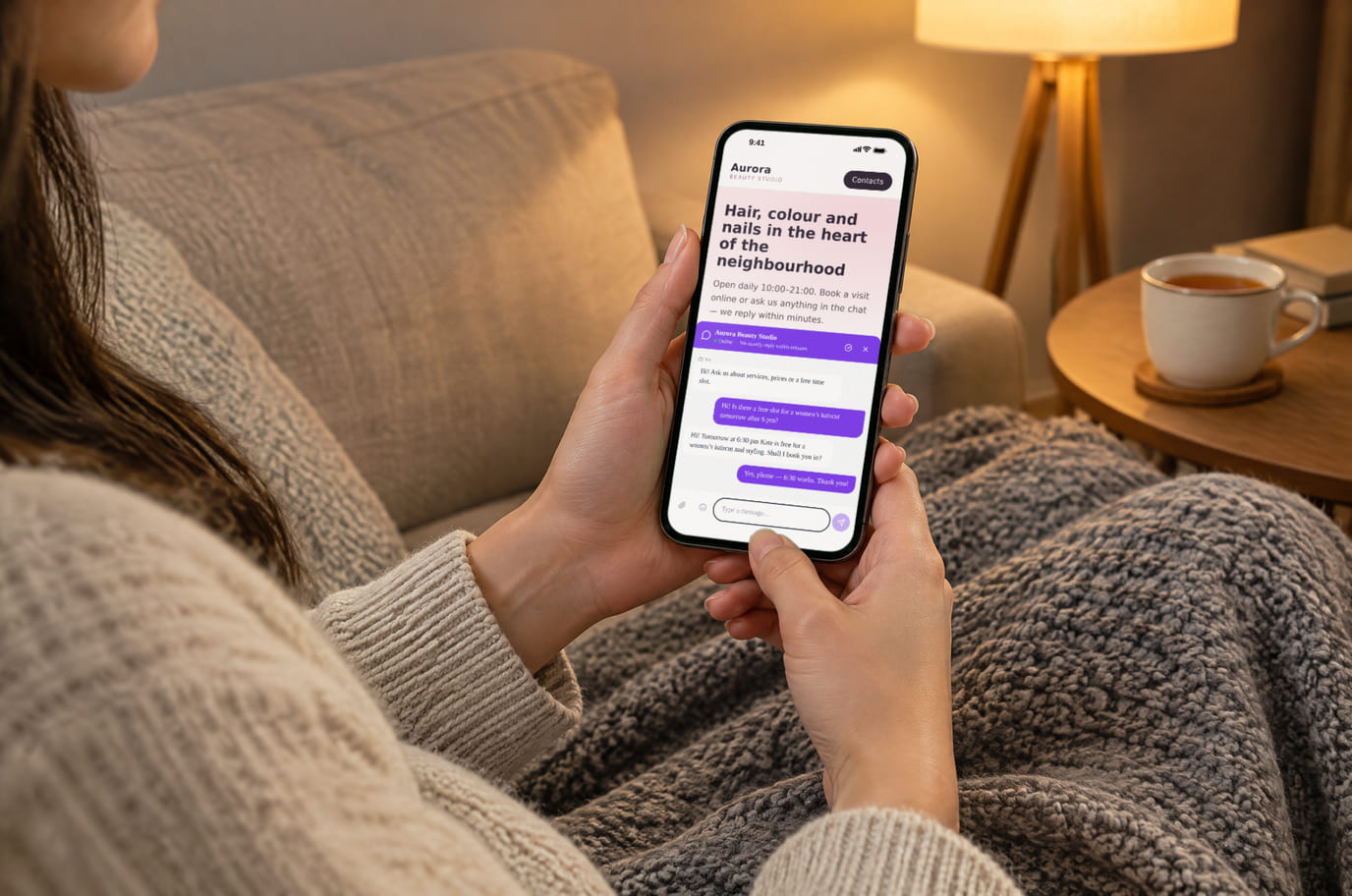
Illustration. An evening question, answered without a call 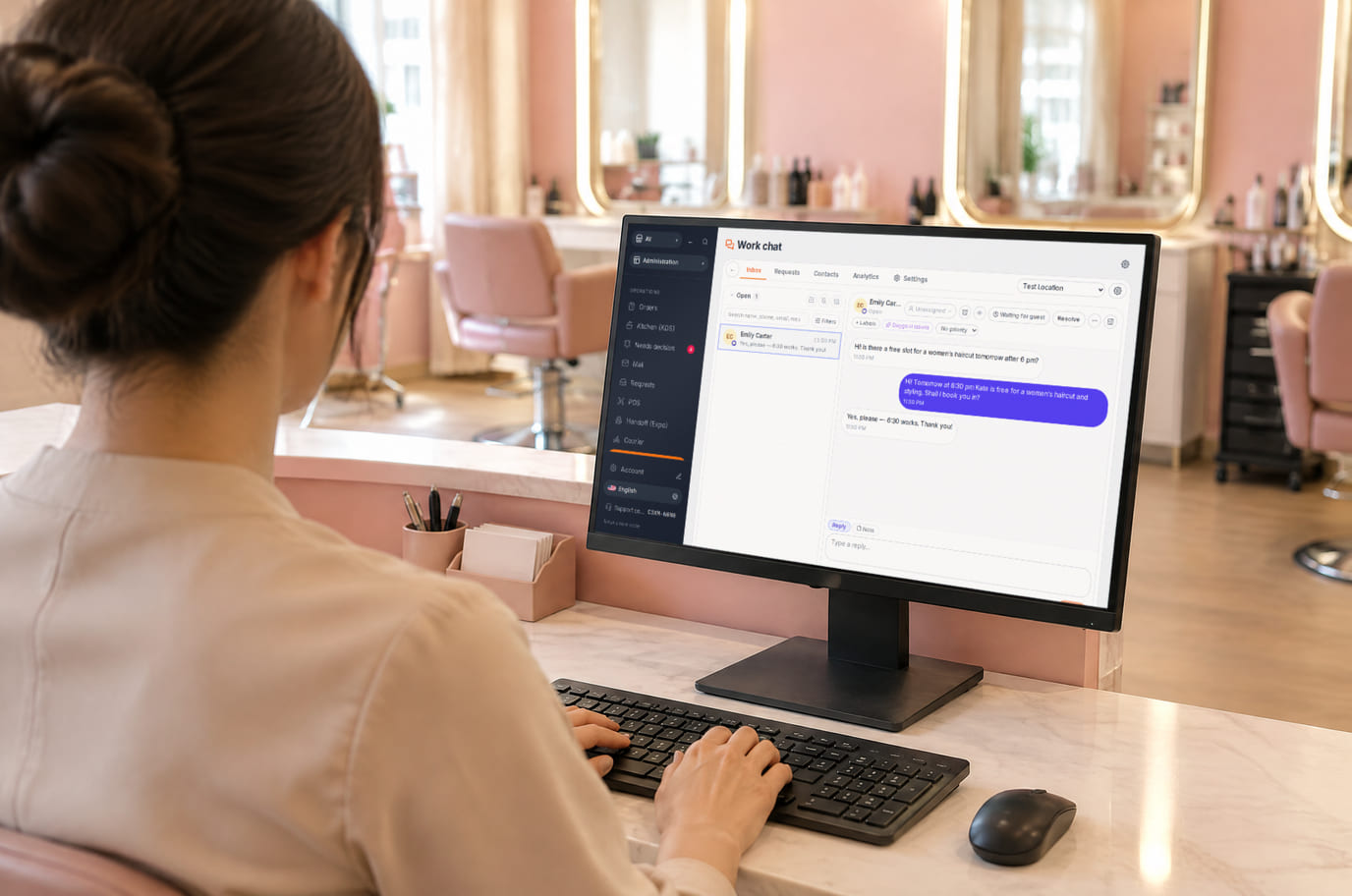
Illustration. Reception replies from the workspace without leaving the desk


What is included and what costs extra
Basic versions of 9 of the 13 widgets are free. Table booking, popups, help and legal documents on an external website are extensions. A free widget can have paid connected features.
- The basic widget
- A free form or button does not automatically include telephony, AI, delivery, payments or automated campaigns. Check the selected widget’s page for terms.
- Extensions
- Check catalogue terms before connecting. The basic CMP has a separate Cookies Pro tier; cenaly.ru has no scanner or consent log regardless of tier.
- Test before launch
- Enable one workflow, submit a test enquiry and find it in your account. Check the site on a phone and prepare your team to respond.
Как да се свържете — три стъпки
Choose a task and add your site
Create an account and add the domain in My Website. Check the widget’s terms and prepare its data.
Install and check the code
Use the shared tag for ordinary widgets, following your platform’s instructions. Prior tracker blocking needs a separate early CMP script in head before trackers, without async/defer.
Test an enquiry
Enable the widget, check it on the published site and send a test enquiry. Settings may appear after the cache refreshes.
Shared tag for ordinary widgets
<script src="https://cdn.cenaly.com/site/v1.js" data-domain="your-site.com" async></script>For prior tracker blocking, use the early CMP script from the cookie-banner instructions. The shared async tag cannot stop trackers that have already run.
Къде се поставя
На сайтове от нашия конструктор уиджетите са свързани по начало — нищо не е нужно да се вмъква.
Инструкции стъпка по стъпка за платформите — в помощния център →Инсталиране на вашата платформа
Точните наименования на елементите от менюто и условията на тарифните планове са посочени в официалната справка на всяка платформа.
- WordPress Плъгин за вмъкване на код в header или редактор на файловете на темата
- Tilda «Настройки на сайта» → вмъкване на код → HTML код вътре в head
- Wix Settings → Custom Code, нужен е свързан домейн
- Shopify Online Store → Edit code → theme.liquid
- Webflow Site settings → Custom code; Site plan или подходящ Workspace
- Squarespace Website Tools → Code Injection → Header
Платформата не е в списъка? Обща инструкция за инсталиране →
Сравнения
Всяко твърдение по-горе е взето от тези страници на посочената дата. Доставчикът може да се е променил след вземането — връзките водят към първоизточника, проверете сами.
Въпроси и отговори
What do I need before setup?
Access to insert website code and an account with the domain in My Website. Other requirements depend on the task: chat needs a responding team, calls need telephony, appointments need services and schedules, and orders need a catalogue and fulfilment options.
What exactly is free?
Basic versions of 9 of the 13 widgets are free; the other 4 are extensions. Telephony, AI, automation and Cookies Pro have separate terms. A free widget does not make all connected features free.
Is one async tag enough for cookie consent?
A shared loader displays widgets. To block trackers before consent, install the separate CMP script first in head without async/defer. It cannot intercept scripts that have already run or server-set cookies. Check script order against the instructions.
How do I check the site and mobile layout?
Widgets isolate their styles, but test compatibility on your published page: mobile widths, buttons, forms and third-party scripts. Send a test enquiry and check that your team received it.
What language and cloud limits apply?
Built-in language coverage varies by widget; you configure your own text and translations separately. Core records are stored in your brand’s cloud. Connected AI, telephony and other services have their own processing terms. cenaly.ru has no CMP scanner or consent log; other limits are listed on each widget’s page.
Chat, enquiries and booking on your website
Basic widgets are free · extensions, telephony and AI have separate terms
Choose a widget