13 widgets · basic features and extensions
Chat, enquiries and booking on your website
Let visitors ask a question, leave an enquiry or choose a service on the page. Start with one widget and receive enquiries in your Cenaly.com account.
Basic widgets are free · extensions, telephony and AI have separate terms

Begin met een controle van uw website
Voer het adres in — we openen de pagina, lezen de broncode en laten zien wat deze laadt en of er om Akkoord wordt gevraagd. Zonder registratie en zonder tag te installeren.
- Tellers, pixels, sociale netwerken, kaarten, video's en chats — bij naam en per categorie van Akkoord
- Akkoordbanner: de onze, die van iemand anders of geen enkele gevonden
- Onze tag en ingeschakelde Widgets, als de website al is gekoppeld
We lezen de HTML van één pagina, daarom ziet de controle geen scripts die in de browser worden nageladen — en dat zegt het resultaat ook duidelijk. Uw IP-adres bewaren we niet in leesbare vorm.
Kies op taak
Er is één tag, maar het is zinvol om alleen te activeren wat uw eerstvolgende taak oplost.
- Reserveringen vanaf een bestaande website →
- Vrije plekken in het rooster →
- Terug naar een niet-beschikbaar product →
- Aanvragen zonder uw website te vervangen →
Get in touch
Chat, messengers, callback requests or browser calls.
Receive an enquiry or order
Popups, real storefront events, the video bubble, table booking, appointments and orders.
Provide information and choices
Help articles, document preparation and consent settings.
Gratis

Chat op uw site
Live chat met bezoekers — uw medewerkers antwoorden vanuit de werkchat
A responding team is needed; AI is connected separately.
Gegevens komen terecht in: Een dialoogkanaal in de werkchat Cenaly.com, de gespreksgeschiedenis en het contact — in uw account
Gratis

Messenger-knop
Eén zwevende knop: WhatsApp, Telegram, bellen, chat — tot 12 kanalen
Prepare links and enable the channels you need.
Gegevens komen terecht in: De correspondentie — in uw WhatsApp en Telegram, kliks op kanalen — in het paneel van de multiknop in het Account
Gratis

Terugbelverzoek
Aanvraagformulier voor een belverzoek; met aangesloten PBX — automatische terugbelpoging
Without telephony it collects a request; live dialling needs setup.
Gegevens komen terecht in: Zonder telefonie wordt de aanvraag opgeslagen in de lijst met terugbelverzoeken van het Account. Op cenaly.ru wordt bij ontvangst van een aanvraag geen e-mail verzonden.
Gratis

Bellen vanuit de browser
Knop „Bellen” — een gesprek vanaf de site via uw telefooncentrale, zonder Nummer en Apps voor de bezoeker
Requires telephony, an available line and the visitor’s microphone.
Gegevens komen terecht in: Het gesprek — naar uw telefooncentrale Cenaly.com als inkomend, de Opname van het gesprek — naar het gedeelte „Gesprekken”, als die is ingeschakeld
Gratis · Requires connected telephony
Sociale bewijskracht
Badges met aantallen bestellingen, reserveringen, afspraken en beoordelingen uit uw account
Requires real storefront events; figures are not invented.
Gegevens komen terecht in: Naar de site worden openbare numerieke aggregaten doorgegeven zonder namen en teksten van Beoordelingen. De Widget verstuurt ook gebeurtenissen voor laden, weergeven en sluiten voor statistieken.
Gratis
Videocirkel
Cirkel met een filmpje uit uw menu in de hoek van de site: bij een klik video met geluid en de knop „Bestellen”
Requires menu or catalogue items with video; the button under a clip needs its target widget enabled.
Gegevens komen terecht in: Bestellingen, Reserveringen en Afspraken via de knop onder de video komen in dezelfde secties terecht als vanaf de Widgets zelf. De cirkel verstuurt alleen geanonimiseerde statistieken: weergaven, uitklappen, weergaven met geluid en het indrukken van de knop.
Gratis
Online afspraken
Afspraken volgens uw planning: de klant kiest zelf de dienst, de specialist en een vrij tijdslot
Requires services, specialists and schedules; automation is separate.
Gegevens komen terecht in: Afsprakenjournaal in het account (sectie „Afspraken”) — dienst, medewerker, tijd en contactgegevens van de klant
Gratis

Bestelling vanaf de website
De bestelknop opent uw winkel bovenop uw bestaande website
Requires a catalogue and fulfilment; payments and delivery have separate terms.
Gegevens komen terecht in: Bestellingenmonitor Cenaly.com: artikelen, contactgegevens en adres bij bezorging. Keuken en bezorgers worden apart aangesloten op basis van het abonnement.
Gratis

Cookiebanner
Akkoord voor cookies met automatische blokkering van trackers en Google Consent Mode v2
Basic CMP is free; Pro is separate. Blocking needs early code; .ru has no scanner or log.
Gegevens komen terecht in: Anoniem akkoordlogboek in uw account: categorieën en tijdstip van de beslissing, zonder IP en zonder exacte User-Agent
Gratis
Betaalde uitbreiding

Pop-ups en formulieren
Pop-ups, ingebouwde formulieren, coupons en quizzen met weergavevoorwaarden en A/B
Configure a campaign and goal; the extension is separate.
Gegevens komen terecht in: Inbox „Leads” in uw Account — met pagina-adres en UTM; aanmeldingen — naar de Campagnelijst, weergavestatistieken — naar de Campagnekaart
$9/maand

Tafelreservering
Knop „Reserveren” → één formulier → aanvraag in uw sectie „Tafels”
Requires tables and booking rules.
Gegevens komen terecht in: Het gedeelte „Tafels” in uw account — naast reserveringen via de telefoon en uit het QR-menu
$9/maand
Help op de site
Knop „?” → zijpaneel met uw artikelen, zoeken en beoordeling „nuttig”
Prepare and publish help articles.
Gegevens komen terecht in: Artikelen — in het gedeelte „Artikelen en pagina's”; weergaven, verzoeken en beoordelingen — „Kennisbank” → „Analytics”
$19/maand

Juridische documenten
Privacybeleid, overeenkomst, retour, cookies, levering — samengesteld op basis van uw gegevens en ingebouwd in de site
Review documents for your business; no legal guarantee is provided.
Gegevens komen terecht in: De bezoeker leest de gepubliceerde documenten. De Widget verstuurt technische gebeurtenissen bij laden, openen en sluiten voor statistieken; de antwoorden van de vragenlijst kunt u in het Account bewerken.
$9/maand
Gratis op sites uit onze websitebouwer
What it looks like in the product
Multibutton
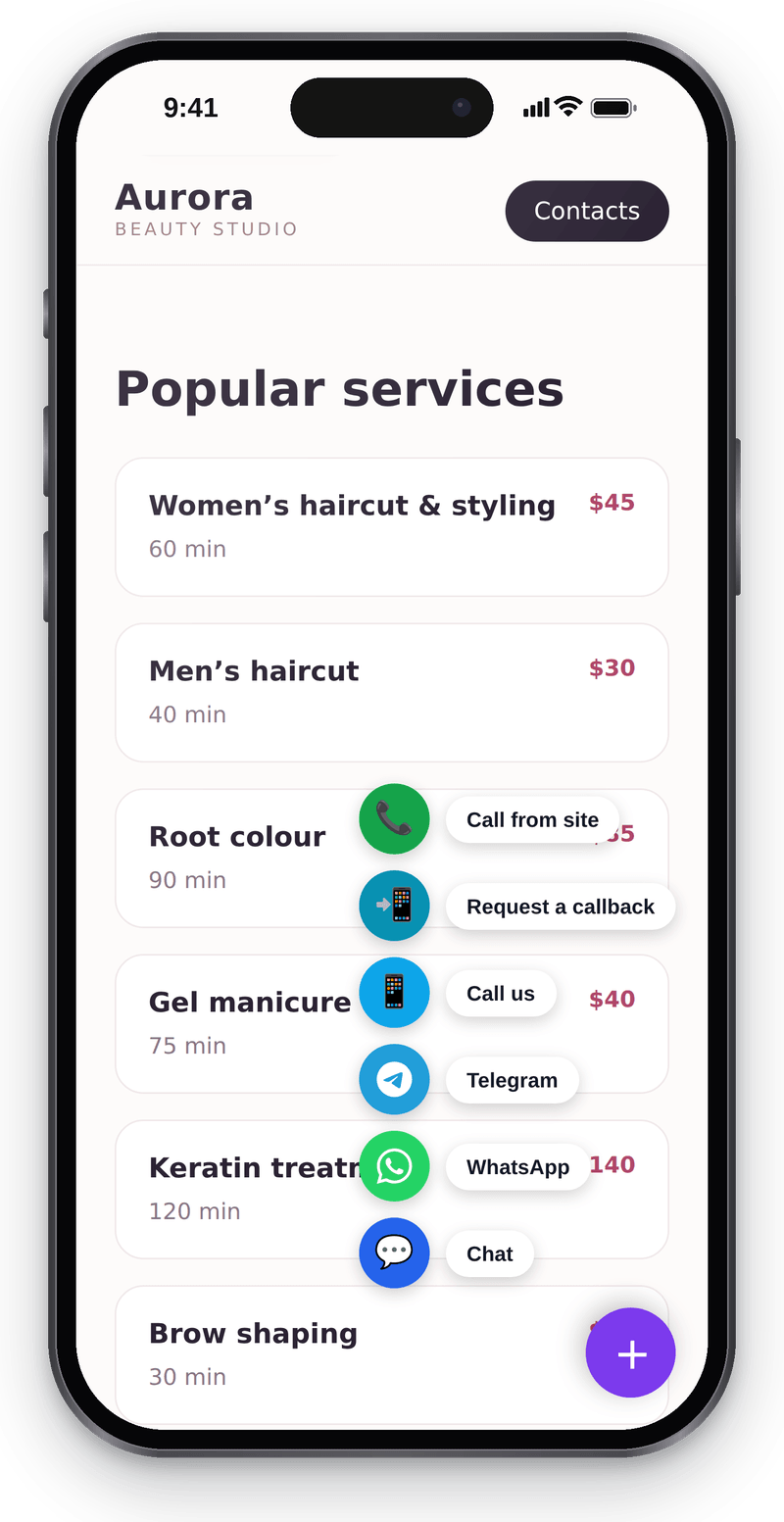
Every way to reach you in one corner button Website chat
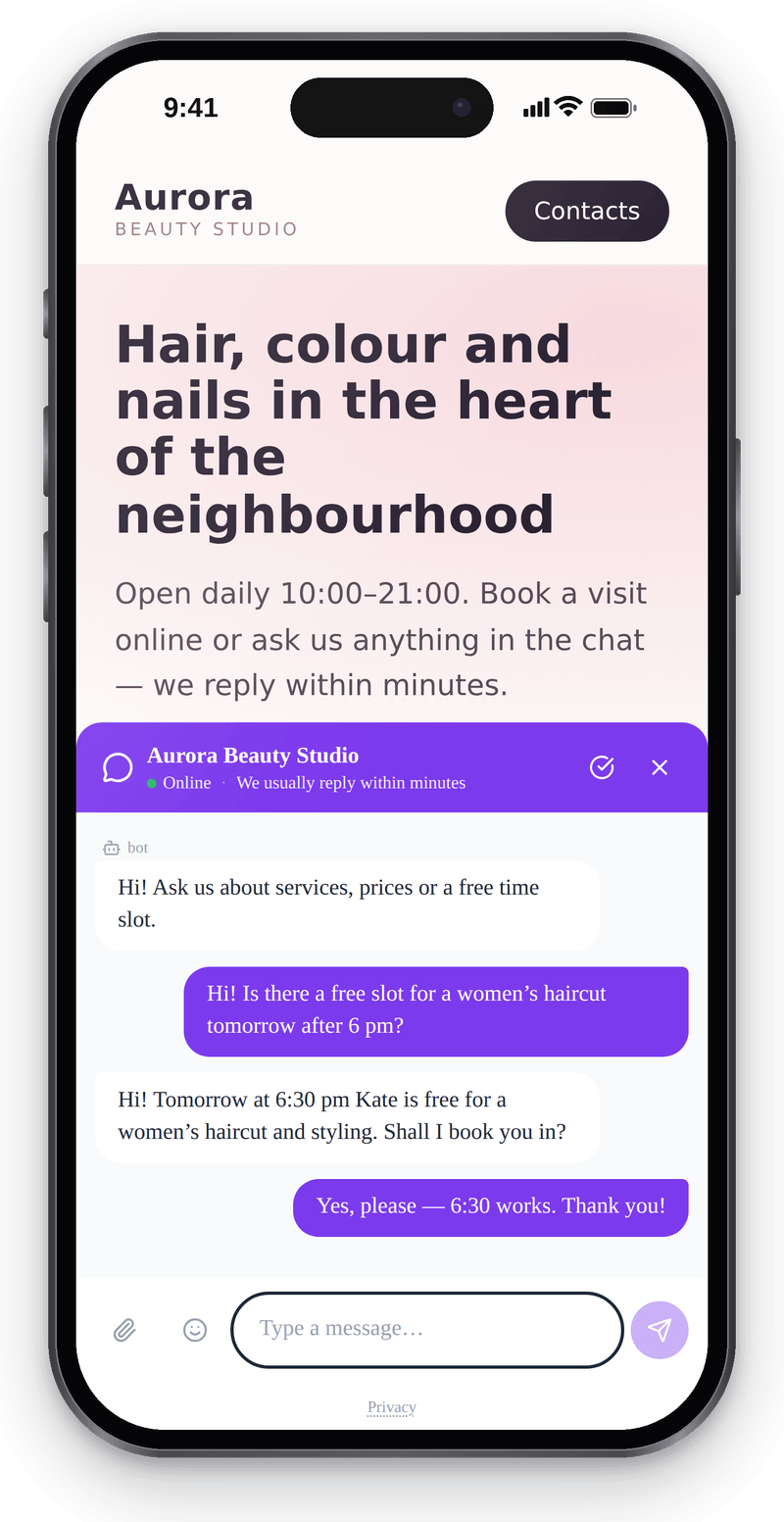
Visitors write from their phone without leaving the page Callback
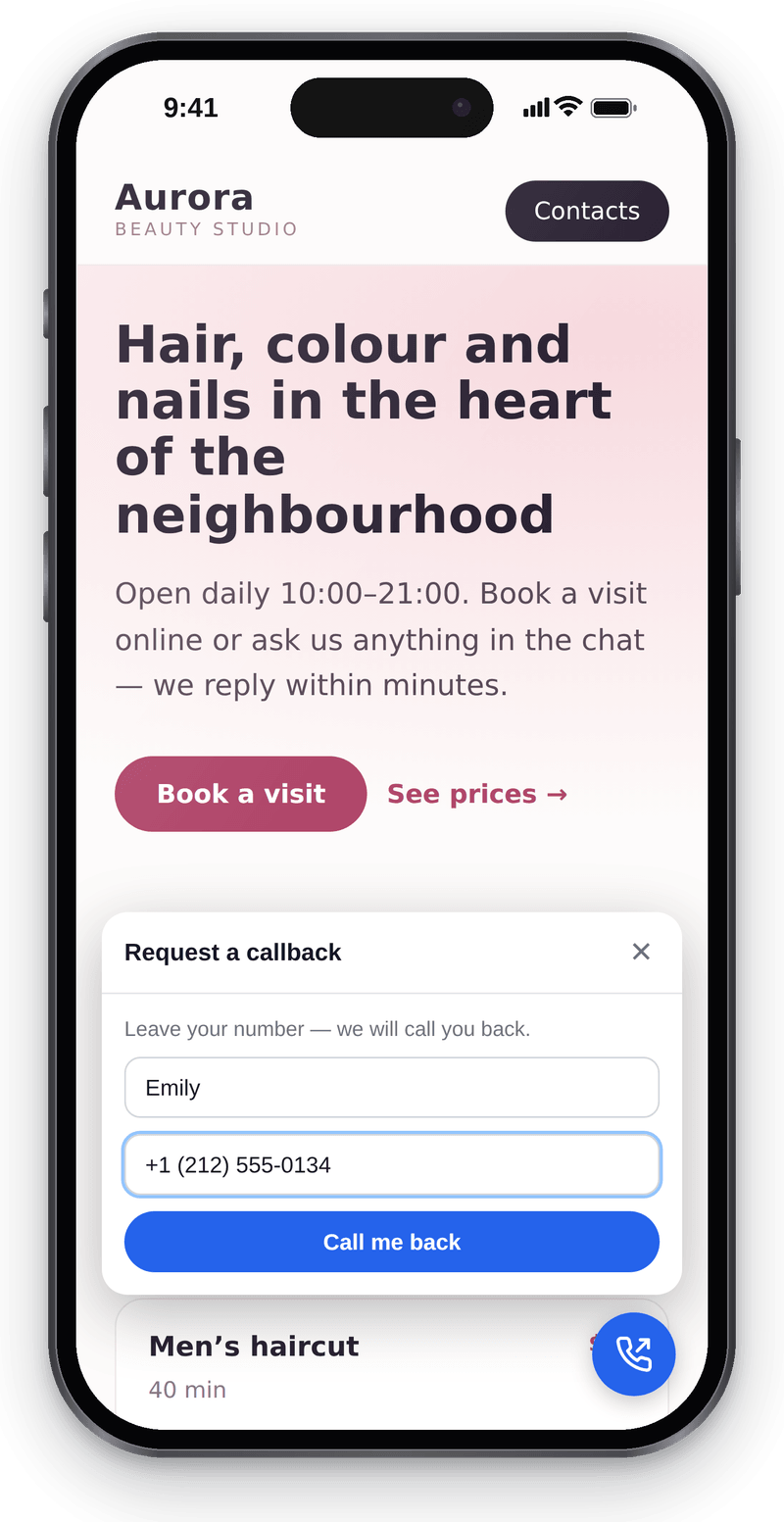
Visitors leave a number and you call them back


Conversations in the workspace
View full size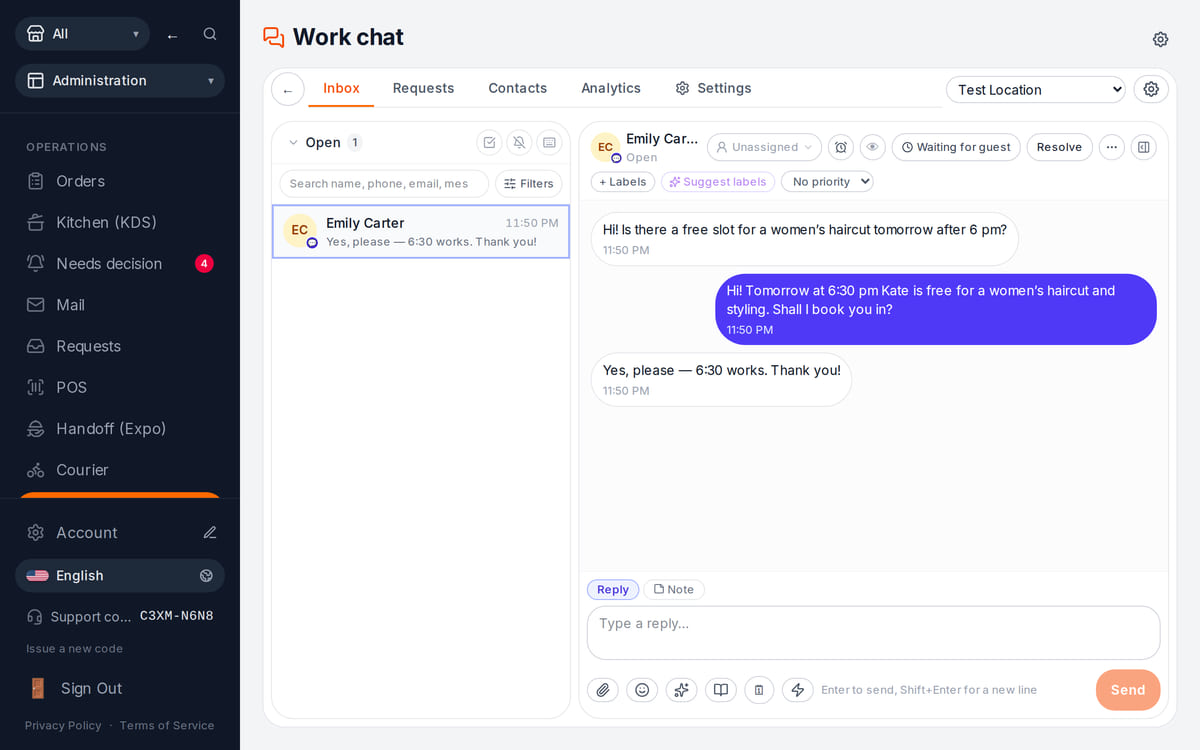
Website messages land in the team’s shared work chat

How it works in practice
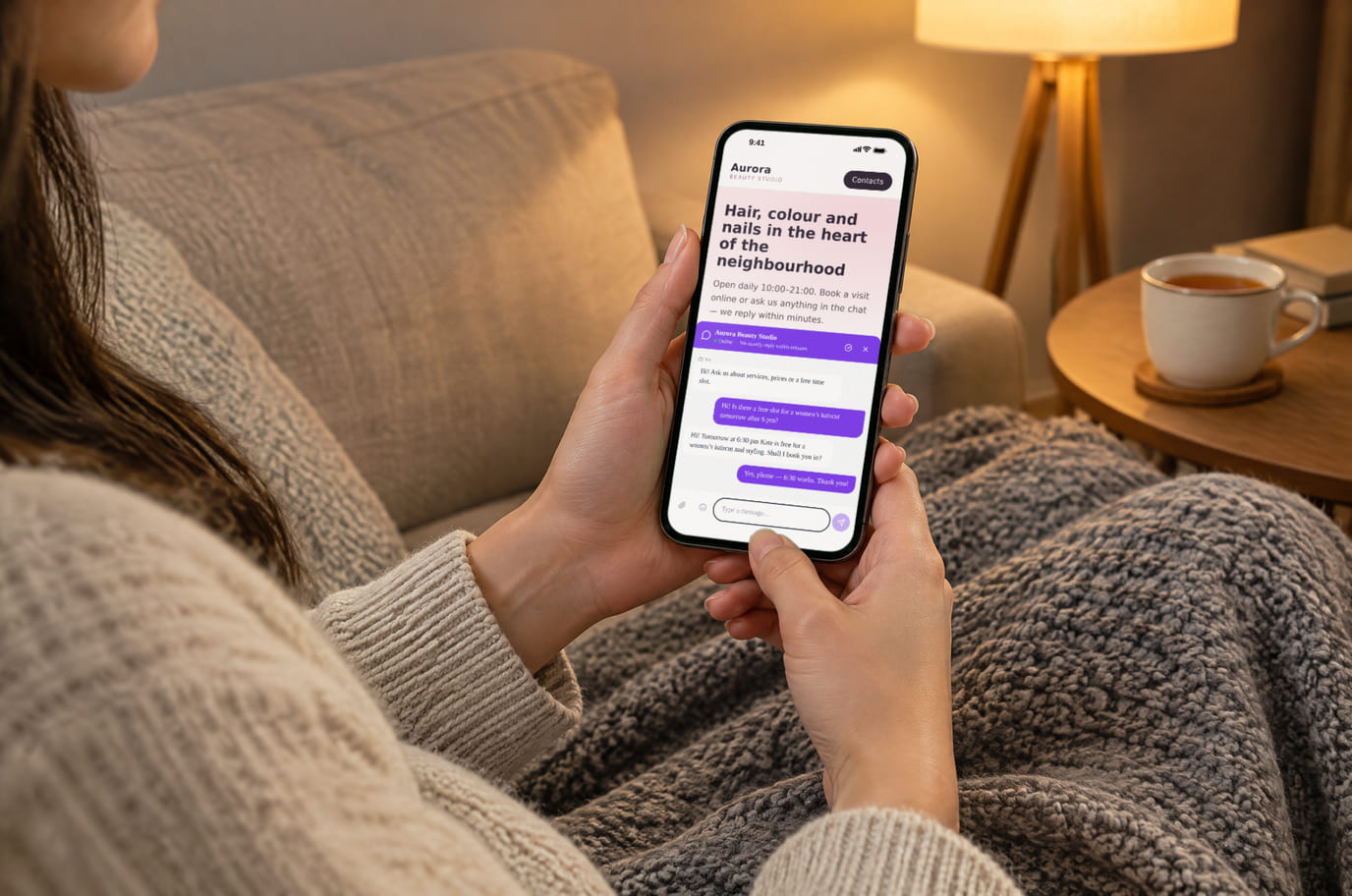
Illustration. An evening question, answered without a call 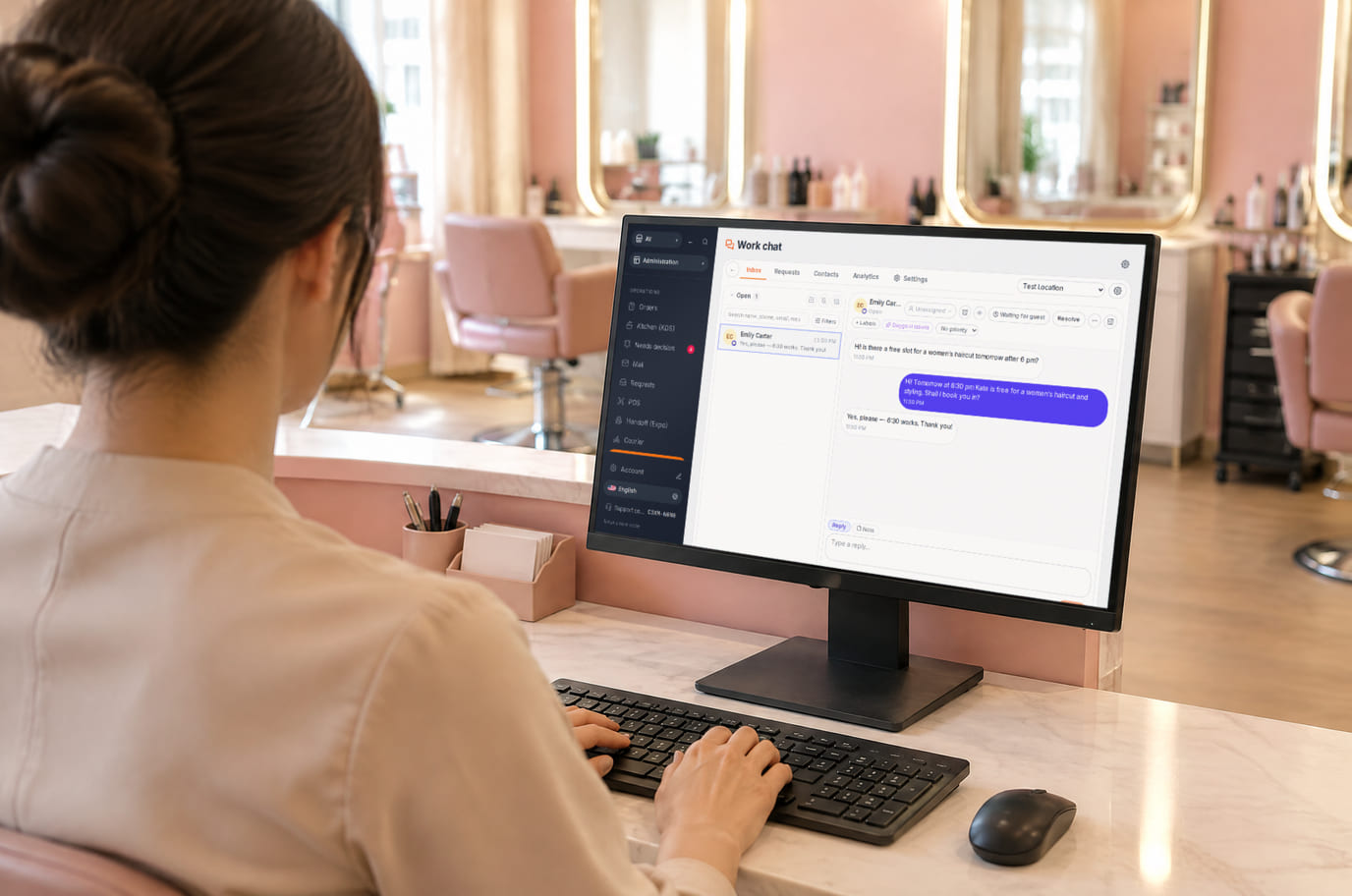
Illustration. Reception replies from the workspace without leaving the desk


What is included and what costs extra
Basic versions of 9 of the 13 widgets are free. Table booking, popups, help and legal documents on an external website are extensions. A free widget can have paid connected features.
- The basic widget
- A free form or button does not automatically include telephony, AI, delivery, payments or automated campaigns. Check the selected widget’s page for terms.
- Extensions
- Check catalogue terms before connecting. The basic CMP has a separate Cookies Pro tier; cenaly.ru has no scanner or consent log regardless of tier.
- Test before launch
- Enable one workflow, submit a test enquiry and find it in your account. Check the site on a phone and prepare your team to respond.
Hoe u het aansluit — drie stappen
Choose a task and add your site
Create an account and add the domain in My Website. Check the widget’s terms and prepare its data.
Install and check the code
Use the shared tag for ordinary widgets, following your platform’s instructions. Prior tracker blocking needs a separate early CMP script in head before trackers, without async/defer.
Test an enquiry
Enable the widget, check it on the published site and send a test enquiry. Settings may appear after the cache refreshes.
Shared tag for ordinary widgets
<script src="https://cdn.cenaly.com/site/v1.js" data-domain="your-site.com" async></script>For prior tracker blocking, use the early CMP script from the cookie-banner instructions. The shared async tag cannot stop trackers that have already run.
Waar het wordt geplaatst
Op sites uit onze builder zijn widgets vanaf het begin verbonden — u hoeft niets in te voegen.
Stapsgewijze instructies per platform — in de help →Installatie op uw platform
De exacte namen van menuonderdelen en de tariefvoorwaarden staan in de officiële help van elk platform.
- WordPress Plugin voor het invoegen van code in de header of de bestandseditor van het thema
- Tilda ‘Site-instellingen’ → code invoegen → HTML-code in de head
- Wix Settings → Custom Code, een gekoppeld domein is vereist
- Shopify Online Store → Edit code → theme.liquid
- Webflow Site settings → Custom code; Site plan of een passende Workspace
- Squarespace Website Tools → Code Injection → Header
Staat het platform er niet tussen? Algemene installatie-instructie →
Vergelijkingen
Elke bewering hierboven is op de genoemde dag van deze pagina's overgenomen. De leverancier kan daarna zijn gewijzigd — de links verwijzen naar de oorspronkelijke bron, controleer het zelf.
Vragen en antwoorden
What do I need before setup?
Access to insert website code and an account with the domain in My Website. Other requirements depend on the task: chat needs a responding team, calls need telephony, appointments need services and schedules, and orders need a catalogue and fulfilment options.
What exactly is free?
Basic versions of 9 of the 13 widgets are free; the other 4 are extensions. Telephony, AI, automation and Cookies Pro have separate terms. A free widget does not make all connected features free.
Is one async tag enough for cookie consent?
A shared loader displays widgets. To block trackers before consent, install the separate CMP script first in head without async/defer. It cannot intercept scripts that have already run or server-set cookies. Check script order against the instructions.
How do I check the site and mobile layout?
Widgets isolate their styles, but test compatibility on your published page: mobile widths, buttons, forms and third-party scripts. Send a test enquiry and check that your team received it.
What language and cloud limits apply?
Built-in language coverage varies by widget; you configure your own text and translations separately. Core records are stored in your brand’s cloud. Connected AI, telephony and other services have their own processing terms. cenaly.ru has no CMP scanner or consent log; other limits are listed on each widget’s page.
Chat, enquiries and booking on your website
Basic widgets are free · extensions, telephony and AI have separate terms
Choose a widget